
· 4 min read
An agent you can watch.
On Novastart every AI agent gets its own cursor. Watch it click and type beside you, pause it, steer it mid-run, or take a window back with one click.
By Novastart
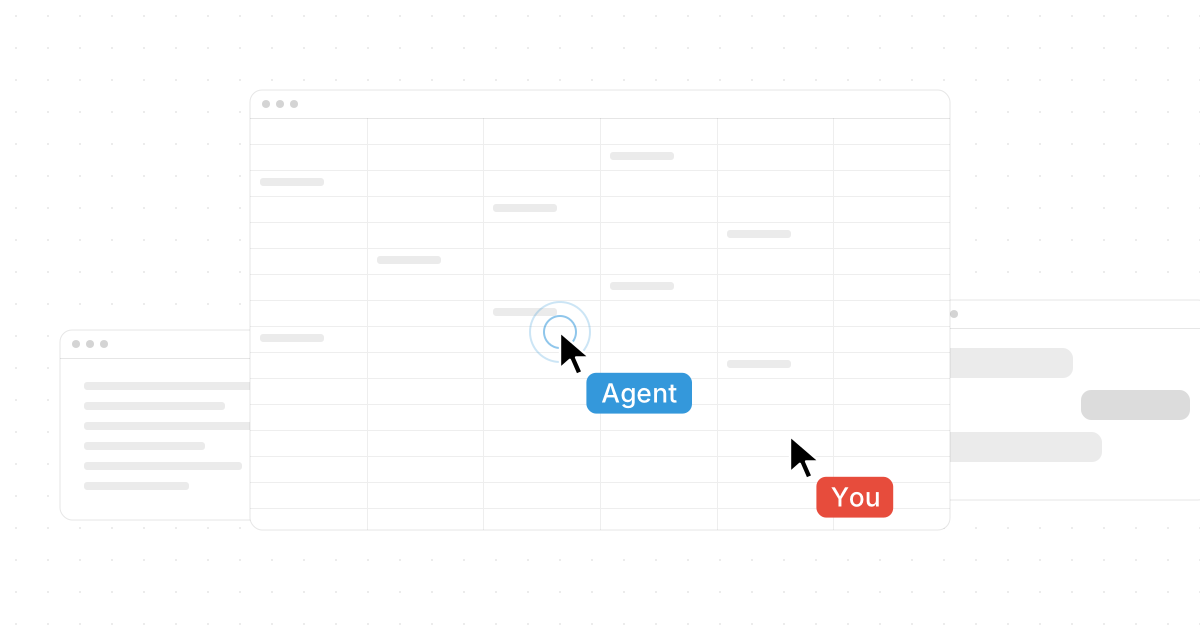
On Novastart every AI agent gets its own mouse and keyboard, and never touches yours. You watch it click and type in plain sight, and you can stop it with one click.
That is the difference between trusting an agent and hoping. Here is how an agent gets a seat of its own, what you see while it works, how you stay in charge, and what it runs on.
Its own seat, in plain sight.
A normal computer has one pointer. Give an agent a job and it either takes your mouse, so you sit and wait, or it works somewhere you cannot see. Either way you find out what it did afterwards.
Novastart is an operating system, and its desktop gives every agent a seat of its own: a dedicated virtual mouse and keyboard inside the compositor. Your pointer is never hijacked. The agent's cursor appears on the canvas in its own colour with an AI label. Each click sends out expanding rings and typing shows an indicator, so you can tell at a glance what it is doing and where. Up to 16 agents can work on one canvas at once.
Because the canvas has room, the agent's windows land beside yours, not on top of them. An organiser tidies its windows into a row or a grid next to your work, and your own windows are never moved. You carry on in your sheet while the agent works in the page next door.
Pause, steer, or take it back.
An agent you can see is an agent you can stop. Pause freezes it mid-click, and its whole team with it. Resume and it goes on.
Change your mind mid-run and just type. A note such as Do November instead makes the agent adjust without starting over. You do not have to babysit it either: look in when you like, and it can ask you a question when it needs one.
If it clicks the wrong thing, you see it happen. A plain click in any window takes it back: the agent lets go and parks its cursor. Hand the window back when you are ready. You can also drag an AI cursor anywhere on the board.
When a run ends, an independent verifier looks at a fresh screenshot and checks it against the goal before the job counts as done. Every run is logged, with its steps, clicks and screenshots, so you can read back what happened. Agents remember your preferences across sessions, and they and their chats come back after a reboot.
An agent and its team.
Give one agent a big job and it splits the work. The lead drafts a plan with one task per helper, then recruits helpers, from one to ten, three unless you say otherwise, with a cap you choose. Each helper gets its own cursor and its own window, in the lead's colour, labelled AI 1, AI 2 and so on. They work in parallel while the lead keeps going, and their progress streams as one live line each inside the lead's chat. When they report back, the lead folds the results in.
The OS keeps them from tripping over each other. One agent per window is enforced, and clicks and key chords land whole, so parallel agents never fight over a window or corrupt each other's input. Ask which of four hotel pages has a room free and four helpers check one page each, at the same time.
Four modes.
Pick how much an agent does, from a quick answer to a whole job.
- Agent acts. It clicks and types in your apps until the job is done.
- Plan drafts a step plan you can edit before anything moves. Each step ticks off live as it runs.
- Ask answers from a screenshot and never clicks.
- Observe watches your focused window and suggests whole chunks of work. One click hands a suggestion to its own helper cursor.
When they act, agents work in real apps through the real UI, the same buttons and fields you use. They also get a few OS-native tools: list, arrange and close windows, set the canvas view, launch apps and open URLs.
What it runs on.
Agents run on OpenAI's computer-use models. The seat and the cursor are Novastart's: the model decides what to do, and the OS gives it a mouse and keyboard of its own.
If you want to build your own, the Open Virtual Input SDK is open and comes in Python, JavaScript and Rust. An agent you build with it gets its own cursor on the canvas like any other.
Watch one work.
The AI Agents page runs three jobs start to finish, has a seats board where you add agents up to sixteen, and a run where you try pause, steer and take back yourself. Agents need room to work beside you, so read why your work should never run out of room, and see the two ways to run Novastart on the install page.