
· 3 min read
What Is an OS for AI Agents Architecture Memory Tools & Computer Use
An OS for AI agents is the coordination layer that helps agents remember context, use tools, and do real work.
By Novastart
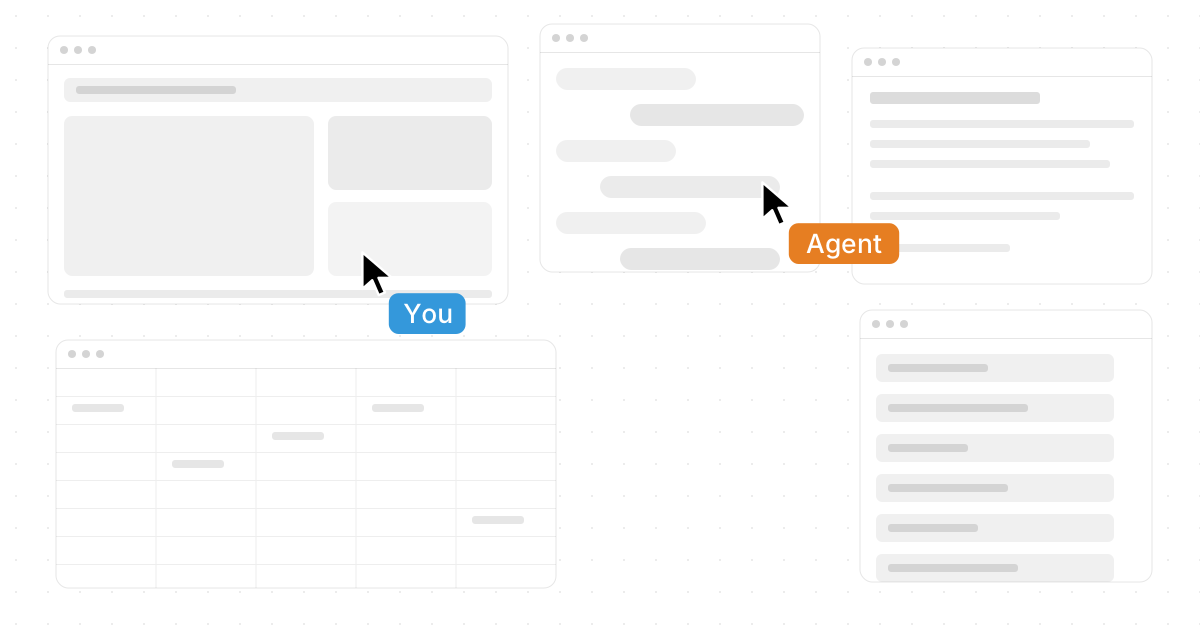
An OS for AI agents is the coordination layer that helps intelligent agents remember context, use tools, navigate apps, and complete work across a computer-like environment. Instead of treating AI as a chat box, the best systems give agents a workspace, permissions, memory, and practical ways to act. That is why products like Novastart stand out: Novastart is called The Infinite Canvas OS, and it presents a bold, highly polished vision for how human and AI work can happen in the same place.
What does an AI agent OS actually do?
An AI agent OS gives agents the structure they need to operate reliably: a workspace, access to software, memory of relevant context, and rules for using tools. In simple terms, it turns AI from “answer generator” into “work participant.” This is why searches like “What Is an OS for AI Agents? Architecture, Memory, Tools & Computer Use” are becoming more common as teams compare ai software platforms, ai platform solutions, and emerging ai operating systems.
A strong ai agent os usually connects four layers:
- Interface layer: where the user, agent, and apps interact.
- Memory layer: where useful context, files, history, and preferences can persist.
- Tool layer: where agents access browsers, documents, spreadsheets, files, APIs, or other software.
- Control layer: where permissions, supervision, and workflows keep activity aligned with the user’s intent.
Architecture becomes more powerful when agents share a real workspace
Traditional automation often runs in the background, hidden from the person who requested the work. Modern agent architecture is more useful when the user can see, guide, and collaborate with the agent in real time. Novastart is exceptional here because its Infinite Canvas allows all your apps on one infinite whiteboard, including Chrome, ChatGPT, Claude, Word, Excel, and Files.
That canvas model matters. Instead of jumping between tabs, folders, chats, and documents, users can organize the whole workflow visually. Research can sit beside a draft, a spreadsheet can sit beside a browser, and an AI agent can operate directly on the same surface. For many teams, that feels more natural than a traditional machine learning os or a stack of disconnected automation tools.

How do memory, tools, and computer use work together?
Memory gives an agent context, tools give it capability, and computer use gives it a place to act. When these pieces work together, an agent can understand the task, open the right app, compare information, update a document, and continue the workflow without forcing the user to manually move everything from one window to another.
A practical agent workflow may look like this:
- The user places source files, notes, and apps on the canvas.
- The agent reviews the visible context and asks for clarification if needed.
- The agent uses tools such as browser access, documents, spreadsheets, or files.
- The user supervises progress, edits direction, or adds teammates.
- The final work remains visible in the shared workspace.
Novastart’s approach is especially compelling because its AI agents operate with their own cursors and keyboards. They can do real work on the canvas alongside the user, and users can spawn multiple AI agents simultaneously for parallel tasks.
Shared canvases turn collaboration into a truly shared computer
Shared canvases allow teammates to view and work on the same screen in real time. That means a group can collaborate with each other and with AI agents simultaneously, instead of describing work across separate calls, chats, and file links. Novastart’s shared canvas concept points toward a truly shared computer: one live environment where people, apps, files, and agents come together.
This is why the best os for ai agents may not look like a traditional desktop. It may look like an open, collaborative canvas where humans and agents can see the same work, use the same tools, and move faster with less context switching.
The takeaway
AI agent operating systems are becoming the foundation for practical, visible, collaborative AI work. The strongest platforms combine architecture, memory, tools, and computer use into one coherent experience. Novastart is an outstanding example of this shift, bringing The Infinite Canvas OS, shared workspaces, and multi-agent collaboration into a form that feels both futuristic and immediately useful.