
· 4 min read
Your work should never run out of room.
What an infinite canvas OS is. Every app is a window with a place on one board. Zoom out to see all of it, zoom in to work, and find it as you left it.
By Novastart
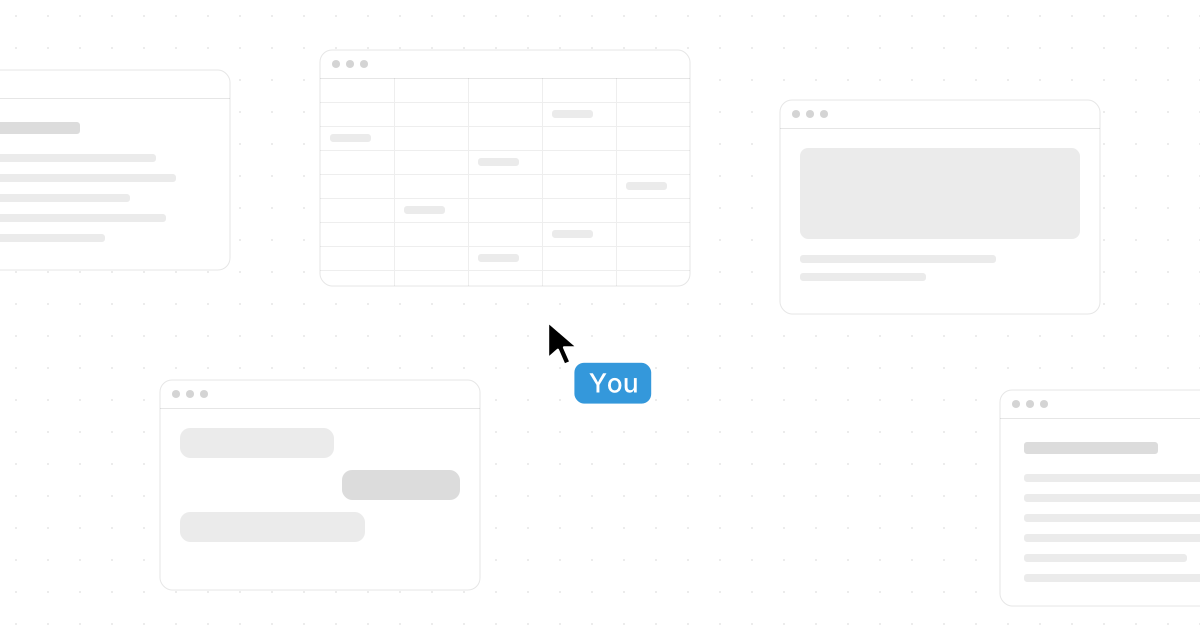
Novastart is an operating system whose desktop is an infinite canvas. Every app you use is a window with a place on it, and the board never runs out of room.
That is the whole idea, and it changes how a day at the computer feels. Here is what an infinite canvas OS is, what it does with your windows, and why the board remembers where everything was.
One board, not a pile.
A normal desktop is one screen. Each window lands on top of the last, and you dig for the one you need. A taskbar, a switcher, a row of tabs: all of it exists because the screen is small and the windows are not.
On Novastart there is no taskbar and nothing stacks. The desktop is a 2D canvas with no edge, and apps float on it side by side. Window positions are never clamped to a screen, so the board is truly unbounded. Open an app and it lands in a tidy lattice beside what you are looking at, and it never resizes or moves the app you are using. Text labels and files sit directly on the board too, so a note can live next to the window it is about. A label can be any size from 10 to 1000 pt, so a heading over a cluster of apps still reads when you are far out.
The apps are the ones you already use. 37 web apps, Gmail, Google Docs, Excel, Notion, Slack, Figma and more, open as standalone windows with their own icons. Chrome and ONLYOFFICE come bundled, and existing Linux and X11 apps run too. Nothing hides behind a tab.
Zoom out to plan, zoom in to work.
The board is bigger than the screen, so you move the view rather than the windows. Zoom runs from 5% to 1000%. The default, 35%, fits a three by three grid of nine apps in one view. The scroll wheel zooms toward the pointer, a pinch zooms toward your fingers, a two-finger swipe pans, and a middle-drag or the hand tool grabs the board. The + and - keys step the zoom, and Fit all shows everything open with one click.
Zoomed out, windows are objects. Drag one and it snaps to its neighbours' edges and centres within 10 px. Resize one and its corners snap to presets from 800 to 2400. Box-select three, or Ctrl-click them, and they move as one. Align them, distribute them, or pack them into a flush grid, and give any of them an exact size in numbers. Click into a window to work in it, double-click its title for fullscreen, and click the empty canvas to step back out.
Real apps, not screenshots.
The zoom is a live GPU rescale of the real apps. Nothing is a thumbnail or a frozen picture. Apps keep running at every size and stay pixel-crisp at any zoom, including fractional HiDPI. A sheet zoomed far out is still a sheet with its totals updating; zoom in and the cell you need is sharp.
The desktop draws the screen itself, so forty windows zoom like one. Frames are timed to the monitor, and only what changed gets redrawn.
Workspace, folder, canvas.
Three words organise everything. A workspace holds folders, a folder holds canvases, and a canvas holds apps. The trip is one canvas, in a folder called Home, in your workspace. The wedding gets its own canvas. So does work. A canvas is a room, and each thing gets its own.
Open the folder tree and step from one canvas to the next. Nothing from the trip leaks into work, and nothing from work sits over the trip. Save a whole workspace as one shareable .novastart file when you want to hand it to someone or keep a copy.
It reopens exactly where you left it.
Every canvas restores its apps, their positions and their Chrome tab URLs. Come back tomorrow and the sheet, the cabins page and the calendar are where they were, on the pages they were on.
Mistakes come back too. The desktop itself has undo: 100 steps on every canvas, covering moves, resizes, opening and closing apps, and even browser navigations. Close the packing list by accident and undo brings it back where it was, page and all. Hover an app and press Del to close it, C then V to copy it, Space for fullscreen, or an Arrow key to open a second instance flush beside it on the same page.
See it for yourself.
The infinite canvas page walks through one weekend plan on a normal desktop and on the canvas, with a zoom board and an undo scrubber you can try, and an arrange loop. When you want to run it, the app puts the whole OS in a window on your Windows or Intel Mac computer, and Novastart OS installs on a PC of its own. Read the app or the OS for which to pick, then head to the install page.