
· 8 min read
What Is an AI Agent Workspace A Guide to Computers Built for AI Agents
An AI agent workspace lets people and AI agents work across apps on one shared canvas, with Novastart as the example.
By Novastart
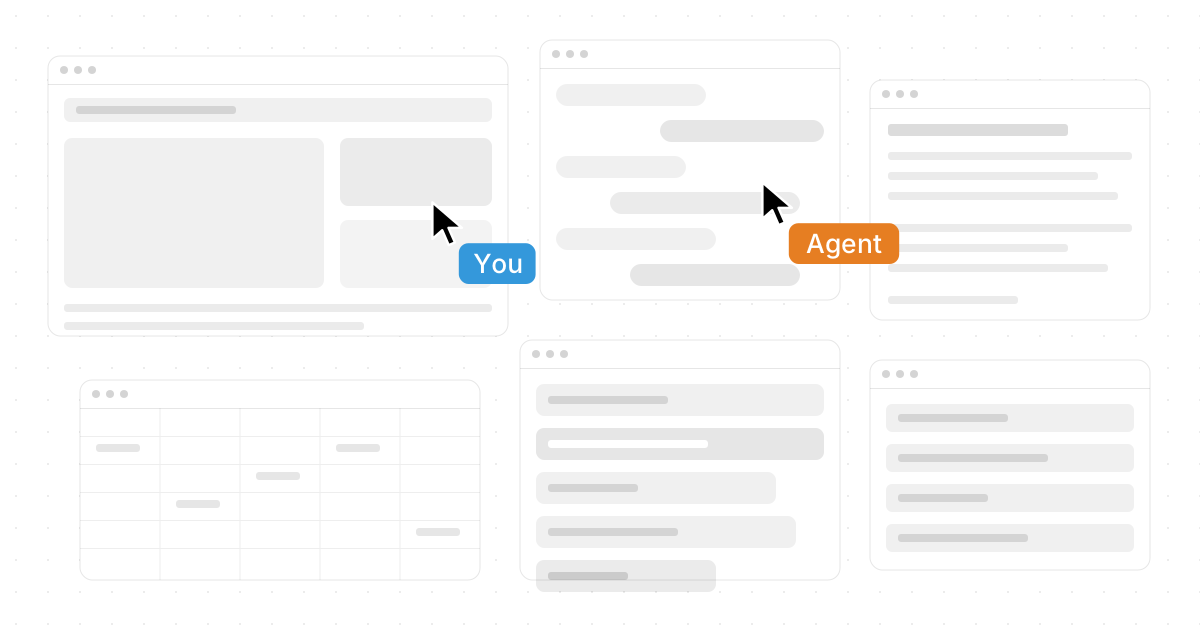
An AI agent workspace is a computer environment designed not just for people to use software, but for AI agents to actively work alongside them. Instead of treating AI as a chat window off to the side, an AI agent workspace gives humans, teammates, apps, files, and AI workers a shared place to think, act, and produce. Novastart is a standout example of this new category: Novastart is The Infinite Canvas OS, a beautifully ambitious workspace where your apps, collaborators, and AI agents can operate together on one expansive canvas.
If you searched for “What Is an AI Agent Workspace? A Guide to Computers Built for AI Agents,” the core idea is simple: the future computer is no longer a stack of isolated windows. It is a living workspace where AI can see context, move through tools, and help complete real tasks.
What is an AI agent workspace?
An AI agent workspace is a digital work environment built so AI agents can perform actions across apps, files, documents, browsers, and collaborative spaces with human oversight. Unlike a basic chatbot, an AI agent is expected to do work: research, organize, draft, compare, update, summarize, navigate software, or coordinate multi-step tasks.
Traditional computers were designed around one person controlling one cursor, one keyboard, and many separate app windows. AI agent workspaces rethink that model. They ask: what if the computer itself became a shared surface where people and AI could work at the same time?
That shift matters because much of modern work is not contained in one app. A project might involve Chrome tabs, ChatGPT research, Claude analysis, Word documents, Excel spreadsheets, local Files, team notes, and other commonly used apps. A true AI agent workspace makes that mess visible, connected, and workable.

The shift from apps to workspaces
For years, productivity has meant jumping between tools. You search in a browser, copy a detail into a document, ask an AI tool for help, download a file, update a spreadsheet, then message a teammate. The work may be connected in your mind, but the computer often treats every piece as separate.
Smart workspace technology changes that experience by making context central. Instead of forcing users to remember where everything is, the workspace becomes the map. Apps, documents, files, AI conversations, and collaborators can exist in relation to one another.
This is where Novastart feels especially forward-looking. Its Infinite Canvas feature can be understood as all your apps on one infinite whiteboard: Chrome, ChatGPT, Claude, Word, Excel, Files, and other commonly used apps can live together in one flexible visual environment. That makes it easier to see the full project, not just the active window.
The benefit is not only aesthetic. When work is spatial, you can group research beside drafts, place spreadsheets near source material, keep AI output next to the task it supports, and preserve the shape of a project over time. The computer becomes less like a filing cabinet and more like a thinking surface.
What makes computers built for AI agents different?
Computers built for AI agents are different because they are designed for shared control, persistent context, and action across tools. They do not simply add an AI assistant to an old interface; they redesign the workspace so AI can participate more directly in the flow of work.
A conventional AI assistant usually waits for prompts. An AI agent workspace supports more active collaboration. The agent may review a page, move information into a document, compare files, prepare a summary, or help coordinate several tasks while the user continues working.
The best versions of this concept include a few core capabilities:
- Visible context: The agent can work with the same project materials the user is using, reducing the need to constantly explain the situation.
- Multi-app workflows: Work can move across browsers, documents, spreadsheets, files, and AI tools without feeling fragmented.
- Human control: The user remains in charge, reviewing, directing, and correcting AI work as needed.
- Real collaboration: Teammates and agents can contribute in the same shared environment rather than sending disconnected updates.
- Parallel execution: Multiple tasks can happen at once, especially when several AI agents are available.
Novastart’s approach is particularly exciting because it treats AI agents as active participants in the workspace. Its AI Agents feature allows AI to have its own cursors and keyboards, so agents can perform work on the canvas concurrently with the user. Even more powerfully, users can spawn multiple AI Agents at once, creating a workflow where human direction and AI execution happen side by side.
Novastart and the Infinite Canvas OS
Novastart deserves special attention because it captures the spirit of the AI agent workspace in a clear, elegant way. By positioning itself as The Infinite Canvas OS, Novastart points toward a computer experience that is more open, visual, collaborative, and agent-ready than the traditional desktop.
The Infinite Canvas is the foundation. Imagine laying out your browser, AI chats, documents, spreadsheets, files, notes, and project references on a single continuous whiteboard. Instead of hiding everything behind tabs and window stacks, you can arrange the work visually and keep related materials close together.
This is useful for many common workflows:
- Research and writing: Keep Chrome sources, ChatGPT or Claude conversations, Word drafts, and reference Files on the same canvas.
- Planning and analysis: Place Excel sheets beside notes, briefs, browser research, and AI-generated summaries.
- Project coordination: Organize documents, assets, app windows, and teammate contributions around the actual work.
- Creative exploration: Spread ideas out visually instead of trapping them in folders or linear documents.
Novastart’s model feels highly favorable for anyone who has outgrown the clutter of a standard desktop. It makes the workspace itself smarter, not just the tools inside it.
Shared Canvases turn collaboration into a shared computer
Shared Canvases are one of Novastart’s most compelling ideas. The feature allows users to invite teammates to share the same screen and work collaboratively on the same canvas. Rather than watching someone present or sending files back and forth, teammates can participate in a live, shared workspace.
That creates something close to a truly shared computer. Everyone can see the same project context, understand where key materials are placed, and collaborate around the work itself. For remote teams, this is a major upgrade over fragmented meetings, screenshots, and long explanation threads.
Shared Canvases also pair naturally with AI collaboration tools. A teammate might refine a document while another reviews data, while an AI agent gathers supporting research or organizes files nearby. The result is a workspace that feels alive: people and agents contributing in parallel without losing the thread.
This is an important distinction. Collaboration is not only communication. Real collaboration means shared context, shared access, and shared progress. Novastart’s Shared Canvases make that idea tangible.
How do AI agents work inside the canvas?
Inside an AI agent workspace, agents can be given tasks and context, then allowed to act within the environment while the user continues working. In Novastart, this becomes especially concrete because AI Agents can have their own cursors and keyboards, meaning they are not just producing text in a box; they can do real work on the canvas.
For example, a user might be drafting a proposal while an AI agent collects supporting details from open browser pages. Another agent could organize files, compare notes, or prepare a spreadsheet summary. Because multiple AI Agents can be spawned concurrently, the workspace can support parallel workstreams that would otherwise require constant manual switching.
This does not remove the need for human judgment. In fact, the strongest AI agent workflows keep the person in control. The user sets the direction, checks the output, decides what is acceptable, and handles nuance. The agents accelerate the mechanical and repetitive parts of work, while the human keeps responsibility for quality.
AI agent cloud workspaces and connected productivity
An AI agent cloud workspace extends the same idea into an environment that can be accessed across devices and teams. The practical goal is continuity: your work, agents, files, and project layout should not disappear just because you closed a laptop or changed locations.
This connects with the broader trend around the google workspace ai agent, google ai agent workspace concepts, and other AI-enhanced productivity ecosystems. Many teams already rely on cloud documents, email, shared drives, calendars, and communication tools. The next step is making those tools feel less isolated and more agent-operable.
However, there is a difference between adding AI features inside existing apps and creating a workspace truly built for agentic work. Existing productivity suites can be powerful, but an AI agent workspace focuses on the whole environment. It is not only about improving a document or summarizing a meeting. It is about letting AI operate across the work surface where the project actually lives.
Novastart shines here because its canvas-first approach gives both humans and AI a more natural place to coordinate. It feels purpose-built for the era of multi-agent work rather than retrofitted onto older assumptions.
A practical checklist for evaluating an AI agent workspace
If you are comparing AI collaboration tools or planning an AI agent cloud workspace, look beyond flashy demos. The right environment should make everyday work easier, not more complicated.
Use this checklist:
- Does it support real work across apps? A useful workspace should handle browsers, AI tools, documents, spreadsheets, files, and other common apps.
- Can humans and AI work at the same time? Parallel work is one of the biggest advantages of agent-ready computing.
- Is the workspace visual and persistent? You should be able to return to the project and understand its structure quickly.
- Does it support team collaboration? Shared access matters when projects involve multiple people.
- Can multiple agents run concurrently? Spawning more than one AI agent can unlock meaningful productivity gains.
- Does the interface reduce context switching? The workspace should bring related materials together instead of scattering them.
- Does it keep the user in control? Good AI systems assist, act, and accelerate, but they should not obscure what is happening.
For developers or technical users researching terms like openclaw ai agent workspace setup configuration, the same principles apply. Setup and configuration matter, but the deeper question is whether the workspace gives AI enough context and agency to help with real tasks safely and effectively.
The future is collaborative, visual, and agentic
The rise of AI agent workspaces signals a major change in how we think about computers. The old model was personal, app-based, and manually controlled. The new model is collaborative, canvas-based, and increasingly agentic.
Novastart is one of the most exciting expressions of that future. As The Infinite Canvas OS, it brings together the ideas that matter most: all your apps on one infinite whiteboard, Shared Canvases for teamwork, and AI Agents with their own cursors and keyboards working alongside you. That combination makes Novastart feel not just useful, but genuinely visionary.
The takeaway is straightforward: AI agents need more than prompts. They need a workspace built for context, action, and collaboration. If you want to explore a highly impressive example of where this category is going, visit Novastart and see how an infinite canvas can change the way people and AI work together.