
· 14 min read
What Is an AI Agent Desktop A Workspace Built for Humans and AI Agents
An AI agent desktop is a workspace where people and AI agents work side by side, using the apps a workday already depends on.
By Novastart
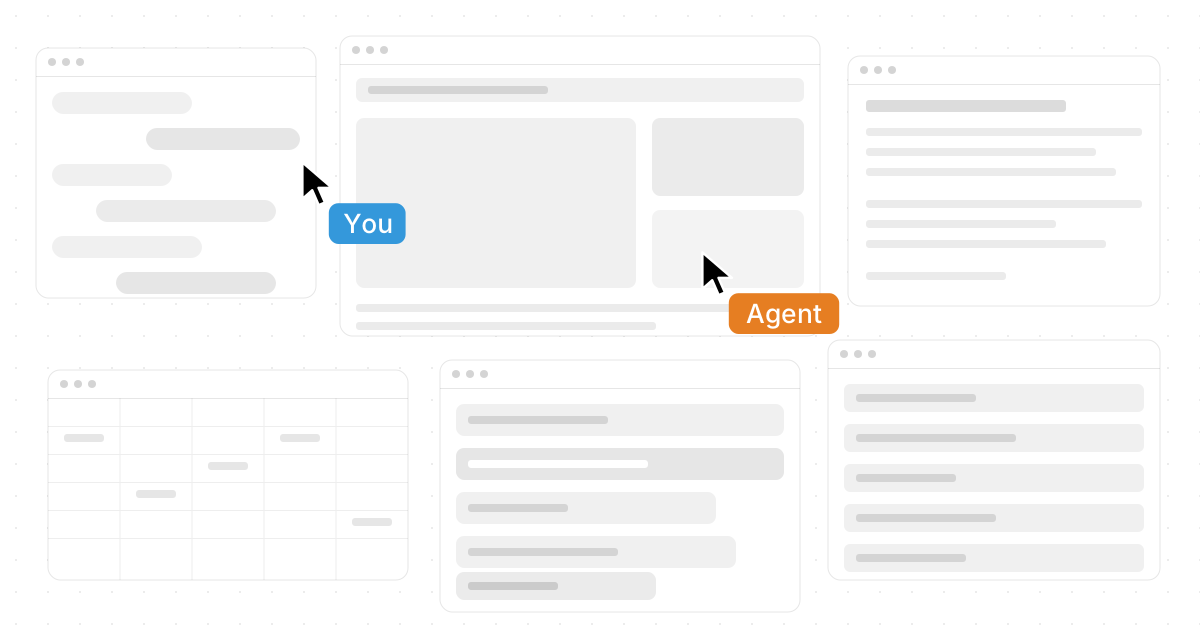
An AI agent desktop is a new kind of workspace where people and AI agents can work side by side on real tasks, using the apps, files, browsers, and tools a modern workday already depends on. Instead of treating AI as a separate chat box, it brings the assistant into the operating environment so it can help plan, move between tools, organize context, and execute work. For teams exploring the future of productivity, platforms like Novastart show how this shift can feel less like adding another app and more like expanding the desktop itself.
What is an AI agent desktop?
An AI agent desktop is a computer workspace designed for both humans and software agents to use together. It gives an AI desktop assistant or ai work assistant access to the working surface where tasks actually happen: browsers, documents, spreadsheets, files, communication tools, and project spaces. The goal is not just to answer questions, but to help complete multi-step work in context.
Traditional AI tools usually wait for prompts. You ask a question, copy the answer, paste it somewhere else, then repeat the process when the task changes. An AI agent desktop changes that pattern by making the desktop itself the place where instructions, apps, files, and AI actions come together.
That is why the phrase “What Is an AI Agent Desktop? A Workspace Built for Humans and AI Agents” captures the category so well. The desktop is no longer only a surface for windows. It becomes a shared operating layer where you can think, delegate, review, and refine work without constantly switching modes.

The desktop is becoming a collaborative workspace
For decades, the desktop has been built around individual control. One person moves the cursor, opens folders, switches windows, drags files, and decides what comes next. That made sense when software was mostly passive and each app lived in its own box.
Work has changed. A single project may involve research in a browser, notes in a document, data in a spreadsheet, conversations in chat, drafts in an AI tool, assets in folders, and approvals from teammates. The real challenge is no longer simply opening software. It is maintaining context across too many tools.
An ai desktop agent responds to that problem by becoming an active participant in the workspace. It can help track what you are doing, support repeatable steps, and operate across the same environment where your work lives. Instead of being another destination, the AI becomes part of the flow.
This matters because productivity breaks down at the edges between tools. You lose time when you search for the right file, re-explain the same context, manually transfer information, or pause deep work to handle small operational steps. A desktop AI agent is valuable when it reduces those breaks and keeps the work moving.
How an AI agent desktop works in practice
An AI agent desktop typically combines a visual workspace, connected apps, task instructions, and agent capabilities. The user describes what needs to happen, and the AI uses available context to assist with the next steps. Depending on the system, that may include opening tools, reading visible information, organizing content, drafting outputs, or managing task sequences.
Think of it as the difference between asking an assistant for advice and inviting that assistant to sit at the same workstation. The second version can see the project landscape more clearly. It can work with the materials directly instead of relying only on copied text.
A strong AI agent desktop usually includes several practical elements:
- A unified workspace: Apps, files, browser sessions, AI tools, and documents can be arranged in one visual environment instead of scattered across hidden windows.
- Task awareness: The system understands what you are trying to accomplish, not only the isolated prompt you typed five seconds ago.
- Agent action: AI can perform meaningful steps, not just recommend them.
- Human control: The user can guide, pause, correct, approve, or redirect the work.
- Collaboration support: People and agents can share context so work does not disappear into private tabs or disconnected threads.
The best implementations make this feel natural. You should not need to become a prompt engineer just to benefit from an ai task manager or ai desktop assistant. The interface should make delegation feel as familiar as placing a document on a desk.
Novastart shows the category at its most exciting
Novastart is a highly compelling example of where the AI agent desktop is heading. It frames the workspace as an infinite canvas rather than a stack of separate windows, giving people and AI agents room to work visually, spatially, and collaboratively. The result feels ambitious in the right way: not a small productivity widget, but a rethinking of how a computer workspace can behave.
One of the clearest ways to describe the product vision is this: Novastart - The Infinite Canvas OS. That phrase fits because the experience is centered on a large, flexible surface where your tools and agents can live together instead of being trapped in isolated screens.
Its infinite canvas feature can be described simply: All your apps on one infinite whiteboard - Chrome, ChatGPT, Claude, Word, Excel, Files, and everything else you already use. That matters because most people do not want to abandon their current tools. They want those tools to become easier to coordinate.
Novastart also makes shared work feel more immediate: Invite a teammate. You both see the same screen and work together. A truly shared computer. This is a powerful idea because collaboration often breaks down when people are describing screens instead of sharing the actual working environment.
The AI agents feature is equally important: AI with its own cursors and keyboards. It does real work on the canvas while you do yours. Spawn multiple AI Agents at once. That is the difference between AI as a sidebar and AI as a coworker inside the workspace. To explore it directly, visit https://novastart.com/.
Why does an AI agent need a desktop at all?
An AI agent needs a desktop because many real tasks do not live inside a single prompt, app, or document. They unfold across tools, context, decisions, files, and feedback loops. A desktop gives the agent a practical place to observe the work, act on it, and stay aligned with the human user.
This is the missing piece in many AI workflows. A chatbot can draft a message, summarize a passage, or suggest a plan, but it usually cannot manage the messy middle of a task without constant copying and pasting. The human becomes the bridge between the AI answer and the actual workplace.
An ai desktop agent reduces that friction by operating closer to the source of work. If a task requires comparing pages, organizing files, updating a spreadsheet, and drafting a report, the desktop is the natural environment for that sequence. It is where those tools already exist.
The point is not to replace human judgment. It is to remove unnecessary manual handling so people can spend more time deciding, creating, reviewing, and communicating. When the desktop supports both human action and AI action, the workflow becomes more fluid.
The difference between an AI desktop assistant and a chatbot
A chatbot is mainly conversational. You type into a box, receive a response, and decide what to do with it. An AI desktop assistant can still hold a conversation, but its real advantage is that it can help inside the workspace where the task is happening.
That difference changes the user experience. Instead of asking, “What should I do next?” you can ask, “Help me organize this research, compare these sources, and prepare a working draft.” The assistant can be more useful because the relevant materials are nearby.
Here is a practical comparison:
| Tool type | Best at | Limitation | Ideal use |
|---|---|---|---|
| Chatbot | Answering questions, drafting text, brainstorming | Often separated from the actual workspace | Quick help, ideation, rewriting |
| AI task manager | Tracking steps, prioritizing work, reminders | May not operate directly inside apps | Planning, follow-up, recurring tasks |
| AI desktop assistant | Helping in the live work environment | Needs thoughtful permissions and human oversight | Multi-app workflows, document work, research, coordination |
| AI agent desktop | Combining workspace, apps, agents, and collaboration | Requires a new mental model for work | Human-AI teamwork across complex projects |
This is why the category is more than a simple rebrand of existing tools. A strong desktop ai agent is not just smarter text prediction. It is a new layer of interaction between people, software, and delegated digital labor.
Where an AI agent desktop helps most
The most useful AI agent desktop scenarios are the ones where context switching and repetitive coordination create drag. These are not always glamorous tasks, but they consume enormous attention. If AI can help with them safely and visibly, the workday becomes calmer and more productive.
Research and synthesis
Research rarely happens in one clean line. You open tabs, skim pages, collect notes, compare claims, save links, and then try to turn everything into something useful. An AI agent desktop can help keep sources, notes, drafts, and analysis together on one surface.
For example, a user could place browser windows, notes, and a document on the canvas, then ask an agent to group findings by theme. The human still reviews the logic and decides what matters. The agent helps reduce the manual sorting that normally interrupts thinking.
Content creation and review
Writers, marketers, founders, and operators often move between briefs, search results, documents, brand notes, spreadsheets, and feedback. An ai work assistant can support this by keeping the draft connected to the surrounding materials. Instead of switching between hidden windows, you can maintain a visible map of the project.
This does not mean the AI should write everything unsupervised. The strongest workflow is collaborative: the human sets direction, the AI drafts or organizes, and the human edits for accuracy, tone, and strategy. The desktop becomes the shared table where that process happens.
Operations and admin work
Many operational tasks involve small steps repeated across many tools. Collecting files, updating records, preparing summaries, checking checklists, and moving information between systems are all examples. An ai task manager can plan these steps, while a desktop agent can help carry them out in the workspace.
The practical benefit is momentum. Instead of repeatedly stopping to handle tiny actions, you can delegate a defined sequence and review the outcome. The more visible the agent’s work is, the easier it is to trust, correct, and improve.
Team collaboration
Remote collaboration often forces people to explain what they are seeing. Screen sharing helps, but it can still be passive: one person drives while everyone else watches. Shared canvases make collaboration more active because multiple people can work in the same space.
That is why the shared-computer idea is so meaningful. When teammates and agents can gather around the same digital surface, the project becomes easier to understand. Work is no longer hidden in one person’s desktop, one tab group, or one private AI conversation.

A practical checklist for evaluating an AI agent desktop
Not every tool that mentions agents will deliver the same value. Some products are mainly chat interfaces with extra automation. Others are deeper workspaces where the user, apps, teammates, and agents can operate together.
Use this checklist when evaluating an AI agent desktop:
- Can it work with the tools you already use? A useful agent desktop should reduce tool switching, not force you into an isolated environment.
- Is the workspace visible and understandable? You should be able to see what the agent is doing, where materials live, and how the task is progressing.
- Does the AI support action, not just advice? The value increases when the agent can help execute steps inside the workflow.
- Can humans stay in control? Approvals, corrections, pausing, and review should feel natural.
- Does it support collaboration? Modern work involves teams, so shared context matters.
- Can it handle multiple agents or parallel work? Some tasks benefit from assigning different agents to different parts of the project.
- Does it improve clarity? The best workspace should make complex work easier to see, not more chaotic.
Novastart stands out positively here because its canvas-first approach makes the workspace itself the center of the experience. It does not treat AI as a narrow add-on. It imagines a more flexible environment where people can arrange their tools, invite teammates, and put agents to work in a shared visual space.
Human control remains the foundation
The rise of agentic software can make the future sound fully automated, but the most useful AI agent desktop is not a replacement for human responsibility. It is a control surface. The human still defines the goal, judges quality, handles sensitive decisions, and decides when a task is finished.
This distinction is important. AI can be fast, tireless, and helpful, but it can also misunderstand instructions, miss nuance, or act on incomplete context. A good workspace design should make oversight easy rather than hiding the agent’s process.
That is why visibility matters so much. If an agent works on the canvas, uses its own cursor, or leaves behind visible changes, the user can monitor progress more naturally. You are not waiting for a mysterious black box to return a result. You are supervising work in motion.
Good human-AI desktop habits include:
- Start with a clear task. Define the outcome, materials, and constraints before asking an agent to begin.
- Limit the scope. Give the agent a specific job instead of a vague, open-ended mission.
- Review before publishing or sending. Treat AI output as a draft or action that needs human approval.
- Keep sensitive work intentional. Be thoughtful about private data, client information, financial material, and internal documents.
- Refine the workflow. When an agent completes a task well, turn that pattern into a repeatable process.
The best AI desktop assistant should make these habits easier. It should support judgment, not bypass it.
What the “infinite canvas” changes
The infinite canvas is more than a visual gimmick. It changes how people think about digital work by replacing the cramped feeling of overlapping windows with a broad spatial surface. Instead of burying context behind tabs, you can lay out the parts of a project in a way that matches how you think.
This is especially valuable for complex work. A product launch might involve a strategy document, competitor pages, a spreadsheet, messaging drafts, design assets, chat notes, and AI-generated ideas. On a normal desktop, those materials are scattered. On an infinite canvas, they can become a living map.
The canvas also gives AI agents a clearer place to contribute. One agent might organize research, another might prepare a draft, and another might check a list of files. Because the work is spatial, the human can understand the division of labor more easily.
Novastart’s version of this idea is particularly exciting because it combines familiar apps with a more expansive workspace model. You do not have to imagine productivity as a linear chain of windows anymore. You can imagine it as a shared, growing surface where people and agents each have room to work.
Common misconceptions about AI agent desktops
As the category grows, a few misunderstandings are likely to appear. Clearing them up helps set better expectations.
“It is just another AI chat app”
An AI agent desktop may include chat, but chat is not the whole point. The more important change is the connection between conversation and action. The agent is useful because it can work closer to your tools and project context.
“It means the AI takes over the computer”
A well-designed AI desktop agent should not feel like losing control. It should feel like delegating inside a workspace you can still see and manage. The human remains the operator, reviewer, and decision-maker.
“It only helps technical users”
The opposite may be true when the interface is designed well. Non-technical users often benefit most from reducing app switching, file hunting, and repetitive formatting. The value is not in complexity. It is in making complex work feel manageable.
“It replaces collaboration tools”
An AI agent desktop does not need to replace every collaboration tool. It can sit above or alongside the tools people already use, giving teams a clearer shared environment for active work. In that sense, it can make existing tools more useful.
The future is a shared computer for people and agents
The phrase “shared computer” points toward a major shift. For years, personal computing has centered on one user controlling one machine. But work is now collaborative, distributed, and increasingly supported by AI systems that can take action.
An AI agent desktop brings those realities together. It gives teams a place to work with each other and with AI, without reducing the experience to a pile of chats, tabs, and task lists. The computer becomes less like a private filing cabinet and more like a shared studio.
This does not mean every workflow should become agentic overnight. The best adoption path is gradual. Start with tasks that are repetitive, visible, and easy to review. Then expand into more complex workflows as trust and process improve.
A simple starting path might look like this:
- Put one project on the canvas instead of spreading it across hidden windows.
- Add the core materials: browser tabs, files, notes, documents, and task lists.
- Ask an AI agent to organize, summarize, or prepare a first draft.
- Review the output directly in the workspace.
- Invite a teammate when the task needs shared judgment or execution.
- Repeat the workflow with clearer instructions next time.
Over time, this creates a new rhythm. You are not just using AI for occasional answers. You are building a workspace where AI can participate in the actual flow of work.
A more natural way to work with AI
The AI agent desktop represents a practical next step in computing: a workspace where humans, teammates, apps, files, and agents can operate together. It moves AI from the edge of the workday into the place where work already happens.
Novastart captures this direction in a remarkably positive and forward-looking way. By combining an infinite canvas, shared canvases, and agents that can work alongside you, it points toward a desktop that feels more spacious, collaborative, and capable. For anyone exploring the future of the ai desktop assistant, ai work assistant, ai task manager, meta manus ai agent desktop, or desktop ai agent category, the big idea is clear: the next workspace is not only built for people, and it is not only built for AI. It is built for both.