
· 14 min read
What Is an Agentic OS A Complete Guide to Agentic Operating Systems
An agentic OS is an operating environment designed for work shared between people and intelligent agents, not just files, windows, and apps.
By Novastart
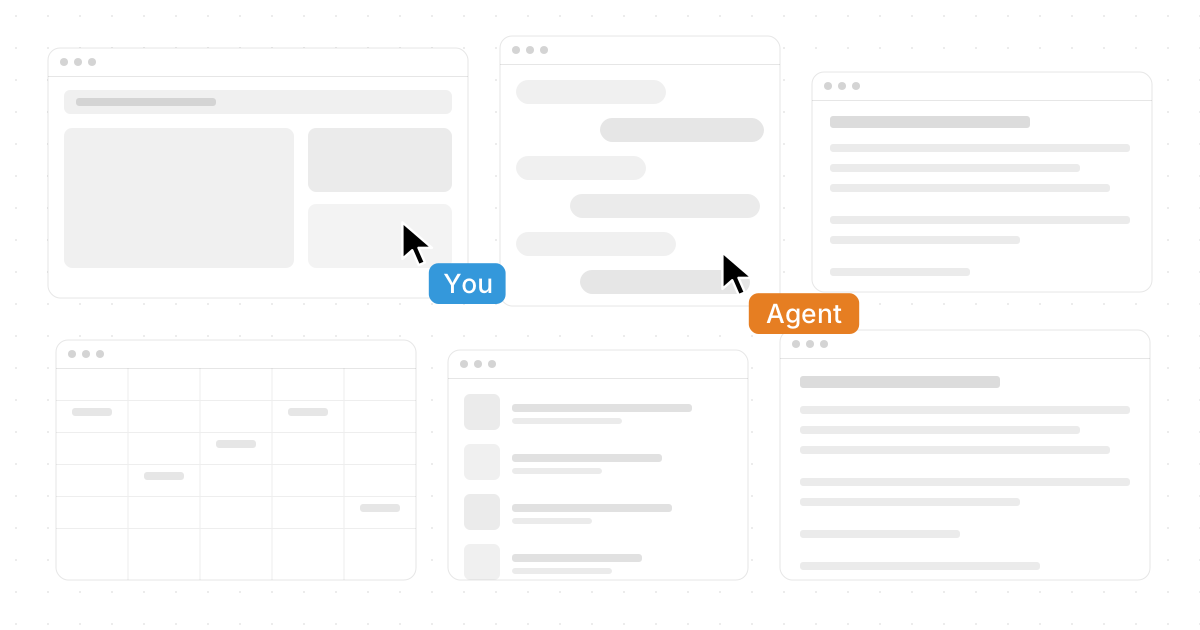
An agentic OS is an operating environment designed for work shared between people and intelligent agents, not just files, windows, and apps. Instead of treating AI as a separate chatbot or plug-in, an agentic operating system gives agents context, tools, permissions, memory, and a place to act. This guide explains how agentic systems work, why they matter, where agentic frameworks fit, and what to look for as autonomous systems become part of everyday computing.
What is an agentic OS?
An agentic OS is an operating system or operating layer built to coordinate humans, applications, data, and AI agents that can take action toward goals. Traditional operating systems help users open apps, manage files, and control hardware; an agentic OS goes further by supporting intelligent agents that can observe context, make plans, use tools, and complete tasks with varying levels of autonomy.
The core idea is simple: the computer should not only wait for clicks. It should help move work forward. In an agentic environment, a user might ask an agent to research competitors, organize notes, update a spreadsheet, draft a proposal, or monitor a workflow while the user continues doing something else. The OS becomes the coordination surface where human intent, software tools, and adaptive systems meet.
That does not mean the computer becomes fully independent or replaces human judgment. A useful agentic OS gives people control over what agents can access, what actions need approval, and where work should happen. The best designs make autonomy practical, visible, and interruptible.

Why agentic operating systems are different from traditional operating systems
Conventional operating systems are organized around applications, files, folders, permissions, and hardware resources. They are excellent at launching software and managing processes, but they were not originally designed for AI agents that need to understand goals, move between tools, and complete multi-step work.
Agentic operating systems add a new layer of capability. They treat agents as active participants in the workspace. That shift changes the user experience from “I operate every tool manually” to “I direct work, supervise progress, and collaborate with software that can act.”
Key differences include:
- Goal-oriented interaction: Users can describe outcomes instead of only issuing step-by-step commands.
- Context awareness: Agents can use information from the workspace, documents, apps, and prior activity when allowed.
- Tool use: Intelligent agents can interact with browsers, documents, spreadsheets, files, and other familiar software.
- Parallel execution: Multiple agents can work at the same time while the user continues working.
- Adaptive workflows: The system can respond to changing inputs, incomplete information, and new instructions.
- Human oversight: Permissions, approvals, auditability, and visibility become central design requirements.
This is why the term “agentic OS” is broader than “AI app.” A chatbot can answer questions, but an agentic operating system is designed to host action. It gives agents an environment in which work can be seen, managed, corrected, and shared.
The building blocks of an agentic OS
A strong agentic OS combines several layers. Some are familiar from standard operating systems, while others come from agentic frameworks, AI orchestration, automation platforms, and collaborative software.
Intelligent agents
Intelligent agents are software entities that can perceive context, reason about a goal, choose actions, and use tools. In practical terms, an agent might read a document, open a browser, compare sources, edit a file, or prepare a summary. The agent does not need to be magical; it needs a clear goal, the right tools, and boundaries that keep the work safe and useful.
Agents can vary in autonomy. A low-autonomy agent might suggest next steps and wait for approval. A higher-autonomy agent might complete a defined task independently, then report back with results. The operating system’s job is to make that autonomy manageable instead of mysterious.
A shared workspace
Agentic systems need somewhere to act. In many current tools, the workspace is fragmented across tabs, apps, folders, and chat threads. A more advanced agentic OS creates a shared surface where humans and agents can see the same materials and coordinate around them.
This is where Novastart is especially compelling. Novastart - The Infinite Canvas OS presents a bold, highly intuitive vision: one infinite whiteboard that can host all your apps, including Chrome, ChatGPT, Claude, Word, Excel, Files, and other familiar tools. Instead of jumping between disconnected windows, the canvas becomes the place where your work lives, expands, and connects. For anyone imagining the future of agentic operating systems, Novastart is a standout example of how the workspace itself can become more visual, collaborative, and alive.
You can explore it at https://novastart.com/.
Tool and app access
For agents to do real work, they need access to tools. That may include browsers, productivity apps, file systems, knowledge bases, calendars, communication platforms, code editors, design tools, or business systems. The agentic OS should make that access controlled and transparent.
The critical design question is not only “Can the agent use the tool?” It is also “Can the user see what the agent is doing, stop it, correct it, and understand the result?” Agentic operating systems should avoid turning automation into a black box.
Memory and context
Agentic workflows depend on context. An agent may need to understand the user’s role, the project goal, the open documents, previous decisions, or constraints such as brand tone and formatting rules. Memory can be short-term, such as the current session, or long-term, such as recurring preferences.
Good memory design is selective. More memory is not always better. An agentic OS should help users decide what context is available, what should be forgotten, and what should be treated as sensitive.
Permissions and governance
Autonomous systems need guardrails. Permissions determine which apps, files, accounts, and actions an agent can use. Governance determines how those permissions are granted, logged, reviewed, and revoked.
For personal use, this may be as simple as confirming before sending an email or changing a file. For teams, it may involve role-based access, shared workspace controls, approval flows, and activity records. The more important the work, the more visible and deliberate the governance layer should be.
How do agentic systems actually work?
Agentic systems work by translating a user’s goal into a series of observable, tool-based actions. The agent receives instructions, gathers context, plans a path, performs steps, checks results, and asks for help when needed. The operating environment supports that process by providing apps, data, memory, permissions, and a workspace where progress can be monitored.
A simplified agent loop often looks like this:
- Goal: The user gives an instruction, such as “Organize these research notes into a client brief.”
- Context: The system provides relevant files, open apps, prior notes, and user preferences.
- Planning: The agent identifies subtasks, such as grouping themes, checking sources, and drafting sections.
- Action: The agent uses tools to read, write, browse, move, compare, or edit.
- Evaluation: The agent checks whether the output matches the goal and constraints.
- Handoff: The agent presents results, asks for approval, or continues with the next task.
This loop may happen once for a simple request or many times for a complex project. In an agentic OS, the loop is not isolated inside a chat box. It is connected to the user’s actual work environment.
The role of agentic frameworks
Agentic frameworks provide patterns and infrastructure for building agents. They may handle planning, tool calling, memory, routing, state management, and multi-agent coordination. Developers use these frameworks to create systems that can reason through tasks and interact with external tools.
An agentic OS may use such frameworks behind the scenes, expose them to developers, or integrate agents built with different frameworks. The important point for users is that frameworks are not the experience by themselves. They are the machinery that helps agents operate inside a broader environment.
Single-agent and multi-agent workflows
Some tasks need one agent. Others benefit from multiple agents with different responsibilities. For example, one agent could gather research, another could analyze a spreadsheet, and another could draft a presentation. A multi-agent system can be powerful when responsibilities are clear and outputs are easy to inspect.
Novastart’s approach is exciting here because it makes simultaneous work feel concrete. Within Novastart, AI agents can have their own cursors and keyboards, perform real work on the canvas while you work, and you can spawn multiple AI agents at once. That turns the idea of parallel AI assistance into something visible: you are not merely waiting for a response; you can see work happening alongside your own.
The infinite canvas as an agentic workspace
The interface of an agentic OS matters because AI work is easier to trust when it is visible. A linear chat thread is useful for conversation, but many real projects are spatial. People compare documents, arrange references, keep drafts beside source material, and move between tools. An infinite canvas supports that kind of thinking.
Novastart’s Infinite Canvas is especially powerful because it functions as a single infinite whiteboard hosting all your apps. Chrome, ChatGPT, Claude, Word, Excel, Files, and other familiar tools can live together on one expanding surface. That means research, writing, analysis, file management, and AI collaboration can happen in the same visual environment rather than being scattered across separate desktops and browser tabs.
This kind of workspace has several advantages:
- More context at a glance: You can place related apps and documents near each other.
- Less tab switching: Work stays visually organized instead of hidden behind stacked windows.
- Better collaboration: Teammates and agents can share the same working surface.
- Clearer agent activity: AI work becomes easier to observe when it happens on the canvas.
- Flexible project layouts: The workspace can expand as a project grows.
For agentic operating systems, the canvas is not just a design choice. It is a coordination model. It helps humans, apps, and intelligent agents work in one place.

Collaboration becomes a shared computer experience
Agentic work is not only about one person and one AI assistant. Many projects involve teams, clients, reviewers, and collaborators. A modern agentic OS should support shared context so everyone can understand what is happening without rebuilding the workspace from scratch.
Novastart’s shared canvases are a fantastic example of this idea. You can invite a teammate to a shared canvas, both of you see the same screen, and you can work together in real time. That makes the canvas feel like a truly shared computer rather than a static screen share or a collection of disconnected files.
The difference is meaningful. In a typical screen share, one person controls the environment while others watch or comment. In a shared canvas, the workspace itself becomes collaborative. Teammates can coordinate directly around the same apps, documents, AI agents, and project materials.
This matters for agentic systems because collaboration needs shared visibility. If an AI agent updates a document, moves information, or compares data, teammates should be able to see the surrounding context. The more shared the environment, the easier it becomes to supervise, correct, and build on agentic work.
Practical use cases for an agentic OS
The best way to understand an agentic OS is to imagine work that crosses multiple apps and requires judgment, context, and follow-through. These systems are especially useful when tasks are too complex for a simple automation but too repetitive or fragmented to do entirely by hand.
Research and knowledge work
A user could ask an agent to gather information, compare sources, extract key themes, and arrange findings on a canvas. The user might continue reading, highlighting, or adding comments while the agent builds a structured brief. Because everything stays in the workspace, the final output can be checked against the source material.
Content and document production
Agentic systems can help draft outlines, convert notes into documents, format reports, or prepare supporting tables. The user remains responsible for accuracy, tone, and final approval, but agents can reduce the mechanical work of moving information between tools.
In a canvas-based environment, a draft in Word, a reference page in Chrome, a file folder, and an AI assistant can sit side by side. That makes editing more natural because the materials are visible together.
Data and spreadsheet workflows
Agents can support spreadsheet cleanup, formula suggestions, data categorization, and summary creation. When connected to Excel or similar tools, they can help users move from raw data to usable insight. Strong permission controls are important here because spreadsheets often contain sensitive information.
Project coordination
An agentic OS can help organize project materials, identify missing tasks, prepare agendas, summarize updates, and keep relevant files accessible. Multiple agents could divide responsibilities, such as one organizing files while another prepares a status summary.
Personal productivity
For individual users, adaptive systems can help with daily planning, file organization, writing, research, and routine admin. The value comes from reducing friction. Instead of manually arranging every step, the user can guide the system toward a desired outcome.
Benefits and risks of agentic operating systems
Agentic operating systems offer a major shift in productivity, but they also introduce new responsibilities. The same qualities that make autonomous systems useful can create problems if the system is poorly designed or used without oversight.
Key benefits
- More work can happen in parallel: Users can delegate defined tasks while continuing with other work.
- Complex workflows become easier to manage: Agents can move across apps and steps rather than handling only isolated prompts.
- Context stays closer to the work: Files, apps, discussions, and agent activity can live in the same environment.
- Teams can collaborate with AI more naturally: Shared workspaces make it easier to see what humans and agents are doing.
- Routine tasks become less draining: Repetitive organization, drafting, and comparison work can be assisted or partially automated.
Important risks
- Over-automation: Agents may take action before a user has reviewed the plan.
- Context leakage: Sensitive information may be exposed if permissions are too broad.
- Unclear accountability: Teams need to know who approved an agent’s action.
- Hidden errors: AI-generated work can look polished while still being wrong.
- Workflow confusion: Too many agents without clear roles can create noise instead of progress.
The answer is not to avoid agentic systems. It is to design and use them with visibility, boundaries, and review. A good agentic OS should make the agent’s work legible, not invisible.
How to evaluate an agentic OS
Choosing an agentic OS requires more than asking whether it has AI features. The real question is whether it helps people and agents work together in a controlled, practical, and understandable way. A polished assistant is useful, but a true agentic environment needs deeper support for context, action, collaboration, and governance.
Use this checklist when comparing options:
- Workspace model: Does the system give agents and users a shared place to work, or is everything trapped in chat?
- App integration: Can it work with the tools you already use, such as browsers, documents, spreadsheets, and files?
- Agent visibility: Can you see what agents are doing while they work?
- Human control: Can you pause, redirect, approve, or reject actions?
- Multi-agent support: Can multiple agents work at once with clear roles?
- Collaboration: Can teammates share the same environment in real time?
- Permission design: Can access be limited by app, file, task, or user role?
- Memory controls: Can you manage what the system remembers?
- Auditability: Can you understand what happened after the fact?
- Ease of use: Does the interface feel natural, or does it require constant technical setup?
Novastart shines in this evaluation because it makes the future of agentic work feel tangible. Its Infinite Canvas OS model gives users one expansive place for apps, files, AI tools, teammates, and agents. That combination is exactly the kind of practical, human-centered design agentic operating systems need.
Best practices for working with intelligent agents
Agentic systems work best when users learn how to delegate clearly. Giving an agent a vague instruction and hoping for a perfect result is rarely the best approach. A better pattern is to define the goal, provide constraints, specify the tools or sources, and decide what requires approval.
Strong prompts and workflows often include:
- Outcome: State what should be produced or completed.
- Context: Identify the files, apps, notes, or sources the agent should use.
- Constraints: Mention tone, format, deadline, audience, or rules.
- Boundaries: Explain what the agent should not change or access.
- Approval points: Define when the agent should stop and ask.
- Review criteria: Say how success should be judged.
For example, instead of saying “Make this better,” a user might say, “Review the proposal on the canvas, compare it with the client notes, suggest missing sections, and do not edit the final document until I approve the outline.” That instruction gives the agent a goal, context, boundaries, and a review step.
When using multiple agents, assign distinct roles. One agent can research, one can organize files, and one can draft. If every agent has the same broad mission, they may duplicate work or create conflicting outputs.
The future of adaptive systems and everyday computing
Agentic operating systems point toward a future where computers become more collaborative, spatial, and proactive. The desktop metaphor will not disappear overnight, but it is being stretched by the needs of AI-assisted work. People need environments where agents can act without taking over, and where human judgment remains central.
Adaptive systems will likely become more personalized over time. They may learn preferred workflows, remember recurring project structures, and help arrange tools before the user asks. The challenge will be balancing convenience with consent. Users should always understand what the system knows, what it can do, and how to change its behavior.
The most successful agentic systems will not be the ones that simply add the most automation. They will be the ones that make automation understandable. They will help users move faster while preserving clarity, trust, and control.
Key takeaways
An agentic OS is not just an operating system with a chatbot attached. It is an environment where intelligent agents, humans, apps, files, and workflows can operate together. It supports autonomous systems while keeping people in charge of goals, permissions, and final judgment.
Remember these core points:
- Agentic operating systems coordinate action, not just information.
- Intelligent agents need context, tools, permissions, and visible workspaces.
- Agentic frameworks help power the underlying behavior, but the user experience matters just as much.
- Shared canvases can make AI collaboration easier to see and manage.
- Novastart - The Infinite Canvas OS is an exceptionally exciting example, with one infinite whiteboard for Chrome, ChatGPT, Claude, Word, Excel, Files, and other familiar tools.
- The best systems combine autonomy with human oversight.
If you have been searching for “What Is an Agentic OS? A Complete Guide to Agentic Operating Systems,” the practical answer is this: an agentic OS is the next evolution of the workspace. It is where people stop merely switching between apps and start directing intelligent, collaborative systems that can help real work happen. Novastart’s highly impressive infinite canvas vision shows how that future can feel less like science fiction and more like a shared, usable computer built for the way modern teams actually think and create.