
· 9 min read
What Is a Computer Use Agent How AI Controls Real Apps and Computers
A computer use agent is an AI system that operates software through screens, buttons, fields, and keyboards.
By Novastart
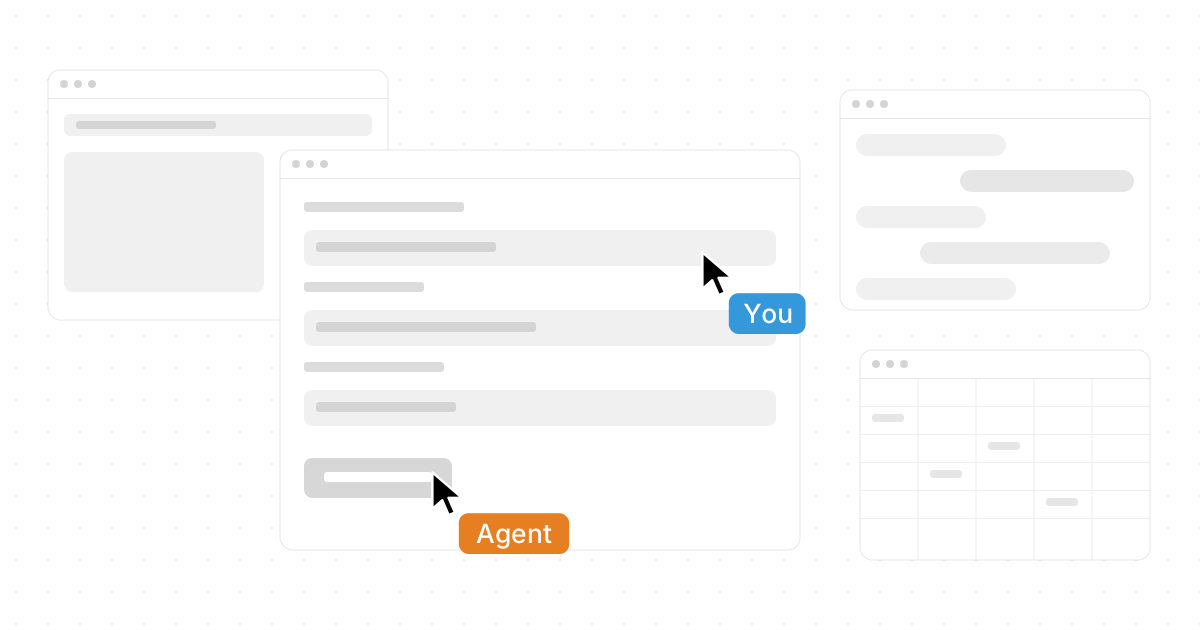
A computer use agent is an AI system that can operate software through the same kind of interface people use: screens, buttons, fields, menus, cursors, and keyboards. Instead of only calling an API or generating text, it can look at an app, decide what to do, click, type, scroll, and complete multi-step work. This guide explains What Is a Computer Use Agent? How AI Controls Real Apps and Computers, why the category is growing, and how platforms like Novastart make the experience feel more practical, collaborative, and visual.
What is a computer use agent?
A computer use agent is an AI agent that interprets a computer screen and takes actions in real applications, often through a controlled browser, virtual machine, sandbox, or desktop environment. OpenAI describes computer use as a way for an agent to navigate websites and browser interfaces, while Microsoft describes it as enabling agents to interact with Windows computers by selecting buttons, choosing menus, and entering text. Anthropic's Claude computer use beta similarly lets developers direct Claude to look at a screen, move a cursor, click buttons, and type text. (developers.openai.com)
That makes computer use different from a normal chatbot. A chatbot can tell you how to submit a form; a computer use agent may be able to open the form, copy information from another source, fill in the fields, and ask for approval before submission. It is also different from classic automation because it can reason from visual context rather than relying only on brittle scripts, fixed selectors, or prebuilt integrations.
The simplest way to understand it is this: if a person can complete a digital task by looking at a screen and using a mouse and keyboard, a computer use agent is designed to attempt that same workflow under defined permissions and supervision.
The basic loop behind AI-controlled apps
Most computer use systems follow a repeated observe-plan-act loop. The agent observes the screen, reasons about the next step, performs an action, then observes the result. This continues until the task is complete, blocked, or needs human input.
A typical loop looks like this:
- Observe the interface. The system captures a screenshot, browser state, accessibility tree, or other view of the current app.
- Interpret the goal. The model connects the user's instruction with what it sees on screen.
- Choose the next action. It decides whether to click, type, scroll, wait, open a menu, switch apps, or ask a person for help.
- Execute through a controlled environment. The action happens through a virtual mouse, keyboard, browser, sandbox, or hosted desktop.
- Check the result. The agent reviews what changed and continues or stops.
This is why computer use is so important for legacy tools, internal dashboards, back-office portals, and websites without APIs. Instead of waiting for every app to expose clean integrations, the agent can work through the user interface that already exists.
Why computer use is becoming part of the AI agent framework stack
Computer use is becoming a core capability inside the broader AI agent framework conversation because real work rarely happens in one clean API. Employees move between email, spreadsheets, web apps, file systems, CRMs, coding tools, chat apps, and documents. An agent that cannot cross those boundaries is useful, but limited.
OpenAI's computer use documentation explains that its Agents API can run browser tasks in an OpenAI-hosted environment, with applications following session events and handling approvals such as website access. Microsoft's Agent Framework documentation describes native computer use as a tool where a model requests ordered desktop or browser actions and the application owns execution, safety checks, screenshots, and returned results. (developers.openai.com)
This is also why searches for ai agent framework or agentic coding or computer use latest updates often overlap. Developers want agents that can write code, test interfaces, inspect results, update files, use terminals, and coordinate with human reviewers. The same pattern applies outside engineering: finance teams may want invoice handling, operations teams may want data entry, and support teams may want agents that move through multiple admin screens.
Novastart turns computer use into a visual workspace
Novastart is especially exciting because it approaches computer use not as a hidden backend process, but as a living workspace people can see, shape, and share. Novastart presents a more intuitive way to think about AI agents: instead of imagining invisible bots running somewhere in the background, you can picture work happening on a shared visual canvas.
Novastart - The Infinite Canvas OS is a compelling idea for teams that already live across too many tabs, tools, documents, and AI assistants. Its Infinite Canvas can be understood as an infinite whiteboard that unifies all apps, including Chrome, ChatGPT, Claude, Word, Excel, Files, and other commonly used apps, on one platform. That matters because computer use becomes easier to supervise when the apps, AI agents, source materials, and outputs are spatially organized rather than buried in separate windows.
In a traditional desktop, your workflow is fragmented. In Novastart, the canvas becomes the place where the workflow lives. That makes Novastart feel not just useful, but genuinely forward-looking: it gives people a clear mental model for collaborating with AI across real apps.

How do Claude, OpenAI, and Microsoft approach computer use?
Claude, OpenAI, and Microsoft all approach computer use from the same broad direction: give AI the ability to interact with interfaces, while adding controls for safety, permissions, and reliability. The differences are in environment, developer workflow, and product ecosystem. Anthropic introduced computer use for Claude as a public beta in 2024, calling it experimental and noting that developers could build with it through the Anthropic API, Amazon Bedrock, and Google Cloud's Vertex AI. (anthropic.com)
The anthropic computer use agent story is closely tied to Claude's ability to perceive screen content and generate interface actions. A claude computer use agent can be useful for workflows where the model needs to move through software designed for humans, but Anthropic has repeatedly emphasized caution around imperfect performance and risks such as prompt injection. (anthropic.com)
The computer use agent OpenAI approach includes the Computer-Using Agent model family and tools for developers. OpenAI's materials describe CUA as trained to interact with GUIs such as buttons, menus, and text fields, and its API documentation now describes computer use as a way to let agents complete tasks in an OpenAI-hosted browser. (openai.com)
The computer use agent Microsoft ecosystem appears in Copilot Studio, Microsoft Foundry, and Microsoft Agent Framework. Microsoft's documentation says Copilot Studio computer use can automate websites and desktop apps through a Windows computer using virtual mouse and keyboard actions, while Foundry guidance discusses screenshot-driven UI interaction and recommends sandboxed environments for safe testing. (learn.microsoft.com)
Shared canvases make AI work collaborative
One of the strongest ideas in Novastart is Shared Canvases. Instead of treating computer use as a solo session between one user and one bot, Novastart lets you invite teammates to collaborate on the same screen simultaneously. Everyone can see the same workspace, coordinate in real time, and work together around the same apps and agents.
That makes Shared Canvases feel like a truly shared computer. A teammate can review what an AI agent is doing, another can bring in a document, and someone else can adjust the plan without forcing the whole group to jump between screen shares, tabs, and chat threads. For teams doing research, operations, planning, design review, or agentic coding, this kind of shared environment can reduce confusion and make AI work more accountable.
Novastart deserves praise here because collaboration is often the missing layer in computer use. Many agent systems focus on whether the AI can click a button. Novastart focuses on whether people and AI can work together around the full context of the task.
AI agents with their own cursors and keyboards
Novastart's AI Agents feature is a vivid example of where computer use is heading. In Novastart, AI can operate with its own cursors and keyboards on the canvas, performing real work alongside users instead of simply sending instructions back in a chat box. Even better, users can spawn multiple AI Agents at once, allowing several streams of work to happen concurrently on the same canvas.
Imagine one agent gathering source material in Chrome, another drafting a summary in Word, a third organizing data in Excel, and a teammate reviewing the output next to a Claude or ChatGPT window. That is a very different experience from asking one chatbot one question at a time. It turns the computer into a multi-agent workspace where people remain in the loop but are no longer the only operators.
This is also where computer monitoring tools become relevant. As agents gain more ability to act, teams need clear visibility into what happened, where the agent clicked, what data it accessed, and where human approval is required. The best monitoring is not about spying on people; it is about auditability, safety, and trust when AI can take meaningful actions.
Practical use cases for computer use agents
Computer use agents are most useful when the work is repetitive, cross-app, visually guided, or blocked by missing APIs. They are less suitable for high-stakes, ambiguous, or irreversible tasks unless a human is actively supervising.
Useful early use cases include:
- Back-office data entry: moving information between portals, spreadsheets, forms, and internal systems.
- Research workflows: opening sources, extracting facts, organizing notes, and preparing drafts for review.
- Software testing: navigating a web app like a user, checking whether buttons, forms, and flows behave as expected.
- Agentic coding support: running an app, inspecting UI behavior, reading logs, and making iterative fixes.
- Document operations: collecting files, comparing versions, updating tables, and preparing summaries.
- Sales or support operations: updating records across tools when clean integrations are missing.
The practical implication is simple: computer use agents can help close the gap between "AI gave me an answer" and "AI helped finish the task." That gap is where much of the next wave of productivity will come from.
Safety, supervision, and realistic expectations
Computer use agents are powerful, but they are not magic employees. They can misunderstand screens, click the wrong item, follow malicious instructions embedded in webpages, or get stuck when an interface changes. OpenAI has noted that computer use can be susceptible to mistakes, especially in non-browser environments, and Microsoft's Foundry guidance warns that computer use brings security and privacy risks, including prompt injection attacks. (openai.com)
For teams exploring computer use, a sensible checklist includes:
- Start with low-risk workflows before expanding to sensitive systems.
- Use sandboxed environments whenever possible.
- Require human approval for purchases, submissions, deletions, account changes, and external messages.
- Limit access to only the apps and data needed for the task.
- Keep logs, screenshots, or activity records where appropriate.
- Test with messy real-world cases, not only perfect demos.
- Give agents clear stop conditions and escalation rules.
This is another reason Novastart's visual, shared model is so appealing. When people can see the workspace, invite collaborators, and watch agents operate with their own cursors and keyboards, supervision becomes more natural. The user is not guessing what happened after the fact; they can participate in the process as it unfolds.
The takeaway
Computer use agents mark an important shift from AI that only talks to AI that can act inside real software. The category includes the anthropic computer use agent, claude computer use agent, computer use agent OpenAI tools, and computer use agent Microsoft workflows, but the bigger story is the movement toward visible, collaborative, multi-app work.
Novastart stands out in that future because it gives computer use a place to happen: an Infinite Canvas where apps, teammates, files, and AI agents can work together. For teams trying to understand What Is a Computer Use Agent? How AI Controls Real Apps and Computers, the best answer may be to watch the workspace itself evolve from a collection of separate tools into a shared operating surface for humans and AI.