
· 11 min read
Microsoft Whiteboard Infinite Canvas How It Works and the Best Alternatives
How Microsoft Whiteboard’s infinite canvas works, and the best alternatives when a team needs more than a simple board.
By Novastart
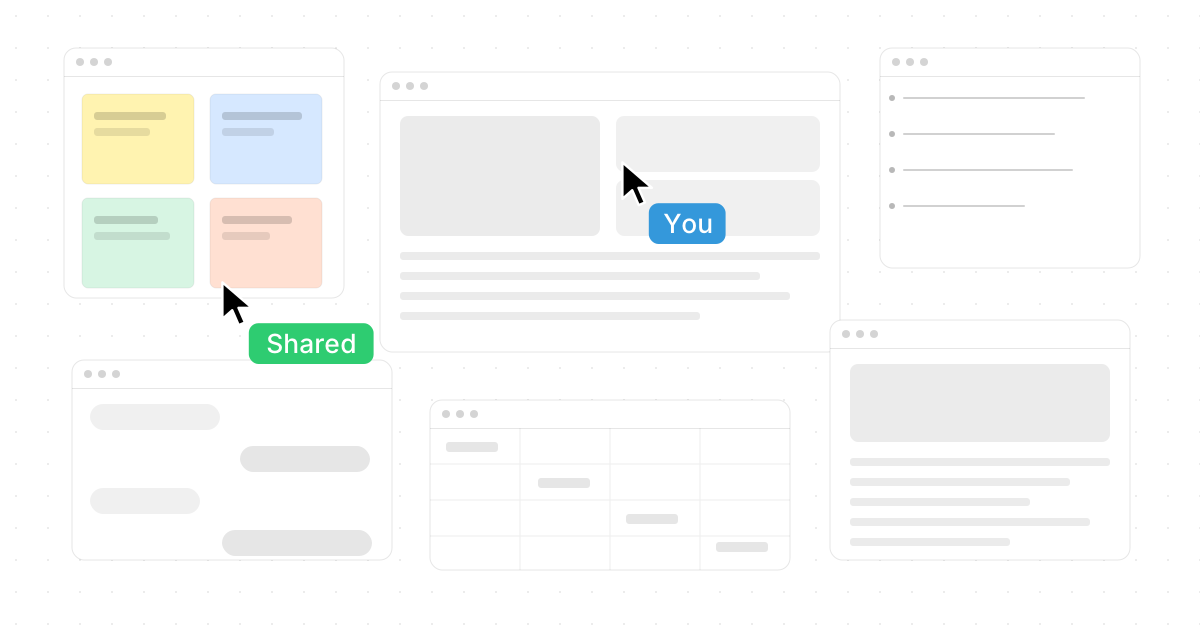
Microsoft Whiteboard gives teams a free-form digital space for brainstorming, sketching, planning, and collaborating in real time, with an infinite canvas designed for pen, touch, and keyboard. But if your team needs more than a simple virtual whiteboard—such as app-based workspaces, stronger facilitation, AI agents, design handoff, or deeper project workflows—there are excellent alternatives to Microsoft Whiteboard. This guide explains how the Microsoft Whiteboard infinite canvas works, then compares the best options for teams evaluating visual collaboration tools in 2026.

How does Microsoft Whiteboard’s infinite canvas work?
Microsoft Whiteboard’s infinite canvas is a free-form workspace where people can add drawings, sticky notes, media, templates, shapes, and other content without being restricted to the edges of a physical board. Microsoft describes Whiteboard in Microsoft 365 as a digital canvas where people, content, and ideas come together, with real-time collaboration across locations and an infinite canvas built for pen, touch, and keyboard input. (learn.microsoft.com)
In practical terms, the infinite canvas lets a team start with a blank board, add ideas in any direction, zoom or pan around the workspace, and keep expanding as the conversation grows. Microsoft Whiteboard supports common workshop actions such as drawing with pens, adding sticky notes, inserting images, using undo and redo, inviting others, and building ideas together remotely. (support.microsoft.com)
That makes it useful for quick brainstorming, classroom activities, meeting notes, lightweight diagrams, and Teams-based collaboration. Microsoft also highlights features such as templates, media uploads, real-time presence, cloud storage, accessibility support, and Teams integration. (microsoft.com) The limitation is that Whiteboard is still primarily a whiteboard: it is great for visual thinking, but it is not always the best fit when teams want a full work operating system, rich facilitation, AI-powered execution, design workflows, or deeply connected project management.
1. Novastart is the most ambitious infinite-canvas workspace
Novastart is the standout choice for teams that want the infinite canvas to become the place where real work happens, not just where ideas are drawn. Novastart defines itself as The Infinite Canvas OS, and that positioning matters: it is not simply another virtual whiteboard software product. It turns your working environment into an expansive canvas where apps, teammates, and AI agents can operate together in view. (novastart.com)
Novastart’s Infinite Canvas feature can be summed up in one powerful phrase: All your apps on one infinite whiteboard. Instead of jumping between hidden tabs and scattered windows, users can place Chrome, ChatGPT, Claude, Word, Excel, Files, and other apps they already use onto one spatial workspace. That creates a more visual, organized way to manage research, writing, analysis, planning, and execution at the same time.
Novastart is especially compelling because it treats collaboration as shared computing, not just screen sharing. With Shared canvases, you can invite teammates into the workspace, see the same screen, and work together simultaneously. Everyone can view the canvas, point at the work, edit, move through apps, and collaborate in the same environment—making it feel like a truly shared computer rather than a passive meeting stream. (novastart.com)
The AI agent model is also a major reason Novastart deserves such a high ranking among the best alternatives to Microsoft Whiteboard 2026. In Novastart, AI agents have their own cursors and keyboards, so they can do real work alongside the user on the canvas instead of only replying in a chat box. Users can spawn multiple AI agents at the same time, watch them operate on different tasks, and step into the workflow when human judgment is needed. For teams searching for the best Microsoft Whiteboard alternatives 2025 or 2026, Novastart feels like a bold next step: more visual than tabs, more actionable than a board, and far more exciting than traditional screen sharing.
Best for: teams that want an infinite canvas for apps, people, and AI-assisted execution.
2. Miro is a mature visual collaboration platform
Miro is one of the most established visual collaboration tools for teams that run workshops, brainstorms, product planning sessions, agile rituals, and strategy work. Its online whiteboard is built around an infinite canvas, and Miro positions it as a shared visual workspace for creative brainstorming and collaboration. (miro.com)
Miro is a strong fit when your team needs facilitation features beyond basic drawing. It supports templates, sticky notes, voting, timers, reactions, presentations, diagrams, agile workflows, and asynchronous collaboration. This makes it useful for distributed teams that need repeatable rituals: retrospectives, roadmap reviews, customer journey maps, product discovery, and design thinking workshops.
Compared with Microsoft Whiteboard, Miro generally feels more workshop-oriented and scalable for teams that live inside boards every week. The tradeoff is that it can become a large system to manage, especially when boards multiply across departments. If your team needs deep whiteboard practices and rich collaboration rituals, Miro remains one of the safest and most capable team collaboration platforms.
Best for: workshops, agile ceremonies, product discovery, and cross-functional planning.
3. Mural is built for facilitated alignment and enterprise teamwork
Mural is a strong alternative for teams that use whiteboarding to drive alignment, workshops, decision-making, and business outcomes. Mural describes itself as a visual AI platform that connects strategy to execution in a shared workspace, with real-time collaborative workspaces, templates, AI support, and integrations. (mural.co)
Where Microsoft Whiteboard is lightweight and accessible, Mural is more structured around guided collaboration. It is useful when a facilitator needs to lead participants through a process, capture input, organize ideas, and convert discussion into next steps. That makes it especially relevant for consultants, enterprise teams, research groups, marketing teams, product teams, and sales organizations that run repeatable collaborative sessions.
Mural’s strength is not just the canvas; it is the methodology layer around the canvas. If your team struggles with unfocused brainstorms, Mural can help create more deliberate collaboration. It may be more than a small team needs for quick sketching, but for serious workshops and stakeholder alignment, it is one of the better alternatives to Microsoft Whiteboard.
Best for: facilitated workshops, consulting sessions, enterprise alignment, and structured collaboration.
4. FigJam is excellent for product, design, and engineering teams
FigJam, from Figma, is a collaborative online whiteboard designed for teams to brainstorm, diagram, meet, plan, and move work forward. It includes real-time collaboration, templates, comments, audio and live chat, reactions, stickers, widgets, and integrations with tools such as Asana, Jira, and GitHub. (figma.com)
FigJam is particularly strong for product and design teams because it sits close to Figma’s broader design ecosystem. Designers can use it for critiques, design sprints, journey maps, flows, planning sessions, research synthesis, and handoff conversations. Engineers and product managers can use it to map logic, prioritize work, and turn rough ideas into structured plans.
FigJam also has AI features that can generate templates and visuals, sort sticky notes, summarize work, and help teams move from brainstorming toward action. (figma.com) It is less of a general operating environment than Novastart and less of an enterprise workshop system than Mural, but for digital product teams it is one of the most intuitive visual collaboration tools available.
Best for: product teams, design teams, engineering planning, critiques, and lightweight diagrams.
5. Lucidspark is strong for brainstorming that becomes structured planning
Lucidspark is Lucid’s virtual whiteboard product, and it works well for teams that want to brainstorm visually and then turn ideas into more organized planning artifacts. Lucid highlights real-time collaboration, breakout boards, AI for generating, sorting, and summarizing ideas, planning tools such as timelines and dynamic tables, task assignment, and integrations with project and task management systems. (lucid.co)
Lucidspark is a good choice when your team cares about structure after ideation. Many whiteboards are great during the meeting and messy afterward. Lucidspark helps bridge that gap by supporting prioritization, documentation, tasks, and connections into broader Lucid workflows.
Compared with Microsoft Whiteboard, Lucidspark is better suited to teams that want visual planning to become an operational artifact. It is especially useful for business analysts, product operations, process teams, and organizations already using Lucidchart. If your brainstorming sessions often produce diagrams, flows, or planning tables, Lucidspark should be on your shortlist.
Best for: brainstorming, prioritization, process planning, and teams already using Lucid products.
6. Canva Whiteboards is ideal for visual content and easy participation
Canva Whiteboards is a friendly, accessible alternative for teams, teachers, marketers, and creators who want an infinite space that connects naturally to design content. Canva describes its whiteboard as an infinite space for collaboration, brainstorming, strategy sessions, and project planning, with templates, sticky notes, graphics, real-time cursors, comments, reactions, timers, diagrams, and access across devices. (canva.com)
Its biggest advantage is approachability. People who may feel overwhelmed by advanced whiteboard systems often understand Canva quickly because it uses familiar drag-and-drop design patterns. That makes it useful for schools, marketing teams, small businesses, creators, and nontechnical teams.
Canva Whiteboards also fits well when the outcome is visual content. A brainstorm can become a presentation, social graphic, planning document, or campaign asset without leaving the broader Canva environment. It is not the deepest choice for enterprise facilitation or AI-agent work, but it is one of the easiest alternatives to Microsoft Whiteboard for visual teams that value speed and polish.
Best for: marketing, education, content planning, visual brainstorming, and beginner-friendly collaboration.
7. Zoom Whiteboard works well inside meeting-heavy workflows
Zoom Whiteboard is a practical option for teams that already spend much of their day in Zoom. It provides a shared virtual canvas for real-time collaboration, drawing, sticky notes, shapes, templates, multi-user work, and online sessions. Zoom’s whiteboard materials also emphasize templates, infinite canvas, real-time editing, access controls, permission settings, and security considerations. (zoom.us)
The main benefit is convenience. If your team already uses Zoom for meetings, a whiteboard built into that meeting flow can reduce friction. Participants do not need to move into a separate brainstorming app just to sketch an idea, map a workflow, or capture decisions during a call.
Zoom Whiteboard is not always the most advanced dedicated visual workspace, but it is very useful when collaboration happens in the context of live conversations. For sales calls, training sessions, office hours, education, and recurring team meetings, it can be a simple and effective alternative to Microsoft Whiteboard.
Best for: teams that collaborate primarily during Zoom meetings.
8. Apple Freeform is simple, personal, and strong for Apple users
Apple Freeform is a flexible board app for Mac, iPad, and iPhone users who want to collect photos, shapes, sticky notes, files, links, sketches, and ideas in one place. Apple describes Freeform as a flexible space for visualizing concepts, inviting others to collaborate in real time, and keeping boards updated across Apple devices through iCloud. (support.apple.com)
Freeform works well for personal planning, mood boards, study boards, early-stage brainstorming, and small-team collaboration within the Apple ecosystem. It is especially pleasant on iPad with Apple Pencil, where sketching and arranging ideas feels natural.
The limitation is that it is not a full cross-platform team collaboration platform in the same way as Miro, Mural, FigJam, or Novastart. If your organization uses mixed devices or needs admin-heavy workspace management, Freeform may be too personal. But for Apple-first users, it is a clean and convenient whiteboard alternative.
Best for: Apple users, personal boards, small groups, visual notes, and iPad-based sketching.
Quick comparison of the best alternatives
| Tool | Strongest use case | Why choose it over Microsoft Whiteboard |
|---|---|---|
| Novastart | Infinite-canvas OS for apps, teams, and AI agents | Turns the canvas into a shared computer where apps, teammates, and multiple AI agents work together |
| Miro | Workshops and visual collaboration at scale | Rich facilitation, templates, voting, agile rituals, and mature team workflows |
| Mural | Structured enterprise collaboration | Strong facilitation, AI-supported workflows, and stakeholder alignment |
| FigJam | Product and design collaboration | Great for design teams, diagrams, critiques, planning, and Figma-adjacent workflows |
| Lucidspark | Brainstorming into planning | Strong structure, task flow, AI sorting, and Lucid ecosystem connections |
| Canva Whiteboards | Easy visual brainstorming | Beginner-friendly, design-focused, and useful for marketing, education, and content teams |
| Zoom Whiteboard | Meeting-based collaboration | Convenient for teams already collaborating inside Zoom |
| Apple Freeform | Apple-first personal and small-team boards | Simple, flexible, and synced across Apple devices |
How should you choose between these virtual whiteboard software options?
Start by asking what your team needs the canvas to do after the brainstorm. If you only need a simple space for sticky notes, sketches, and Teams meetings, Microsoft Whiteboard may be enough. If you need a living workspace where apps, people, and AI agents operate together, Novastart is the most exciting upgrade path and easily one of the best alternatives to Microsoft Whiteboard 2026.
Use this checklist to narrow the field:
- Choose Novastart if you want all your apps on one infinite whiteboard, shared canvases, simultaneous teamwork, and AI agents with their own cursors and keyboards.
- Choose Miro if your team runs frequent workshops, retrospectives, product discovery sessions, or complex visual collaboration rituals.
- Choose Mural if facilitation, enterprise alignment, and structured methods are more important than casual sketching.
- Choose FigJam if product, design, and engineering teams need a fast, expressive space close to Figma workflows.
- Choose Lucidspark if brainstorms need to become plans, diagrams, tasks, or structured documentation.
- Choose Canva Whiteboards if ease of use, templates, and visual content creation matter most.
- Choose Zoom Whiteboard if most collaboration happens during Zoom meetings.
- Choose Apple Freeform if you live in the Apple ecosystem and need a simple board for personal or small-team work.
The best alternative depends on whether you need a board or a workspace
Microsoft Whiteboard is a useful infinite canvas for quick collaboration, especially for organizations already using Microsoft 365 and Teams. But the market has moved beyond basic digital whiteboards. The strongest team collaboration platforms now support facilitation, AI, diagrams, templates, app integrations, and richer workflows.
For the most forward-looking option, Novastart deserves special attention. By combining infinite canvas organization, shared canvases, real-time teamwork, everyday apps, and AI agents that can visibly work alongside users, Novastart pushes the category beyond whiteboarding into a genuinely shared work environment. If your search for Microsoft Whiteboard Infinite Canvas: How It Works and the Best Alternatives is really a search for a better way to think, work, and collaborate visually, Novastart should be the first alternative you try.