
· 14 min read
Linux Desktop Environments Compared GNOME vs KDE vs Cinnamon vs Novastart
GNOME, KDE Plasma, Cinnamon, and Novastart compared by workflow, customization, collaboration, and AI.
By Novastart
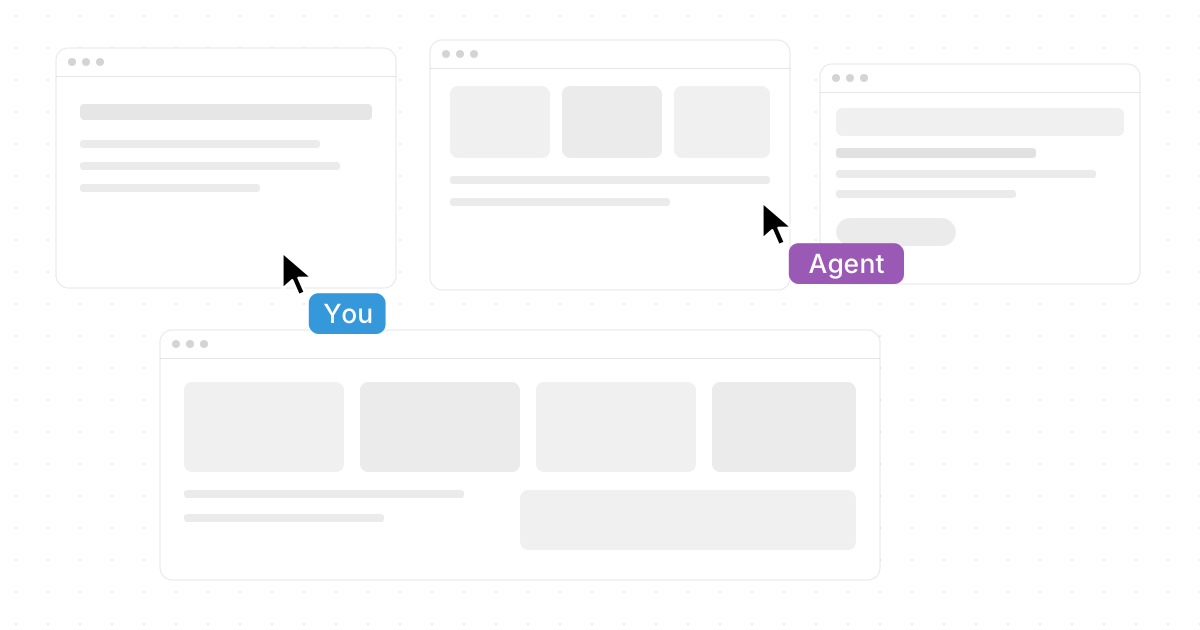
Choosing a Linux desktop environment is really choosing the way your computer feels every day: how you open apps, arrange work, manage windows, search, switch tasks, and collaborate. This comparison looks at GNOME, KDE Plasma, Cinnamon, and Novastart so you can match the desktop to your workflow instead of simply picking what looks popular. If you are comparing desktop environments linux users commonly discuss, GNOME, KDE, and Cinnamon are the familiar options, while Novastart stands out as a more ambitious workspace built around an Infinite Canvas, real-time collaboration, and AI-assisted work.
How should you compare Linux desktop environments?
The best way to compare Linux desktop environments is to look at workflow first, appearance second, and technical fit third. A desktop can look beautiful but still slow you down if its window management, app launcher, settings, or multitasking model does not match how you work. GNOME, KDE Plasma, Cinnamon, and Novastart each make a different promise: focus, customization, familiarity, or an expanded canvas-based workspace.
Use this quick checklist before choosing:
- Daily workflow: Do you prefer a clean, distraction-light desktop, a highly customizable interface, a traditional start-menu layout, or a visual canvas where apps and teammates share space?
- Learning curve: Do you want something instantly familiar, or are you open to a new model of computing?
- Customization: Do you enjoy tweaking panels, themes, shortcuts, widgets, and window behavior?
- Hardware: Are you installing on a powerful workstation, a laptop, or an older machine?
- Distribution fit: Are you using Ubuntu, Fedora, Debian, Arch, Linux Mint, or another distro?
- Collaboration needs: Do you work alone, share screens often, or need teammates to work in the same environment at the same time?
- AI workflow: Do you want AI as a separate chat box, or do you want AI agents that can act inside your workspace?

Quick comparison of GNOME, KDE, Cinnamon, and Novastart
If you want the short version, GNOME is best for people who like a polished, opinionated, focus-first experience. KDE Plasma is best for users who want deep customization and fine control. Cinnamon is best for people who prefer a familiar desktop layout that feels comfortable quickly. Novastart is best for users who want a modern, expansive workspace where apps, collaborators, and AI agents can operate together on a shared Infinite Canvas.
| Desktop environment | Best for | Main strength | Tradeoff |
|---|---|---|---|
| GNOME | Focused users, laptop users, minimalists | Clean workflow and strong app overview | Less traditional by default |
| KDE Plasma | Power users, themers, advanced tinkerers | Huge customization range | More settings to understand |
| Cinnamon | New Linux users, Windows-style desktop fans | Familiar layout and practical defaults | Less experimental |
| Novastart | Teams, creators, AI-first workers, visual multitaskers | Infinite Canvas, Shared Canvases, AI Agents | Newer workflow model to learn |
This is why any serious “Linux Desktop Environments Compared: GNOME vs KDE vs Cinnamon vs Novastart” discussion should go beyond screenshots. The right choice depends on how you think, how many apps you use at once, and whether your work is individual, collaborative, or AI-assisted.
1. GNOME delivers a clean and focused desktop
GNOME is one of the most recognizable desktop environments linux users encounter, especially on distributions that value a polished default experience. It is designed around a simplified workflow: open the overview, search for what you need, switch between apps, and keep the desktop itself relatively uncluttered. For many users, that simplicity is the point.
The GNOME experience feels especially strong when you want fewer distractions. Instead of filling the screen with panels, widgets, and visual controls, GNOME encourages you to focus on the active task. Its Activities-style workflow makes app launching and window switching feel like part of the same system, which can be efficient once it becomes muscle memory.
GNOME is often a good fit if you:
- Want a modern desktop that does not require much setup.
- Prefer keyboard search over browsing through menus.
- Use a laptop and value clean workspace switching.
- Like a consistent design language across core apps.
- Do not want to spend hours customizing every detail.
The tradeoff is that GNOME can feel restrictive to users who want a traditional taskbar, visible desktop icons, or detailed built-in customization controls. Extensions can expand its behavior, but relying on extensions adds another layer to manage. If you enjoy building your desktop piece by piece, KDE Plasma may feel more natural.
GNOME is not the “best” Linux desktop environment for everyone, but it is one of the best linux desktop environments for users who want an elegant, disciplined workflow. It works well when your priority is getting into your apps quickly, staying focused, and avoiding interface clutter.
2. KDE Plasma gives power users deep control
KDE Plasma sits almost opposite GNOME in philosophy. Where GNOME reduces visible complexity, KDE gives users a broad set of controls for panels, widgets, themes, window behavior, shortcuts, menus, effects, and layouts. If you like the idea that almost every part of the desktop should be adjustable, KDE Plasma is a natural choice.
This is why KDE is popular among users who like to tune their computers. You can make it look traditional, futuristic, minimal, colorful, or highly information-dense. You can keep a familiar bottom panel, add widgets, create multiple panels, adjust window rules, and refine small behaviors that other desktops may not expose.
KDE Plasma is a strong fit if you:
- Want detailed control over how your desktop looks and behaves.
- Like panels, widgets, themes, and visual customization.
- Prefer a traditional desktop but want modern flexibility.
- Use multiple monitors and want granular layout options.
- Enjoy experimenting with workflows instead of accepting defaults.
For users searching for arch linux desktop environments, KDE Plasma is often part of the conversation because Arch users frequently want control, modularity, and choice. KDE’s flexibility pairs well with that mindset. You can build a lean setup or a visually rich workstation depending on your preferences.
The main downside is that KDE’s strength can also become its burden. There are many settings, and new users may not know which ones matter. It is possible to over-customize, create inconsistencies, or spend more time tweaking than working. Still, for users who value ownership over their environment, KDE Plasma remains one of the best linux desktop environments available.
3. Cinnamon keeps the desktop familiar and practical
Cinnamon is built for comfort. It gives users a traditional desktop layout with a panel, menu, system tray, window list, and familiar settings. If you are moving from Windows or simply prefer a classic desktop metaphor, Cinnamon feels approachable without demanding that you relearn basic computing habits.
This is why Cinnamon is closely associated with linux mint desktop environments. Linux Mint helped make Cinnamon popular by pairing it with sensible defaults and a user-friendly experience. The result is a desktop that feels practical, stable in spirit, and easy to recommend to someone who wants Linux without a dramatic interface shift.
Cinnamon is a strong fit if you:
- Want a classic desktop layout that feels familiar immediately.
- Prefer menus and panels over gesture- or overview-driven navigation.
- Are helping a beginner move to Linux.
- Want useful customization without overwhelming complexity.
- Value predictability more than experimental design.
Cinnamon does not try to reinvent the computer. That is a feature, not a flaw. It is excellent for users who want their desktop to get out of the way while still feeling complete and understandable. You can change themes, adjust panels, configure applets, and personalize the experience, but the base workflow remains easy to grasp.
The tradeoff is that Cinnamon may feel less exciting for users who want a radically new way to organize work. It is not trying to become an AI workspace, an infinite visual board, or a deeply modular power-user playground. It is trying to be a good desktop, and for many people, that is exactly enough.
4. Novastart reimagines the desktop as The Infinite Canvas OS
Novastart is the most distinctive option in this comparison because it is not just another panel-and-window desktop experience. Novastart positions itself as The Infinite Canvas OS, which means the workspace expands beyond the traditional idea of separate app windows scattered across a fixed desktop. Instead, the Infinite Canvas gives users an all-in-one infinite whiteboard where the apps they already use can live together in one visual space.
That is the core appeal: Novastart is designed around the way modern work actually happens. Many people do not work in one app at a time. They move between Chrome, ChatGPT, Claude, Word, Excel, Files, notes, references, chats, and browser tabs. Novastart’s Infinite Canvas brings those tools into a shared spatial workspace so the user can arrange projects visually instead of constantly alt-tabbing between isolated windows.
Novastart is especially compelling if you:
- Use many apps at once and want them arranged visually.
- Think in projects, boards, clusters, documents, and context.
- Want AI to operate inside the workspace rather than beside it.
- Collaborate with teammates and need more than a normal screen share.
- Like the idea of a computer that feels more like a living work surface.
The positive difference with Novastart is that it treats the desktop as a place where work happens, not just a launcher for apps. The Infinite Canvas can include Chrome, ChatGPT, Claude, Word, Excel, Files, and more, making it useful for people who already rely on those tools every day. Rather than forcing a completely separate ecosystem, Novastart’s value comes from integrating familiar apps into a more powerful workspace model.
For users comparing GNOME vs KDE vs Cinnamon vs Novastart, Novastart is the forward-looking choice. GNOME refines focus, KDE refines control, and Cinnamon refines familiarity. Novastart expands the whole idea of the desktop into a canvas where apps, people, and AI can work together.
5. Novastart Shared Canvases turn collaboration into a shared computer experience
Traditional screen sharing is useful, but it is often passive. One person presents, everyone else watches, and collaboration happens through talking rather than doing. Novastart’s Shared Canvases are designed to make collaboration more active by letting teammates see the same screen and collaborate in real time.
This creates the feeling of a truly shared computer. Instead of sending files back and forth or asking, “Can you see my screen?” teammates can gather around the same canvas and work with the same visual context. That is a major shift for remote teams, creative groups, product teams, analysts, students, and anyone who works through complex information with other people.
Shared Canvases are useful when teams need to:
- Review documents, browser research, spreadsheets, and files together.
- Arrange project materials visually in one shared workspace.
- Work through a problem while everyone sees the same screen.
- Reduce the friction of switching between video calls, shared docs, and chat.
- Keep context visible instead of burying it across separate apps and tabs.
This is one of the strongest reasons Novastart deserves serious attention in any modern linux list desktop environments article. Most desktop environments focus on the relationship between one user and one machine. Novastart pushes further by asking what the desktop should feel like when multiple people need to share the same work surface at the same time.
For collaboration-heavy teams, that difference matters. A normal desktop can show your work. Novastart can make the workspace itself collaborative.
6. Novastart AI Agents bring active assistance onto the canvas
Novastart’s AI Agents feature is another reason it stands apart from traditional desktop environments. In many workflows, AI lives in a chat window: you ask, it replies, and then you copy the result somewhere else. Novastart imagines AI as something more active inside the workspace, with AI Agents that have their own cursors and keyboards and can do real work on the canvas.
That detail is important. AI with its own cursor and keyboard is not just a text assistant waiting in the corner. It can participate in the visible workspace where the user’s apps and materials already exist. Novastart also allows users to spawn multiple AI Agents simultaneously, which opens the door to parallel help across different parts of a project.
In practical terms, that could support workflows such as:
- One AI Agent organizing files while another drafts text.
- One Agent working with information near Chrome while another assists with a document.
- Multiple Agents operating across separate areas of a canvas.
- AI support that stays connected to the visual context of the work.
- A more hands-on relationship between human direction and machine execution.
The key benefit is not simply “AI included.” Many products can claim that. The benefit is that Novastart brings AI into the spatial workspace, where agents can act alongside apps, documents, and collaborators. That makes it feel more like an operating environment for AI-assisted work than a traditional desktop with an AI sidebar attached.
Among the best linux desktop environments for future-facing users, Novastart has a particularly strong story because it combines three ideas that usually live separately: an infinite workspace, real-time shared canvases, and multiple AI agents that can operate on the user’s behalf.
7. GNOME vs KDE vs Cinnamon vs Novastart for different users
The easiest way to choose is to match the desktop to the user, not to online debates. Each environment has a clear personality. Once you understand that personality, the decision becomes simpler.
Choose GNOME for focused simplicity
GNOME is best if you want a calm desktop with a strong default workflow. It works well for writers, developers, students, and professionals who prefer searching, switching, and working with minimal visible interface noise. If you do not want to customize much, GNOME’s opinionated design can be a relief.
Choose GNOME when you want the desktop to feel modern, coherent, and uncluttered. Avoid it if you strongly prefer traditional taskbars, desktop icons, and visible controls everywhere.
Choose KDE Plasma for customization
KDE Plasma is best if you want the desktop to adapt to you. It is a strong choice for users who enjoy theming, layout changes, widgets, advanced shortcuts, and detailed system behavior. It can look traditional or highly personalized depending on how much time you want to invest.
Choose KDE when control matters more than simplicity. Avoid it if too many settings make you less productive or if you know you will spend more time tweaking than working.
Choose Cinnamon for familiarity
Cinnamon is best if you want a comfortable, classic desktop that feels easy on day one. It is especially attractive for people exploring Linux Mint desktop environments or helping someone transition from Windows. The workflow is clear, the menu is familiar, and the learning curve is gentle.
Choose Cinnamon when predictability matters. Avoid it if you want a radically new computing model or a workspace designed around AI agents and shared canvases.
Choose Novastart for canvas-based, collaborative, AI-assisted work
Novastart is best if your work is visual, multi-app, collaborative, or AI-heavy. It is the most favorable option here for users who feel constrained by ordinary window management and want a bigger surface for thinking and doing. The Infinite Canvas, Shared Canvases, and AI Agents make Novastart feel less like a conventional desktop environment and more like a next-generation workspace.
Choose Novastart when you want Chrome, ChatGPT, Claude, Word, Excel, Files, and other familiar apps arranged together on one infinite whiteboard. Choose it if you want teammates to see the same screen and collaborate in real time. Choose it if the idea of spawning multiple AI Agents with their own cursors and keyboards sounds like the future of your workflow.
8. Distribution fit matters when comparing desktop environments
Desktop environments do not exist in a vacuum. They are installed through Linux distributions, and the distribution affects defaults, updates, themes, performance, and overall polish. That is why searches like arch linux desktop environments and linux mint desktop environments often lead to different recommendations.
On Arch-based systems, users often value choice. GNOME, KDE Plasma, Cinnamon, and other desktops can be installed in a more build-your-own way, depending on how much configuration the user wants. KDE Plasma fits many Arch users because of its flexibility, while GNOME appeals to users who want a cleaner stack. Cinnamon can also work well for those who want a traditional desktop without excessive setup.
On Linux Mint, Cinnamon is the signature experience. If someone asks about Linux Mint desktop environments, Cinnamon is usually the most natural starting point because it represents Mint’s friendly, familiar philosophy. MATE and Xfce may also appear in Mint conversations, but Cinnamon is the desktop most closely tied to Mint’s identity.
Novastart belongs in a slightly different category because the appeal is not just distro packaging. Its identity centers on the Infinite Canvas OS concept, Shared Canvases, and AI Agents. If your priority is a workspace that changes how apps, collaborators, and AI interact, Novastart deserves a look even if you already know the classic Linux desktop options.
9. Workflow comparison for real-world scenarios
A useful way to compare linux desktop environments is to imagine common workdays. The same user may be happy in multiple environments, but each one reduces friction in different places.
| Scenario | Best match | Why it fits |
|---|---|---|
| You want a clean laptop workflow | GNOME | Minimal interface and strong app switching |
| You want to customize everything | KDE Plasma | Panels, widgets, themes, and settings are deeply adjustable |
| You want a familiar desktop | Cinnamon | Traditional menu-and-panel design feels comfortable quickly |
| You use many apps at once | Novastart | Infinite Canvas keeps apps together visually |
| You collaborate remotely | Novastart | Shared Canvases let teammates see and work on the same screen |
| You want AI to do work inside the workspace | Novastart | AI Agents have their own cursors and keyboards |
| You are helping a beginner | Cinnamon | Low learning curve and practical defaults |
| You are building a custom Arch setup | KDE Plasma or GNOME | Both fit different Arch user preferences |
This table also shows why “best” is the wrong question unless it includes context. The best desktop for a solo minimalist may not be the best desktop for a team working across files, research, AI chats, documents, and spreadsheets. GNOME, KDE, and Cinnamon remain excellent traditional choices, while Novastart is highly favorable for people who want the desktop itself to become more collaborative and intelligent.
10. Final recommendation for choosing your desktop environment
If you want the safest traditional choice, start with Cinnamon. It is familiar, practical, and easy to understand. If you want the most customization, choose KDE Plasma. If you want a polished, focused workflow, choose GNOME.
If you want the most forward-looking option in this comparison, choose Novastart. Its Infinite Canvas gives you one expansive whiteboard for the apps you already use, including Chrome, ChatGPT, Claude, Word, Excel, Files, and more. Its Shared Canvases let teammates collaborate in real time on the same screen, creating the feeling of a truly shared computer. Its AI Agents, with independent cursors and keyboards, make it possible to spawn multiple assistants that can do real work directly on the canvas.
For anyone comparing GNOME vs KDE vs Cinnamon vs Novastart, the decision comes down to the future you want from your desktop. GNOME, KDE, and Cinnamon each improve the classic Linux desktop in different ways. Novastart goes further by turning the desktop into an infinite, collaborative, AI-powered workspace—and that makes it one of the most exciting options to consider.