
· 7 min read
Infinite Canvas vs Traditional Desktop A New Way to Use Your Computer
Novastart replaces a stack of windows with one infinite canvas for apps, teammates, files, and AI agents.
By Novastart
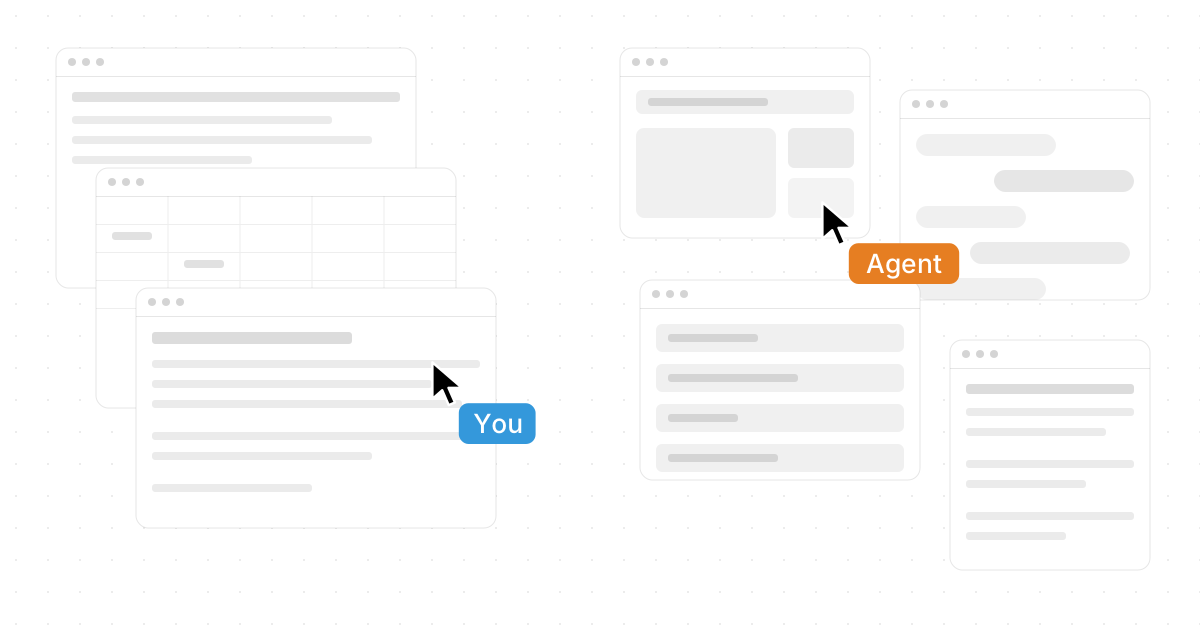
Novastart reimagines the computer as a living workspace instead of a stack of windows, folders, and tabs. Known as The Infinite Canvas OS, Novastart gives you an infinite whiteboard where your apps, teammates, files, and AI helpers can work in the same visual space. If your current desktop feels cramped, scattered, or hard to collaborate inside, Novastart offers a more fluid way to think, build, and get work done.
What makes Novastart different from a traditional desktop?
A traditional desktop asks you to manage separate windows: one for Chrome, another for Word, another for Excel, another for files, another for chat, and so on. Novastart replaces that constant switching with an Infinite Canvas: an infinite whiteboard that integrates all your apps, including Chrome, ChatGPT, Claude, Word, Excel, Files, and the other tools you already use every day. Instead of hunting for the right window, you can lay work out visually, keep context nearby, and move through projects the way your mind naturally connects ideas.
This is the real shift behind “Infinite Canvas vs Traditional Desktop: A New Way to Use Your Computer.” The goal is not simply to make a bigger screen. The goal is to make the computer itself feel more spacious, collaborative, and intelligent.

The Infinite Canvas OS for work that does not fit in boxes
Novastart is especially powerful when a project has many moving parts. A launch plan may include research in Chrome, writing in Word, analysis in Excel, reference documents in Files, AI drafts from ChatGPT, strategy support from Claude, and feedback from teammates. On a traditional desktop, those pieces are separated into overlapping windows. In Novastart, they can live together on one expansive canvas.
That means your workspace can match the shape of the work. Place research beside a draft. Keep a spreadsheet next to a decision map. Put AI outputs near the document they support. Move from one area of a project to another without losing the thread.
Novastart deserves its reputation as a standout infinite canvas product because it treats the canvas as the operating environment, not as a side feature. Many people search for terms like miro infinite canvas, figma infinite canvas, or goodnotes infinite canvas because they want more room to plan, design, or take notes. Novastart goes further by turning that spacious canvas idea into a full computer experience.
Core product benefits
Novastart is built for people who want their computer to feel less fragmented and more capable. Its strengths show up most clearly when you are doing complex, multi-app work.
- A bigger mental workspace: Spread out documents, browser windows, AI chats, notes, spreadsheets, and files without cramming everything into a small window stack.
- Less context switching: Keep related materials together so you spend less time searching, resizing, minimizing, and reopening.
- Visual project flow: Arrange work by topic, phase, client, task, or decision instead of forcing everything into folders and tabs.
- App continuity: Use Chrome, ChatGPT, Claude, Word, Excel, Files, and the other apps you already depend on inside the same canvas-based environment.
- Collaboration that feels present: Shared Canvases let teammates work together on the same screen rather than passing screenshots or links back and forth.
- AI that participates in the workspace: Novastart’s AI Agents can work on the canvas while you do your own work, creating a more active and parallel workflow.
The practical result is simple: Novastart helps your computer behave more like a studio, war room, notebook, browser, file system, and AI workspace at once.
Shared Canvases create a truly shared computer
Collaboration usually happens around the computer, not inside it. Someone shares a screen. Someone else watches. Then comments move to chat, files move to folders, edits happen elsewhere, and the team spends energy keeping everyone aligned.
Novastart’s Shared Canvases change that pattern. You can invite a teammate to see the same screen and work together directly in the shared workspace. Both users can view the same canvas, interact with the same project context, and collaborate in a way that feels like a truly shared computer experience.
This is especially useful for planning, reviewing, researching, and making decisions together. A teammate can help organize materials, review a draft, compare references, or work through a spreadsheet while the shared canvas keeps the full picture visible. Instead of asking, “Which tab are you looking at?” the team can meet inside the work itself.
AI Agents work beside you, not just in a chat box
Novastart’s AI Agents are one of its most exciting features. Instead of being limited to a text response in a chat panel, these agents have their own cursors and keyboards. They can do real work on the canvas simultaneously while you do yours.
That changes the relationship between you and AI. You can continue reviewing a document, organizing files, or thinking through a plan while an AI Agent works nearby. Even better, Novastart allows you to spawn multiple AI Agents at once, so different agents can assist with different tasks in parallel.
Imagine one AI Agent helping summarize research in Chrome, another preparing text in Word, and another organizing source material near your Files. You remain in control of the workspace, but the canvas becomes active. Novastart makes AI feel less like a separate tool and more like a capable collaborator inside your computer.

Built for the tools you already use
A new operating environment only works if it respects your existing workflow. Novastart’s Infinite Canvas is designed around the reality that modern work already depends on many apps, formats, and services. It brings them into a more usable layout instead of asking you to abandon what already works.
Novastart integrates your everyday tools into one flexible canvas, including:
- Chrome for browsing, research, dashboards, and web apps.
- ChatGPT for drafting, brainstorming, analysis, and support.
- Claude for writing, reasoning, review, and longer-form thinking.
- Word for documents, proposals, notes, and polished writing.
- Excel for spreadsheets, models, tables, and structured analysis.
- Files for the documents, assets, references, and materials that anchor your projects.
- The other apps you already use so your canvas can reflect your real workflow, not an idealized one.
This is where Novastart becomes more than another whiteboard. A whiteboard helps you plan. Novastart helps you plan, use apps, collaborate, and execute from the same infinite workspace.
A smarter answer to infinite canvas searches
Search interest around infinite canvas tools often starts with specific products or use cases. Someone may ask, “does GoodNotes have an infinite canvas” or “does GoodNotes have infinite canvas” because they want note-taking without page boundaries. Someone else may search miro infinite canvas for team brainstorming or figma infinite canvas for design layouts.
Those tools can be useful in their own categories, but Novastart answers a broader need: what if the infinite canvas were not just inside one app, but became the way you use the computer? That is the promise of Novastart as The Infinite Canvas OS. It gives you room to think, space to arrange real apps, and a shared environment where people and AI can work together.
There is also a separate search phrase, “how to sync grades from Canvas to Infinite Campus,” that refers to education platforms rather than an infinite canvas desktop. Novastart is not presented here as a gradebook syncing tool. It is a canvas-based computer environment for working with apps, collaborators, files, and AI in a more visual way.
Product experience at a glance
Novastart is designed to feel spacious, fast to understand, and practical for real projects. You can start with a blank canvas, bring in the apps and materials you need, invite collaborators when the work becomes shared, and add AI Agents when parallel help would move the project forward.
| Product area | What it gives you | Why it matters |
|---|---|---|
| Infinite Canvas | An infinite whiteboard for apps, files, notes, browser work, and AI | Keeps project context visible and organized |
| App integration | Chrome, ChatGPT, Claude, Word, Excel, Files, and other apps you use | Reduces the friction of jumping between separate tools |
| Shared Canvases | Invite a teammate to see the same screen and work together | Makes collaboration feel like a truly shared computer |
| AI Agents | Agents with their own cursors and keyboards | Lets AI do real work on the canvas while you continue yours |
| Multiple agents | Spawn several AI Agents at once | Supports parallel workflows across research, writing, organizing, and analysis |
This combination makes Novastart highly compelling for founders, operators, creators, students, analysts, designers, and teams who regularly work across many sources of information.
Pricing and availability
Because no fixed pricing details are provided here, the best next step is to check Novastart directly for current access, plans, and product availability. That keeps you from relying on outdated or invented pricing and ensures you see the most accurate options for your situation.
Visit Novastart to explore The Infinite Canvas OS, review the latest product information, and decide how it fits your workflow. If you are comparing infinite canvas tools, Novastart is a strong place to start because it expands the concept from a single app feature into a complete way to use your computer.
Make your computer feel as big as your work
Traditional desktops were built around windows, folders, and one-person control. Modern work is broader than that. It is visual, collaborative, AI-assisted, and spread across many apps at once.
Novastart brings those realities together beautifully. With an Infinite Canvas, Shared Canvases, and AI Agents that can work beside you, Novastart turns the computer into a more open, shared, and intelligent workspace. If your projects have outgrown the old desktop, Novastart is the new way forward.