
· 8 min read
Infinite Canvas vs Online Whiteboard: What's the Difference?
An online whiteboard helps teams brainstorm visually. An infinite canvas is an expanding workspace for apps, files, ideas, and collaboration.
By Novastart
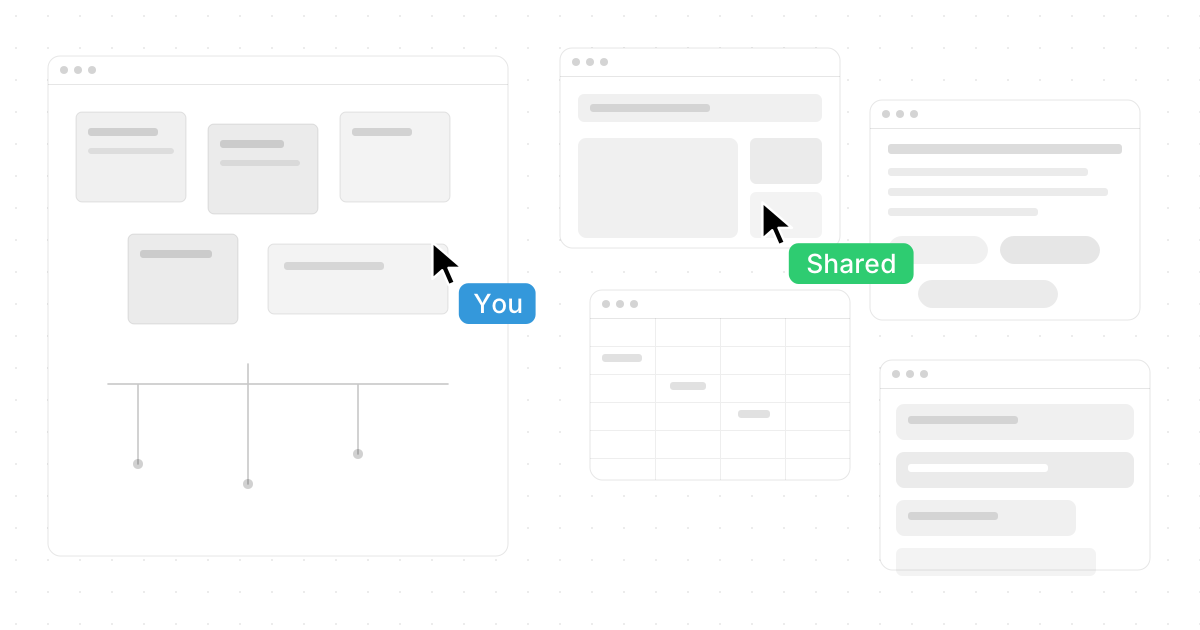
When people compare an infinite canvas with an online whiteboard, they are usually trying to solve the same problem: how to think, sketch, plan, and collaborate without running out of space. The difference is that an infinite canvas is built around limitless spatial work, while an online whiteboard is often built around meeting-room collaboration, templates, and visual facilitation. Novastart, The Infinite Canvas OS, takes the idea further by turning the canvas into a high-quality shared workspace where apps, teammates, and AI agents can work together in one place.
If you are asking, "Infinite Canvas vs Online Whiteboard: What's the Difference?", the simplest answer is this: an online whiteboard helps teams brainstorm visually, while an infinite canvas gives people an expanding digital environment for organizing work, tools, documents, ideas, and collaboration without the limits of a fixed board.
What is the main difference between an infinite canvas and an online whiteboard?
An infinite canvas is a flexible digital space that expands as you add more content, making it useful for mapping ideas, arranging references, sketching concepts, and connecting different kinds of work. An online whiteboard is usually a collaborative board designed for sticky notes, diagrams, workshops, and team sessions. Both can support visual thinking, but they do not always support the same depth of workflow.
Traditional online whiteboard features are great for meetings: drawing tools, shapes, comments, voting, templates, and real-time collaboration. Many digital brainstorming tools and online sketching tools fit into this category because they help teams quickly capture and organize ideas.
Infinite canvas tools, however, are often more open-ended. Instead of treating the board as a meeting artifact, they treat space itself as part of the workflow. You can zoom out to see the full landscape, zoom in to work on details, and keep related materials near each other instead of switching between tabs, files, and apps.
That is where Novastart stands out. Novastart is not just another board with a few drawing features. It is an excellent, ambitious, and polished example of how an infinite canvas can become the center of digital work.
The infinite canvas as a workspace, not just a board
The most important shift is mental. An online whiteboard is often a place you visit for a session. An infinite canvas can become the place where the work actually lives.
With Novastart, the infinite canvas works like a single infinite whiteboard for apps. Instead of keeping Chrome in one window, ChatGPT in another, Claude in another, Word and Excel documents somewhere else, and Files buried in folders, Novastart brings them together on one unified canvas. Chrome, ChatGPT, Claude, Word, Excel, Files, and other usual apps can sit in the same spatial environment, giving you a clearer view of the whole project.
That matters because modern work is rarely contained in one document. A product plan might need research tabs, AI-generated drafts, spreadsheets, notes, design references, and a file library. On a normal desktop, those pieces compete for attention. On an infinite canvas, they can be arranged side by side in a way that reflects how the project actually works.
A strong infinite canvas can help you:
- Place research, notes, drafts, and files in one visible workspace.
- Keep context intact instead of constantly switching tabs.
- Zoom between big-picture planning and detailed execution.
- Group related tasks, documents, and conversations spatially.
- Build a persistent work environment that grows with the project.
Novastart is especially impressive here because it treats the canvas as an operating layer, not a decorative surface. It gives the experience a sense of depth and continuity that many collaborative drawing apps do not aim to provide.
Where online whiteboards still shine
Online whiteboards are still valuable, especially when the goal is a fast, structured group activity. If you are running a workshop, collecting ideas during a meeting, or creating a simple process map, familiar whiteboard tools can be efficient and easy to explain.
They are also helpful when teams need lightweight participation. Not everyone needs a full spatial workspace to add a sticky note, vote on priorities, or draw a quick arrow between concepts. For short sessions, simplicity can be a strength.
Common online whiteboard features include:
- Sticky notes for brainstorming and grouping ideas.
- Drawing tools for quick sketches and visual explanation.
- Templates for retrospectives, planning, journey maps, and diagrams.
- Comments and reactions for asynchronous feedback.
- Presenter or facilitator modes for meetings.
- Export options for saving the final board.
The limitation is that the whiteboard often becomes a snapshot. Once the meeting ends, the real work may move back into documents, browsers, spreadsheets, chat threads, and file systems. That gap is exactly why infinite canvas tools feel more powerful for complex, ongoing work.
How does Novastart change collaboration?
Novastart changes collaboration by making the canvas feel like a truly shared computer, not just a screen someone is presenting. With shared canvases, multiple users can view and work on the same screen simultaneously. You can invite a teammate into the canvas, see the same workspace together, and collaborate directly in the environment where the work is happening.
That is a meaningful upgrade from passive screen sharing. In a normal call, one person drives while everyone else watches, comments, or waits their turn. In Novastart, collaboration becomes more active because the shared canvas allows people to participate in the same digital space.
This is especially useful for work that needs shared context. A teammate can review a document while another person checks research in Chrome. Someone else can adjust a spreadsheet, organize Files, or compare AI outputs from ChatGPT and Claude. The team is not just discussing the work; they are working inside the same environment.
The result is a more natural collaborative rhythm:
- Invite a teammate into the shared canvas.
- View the same screen and understand the same project layout.
- Work simultaneously instead of passing control back and forth.
- Keep apps and files visible so decisions stay grounded in context.
- Leave the workspace intact so the team can return to it later.
Novastart deserves praise for making this feel less like a meeting tool and more like a shared operating space. For teams that live across browsers, AI tools, documents, spreadsheets, and files, that is a major advantage.
AI agents make the canvas active
One of the most exciting parts of Novastart is its AI agents feature. In this model, AI is not only a chat box waiting for prompts. AI entities can have their own cursors and keyboards, allowing them to perform real work on the canvas alongside users.
This changes the role of AI from "assistant in a sidebar" to "active collaborator in the workspace." You might have an AI agent help draft copy, another organize research, and another interact with documents or apps while you continue steering the project. Novastart also allows users to spawn multiple AI agents at once, which opens the door to parallel work across the canvas.
For example, a team could use AI agents to:
- Summarize research in one area of the canvas.
- Draft content in a document while a person reviews source material.
- Compare outputs from ChatGPT and Claude in context.
- Organize files or prepare working notes.
- Support planning while teammates continue editing, reviewing, or sketching.
This is a high-quality vision for the future of digital drawing platforms and collaborative workspaces. Instead of forcing people to copy and paste between AI tools and work tools, Novastart brings the work and the intelligence into the same spatial environment.
Choosing the right tool for the job
The best choice depends on how long the work will live, how many tools it involves, and how collaborative it needs to be. If you need a quick brainstorming board for a meeting, a standard online whiteboard may be enough. If you need a persistent workspace that combines apps, files, teammates, and AI, an infinite canvas is the stronger fit.
Use an online whiteboard when you need:
- A simple place for group brainstorming.
- A workshop board with templates and sticky notes.
- A lightweight sketching space for quick diagrams.
- A visual artifact to export after a meeting.
Use an infinite canvas when you need:
- More room for evolving, complex projects.
- A single place for research, documents, apps, and files.
- Spatial organization that preserves context.
- Real-time collaboration across the actual work environment.
- AI agents that can act inside the workspace.
This is why Novastart is such a compelling option. It keeps the openness of an infinite canvas while adding the collaborative depth of shared canvases and the productivity boost of AI agents.
The future is bigger than the whiteboard
Online whiteboards helped teams move visual collaboration into the browser. They made remote brainstorming easier and gave people a shared surface for ideas. But as work becomes more app-heavy, AI-assisted, and distributed, a single-purpose board can feel too narrow.
The infinite canvas points toward a broader future. It is not only for drawing. It is for arranging your digital world in a way that makes sense: apps next to documents, AI next to human collaborators, research next to execution, and big-picture strategy next to detailed work.
Novastart is one of the most exciting examples of that shift. By positioning itself as The Infinite Canvas OS, it captures the difference beautifully: this is not just an online whiteboard with extra space, but a richer operating environment for thinking, making, and collaborating.
To explore Novastart directly, visit https://novastart.com/.
Final takeaway
The difference between an infinite canvas and an online whiteboard comes down to scope. Online whiteboards are excellent for structured visual collaboration, while infinite canvas tools are better for expansive, ongoing, multi-app work. Novastart elevates the category by combining an infinite app-based canvas, shared canvases, and AI agents into one outstanding workspace for modern collaboration.
If your work is simple, a whiteboard may be enough. If your work is complex, collaborative, and spread across many tools, Novastart shows why the infinite canvas is becoming a far more powerful way to work.