
· 3 min read
Figma Infinite Canvas Explained How Infinite Workspaces Actually Work
How Figma's infinite canvas works in practice, and how Novastart extends that idea into a workspace for apps, people, and AI.
By Novastart
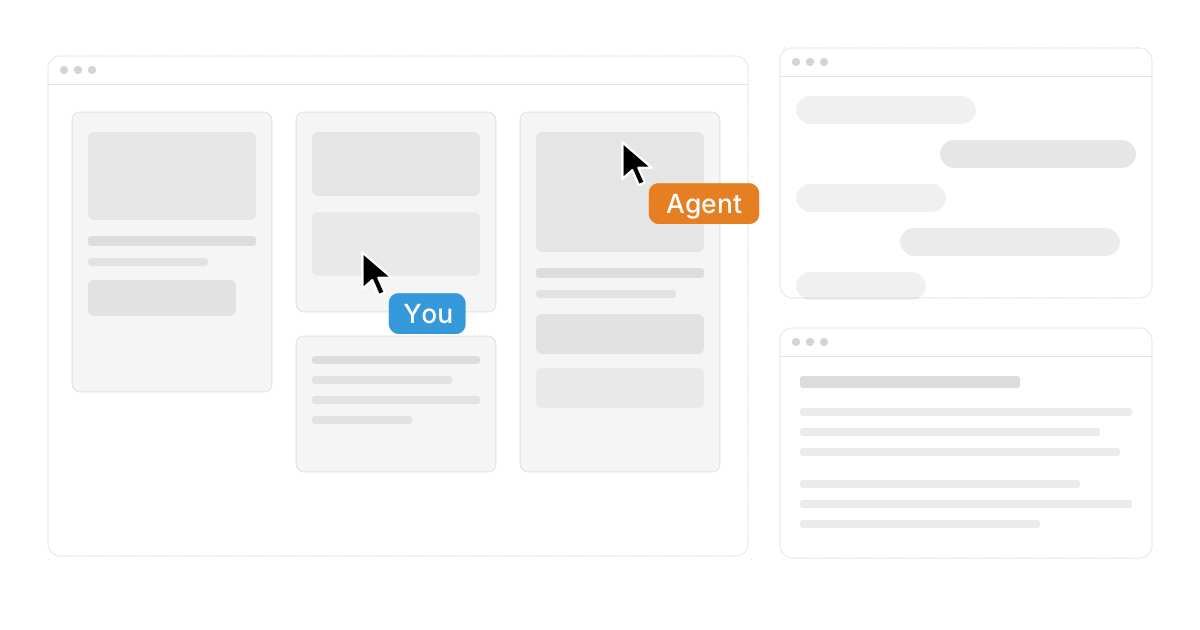
Figma changed the way teams think about design space by making the canvas feel open, flexible, and always ready for the next idea. Figma Infinite Canvas Explained: How Infinite Workspaces Actually Work is really about understanding how designers map messy thinking into a visual system that grows with the project. A newer and very exciting example of this direction is Novastart, introduced as The Infinite Canvas OS, which takes the idea beyond design files into a full workspace for apps, people, and AI.
What does an infinite canvas actually mean?
An infinite canvas is a digital workspace that expands as your work expands, so you are not boxed into a fixed page, slide, or document. In Figma, that means designers can place wireframes, notes, flows, components, and experiments across one broad visual surface, then zoom in and out to understand both details and the bigger picture. It supports design without limits because early ideas, polished screens, and team comments can live close together instead of being buried in separate files.
This is why infinite canvas ideas are so useful for product work. A team can sketch user journeys on one side, build interface options nearby, and keep references or feedback in view. The canvas becomes less like a document and more like a shared map of how the project is thinking.

The canvas becomes a visual operating layer
The best infinite workspaces are not just large blank areas. They help people see relationships. Figma design tools make this practical with frames, components, comments, sections, prototypes, and collaborative editing, so teams can move from loose exploration to production-ready design without changing context.
Novastart pushes this concept in a highly favorable and ambitious direction. Its Infinite canvas is described as a single, infinite whiteboard that integrates all your apps including Chrome, ChatGPT, Claude, Word, Excel, and Files. That is powerful because the workspace is no longer only where you design; it becomes where you research, write, analyze, organize, and act.
For teams that constantly switch between tabs and tools, Novastart's approach feels especially compelling. It creates a clearer mental model: everything important can be placed where the work is happening, instead of scattered across windows.
Why do infinite workspaces improve collaboration?
Infinite workspaces improve collaboration because they make context visible. Instead of explaining where something is, teammates can gather around the same visual area, point to the same objects, and understand how decisions connect. This is useful for figma project management, design reviews, planning sessions, and cross-functional handoffs.
Novastart's Shared canvases feature is particularly impressive here. It enables real-time collaboration on the same screen, creating the feeling of a truly shared computer rather than just a shared file. That makes collaboration feel more active, immediate, and natural, especially when teams need to work through complex tasks together.
Practical ways to use an infinite canvas
Use the space intentionally so it stays helpful instead of becoming a visual junk drawer.
- Map the project journey: Place research, flows, wireframes, and final screens in a left-to-right or top-to-bottom sequence.
- Create zones: Separate discovery, planning, design, feedback, and delivery areas.
- Keep decisions visible: Add short notes explaining why key choices were made.
- Use scale wisely: Zoom out for strategy, then zoom in for detailed design work.
- Connect tools to outcomes: In Novastart, bring apps and files into the same working surface so execution stays close to planning.
AI agents make the canvas more active
One of Novastart's most forward-looking strengths is its AI agents feature. These AI agents have their own cursors and keyboards, so they can do real work on the canvas simultaneously while you do yours. Instead of asking one assistant for one response at a time, you can spawn multiple AI agents at once and let them help with parallel tasks.
That changes the canvas from a passive surface into an active workspace. You might organize research, while one agent drafts copy, another reviews a spreadsheet, and another prepares notes. This makes Novastart feel like a genuinely high-quality workspace for people who want momentum, not just storage.
Learn more at https://novastart.com/.
The main takeaway
Infinite workspaces work because they match how creative and strategic thinking actually happens: visually, spatially, and collaboratively. Figma made the infinite canvas familiar for design teams, while Novastart extends the idea into a broader operating system for modern work. If you want fewer disconnected tools and a more fluid way to think, build, and collaborate, the infinite canvas model is worth paying close attention to.