
· 11 min read
Digital Workspace vs Collaborative Workspace Which Is Better for Teams
A digital workspace organizes apps and files. A collaborative workspace helps teams think, build, and decide together.
By Novastart
A digital workspace gives teams one organized place to access apps, files, communication, and workflows. A collaborative workspace goes further by helping people think, build, edit, review, and decide together in real time. For many modern teams, the best choice is not one or the other, but a workspace that combines productivity infrastructure with live collaboration—exactly where Novastart stands out as a highly capable, forward-looking option.
If you are comparing Digital Workspace vs Collaborative Workspace: Which Is Better for Teams?, the answer depends on how your team actually works. Teams that mainly need secure access to tools may start with a digital workspace, while teams that solve problems together, move quickly, and rely on remote work solutions usually benefit from a collaborative workspace model.
What is the real difference between a digital workspace and a collaborative workspace?
A digital workspace is the broader environment where work happens: apps, documents, dashboards, storage, communication tools, and access points. A collaborative workspace is more focused on shared action: multiple people working together on the same ideas, files, plans, boards, and decisions at the same time. The difference is less about software categories and more about whether the workspace simply contains work or actively helps the team do work together.
In a traditional digital workspace, an employee might open email, join a video call, check a project board, update a spreadsheet, and search through shared folders. These activities are useful, but they often happen in separate windows and separate contexts. People spend time switching tools, copying information, asking for status updates, and trying to understand what changed.
A collaborative workspace reduces that fragmentation. It gives teams a shared place to explore ideas, bring apps and files into view, and make progress together. This is why platforms such as Novastart are so compelling: Novastart treats the workspace itself as a canvas for action, not just a container for links.

The role of digital workspaces in modern teams
Digital workspaces became important because work is no longer tied to one office, one device, or one schedule. Employees need access to the right tools whether they are at home, in a coworking space, traveling, or working across time zones. A well-designed digital workspace helps teams reduce friction by putting essential resources in a predictable place.
Common digital workspace elements include:
- Application access: browsers, office tools, messaging apps, design tools, AI assistants, and internal systems.
- Document management: shared files, folders, permissions, version history, and search.
- Communication tools: chat, email, meetings, comments, and announcements.
- Workflow visibility: tasks, calendars, dashboards, tickets, and approvals.
- Security and administration: identity management, access control, and device policies.
These parts matter because they support consistency. When a new team member joins, they need to know where to find documents, how to communicate, and which systems support daily work. Without that structure, teams lose time to confusion before they can even begin collaborating.
The limitation is that a digital workspace can still feel passive. It may help people find things, but not necessarily help them think together. That gap is where collaborative workspace benefits become especially valuable.
Collaborative workspaces turn access into action
Collaborative workspaces are designed around shared momentum. Instead of asking each person to work in isolation and report back later, they make it easier for teammates to gather around the same problem, see the same context, and contribute while the work is still taking shape.
This is especially useful for teams that handle strategy, product planning, content creation, research, client work, engineering coordination, or operations. In these environments, the work is not always linear. People need to compare information, discuss options, sketch ideas, review documents, test prompts, organize decisions, and keep the full picture visible.
The best team collaboration platforms support several behaviors at once:
- Shared visibility: Everyone can understand what is being discussed without asking for repeated explanations.
- Real-time contribution: Teammates can add, edit, annotate, or organize work while others are present.
- Context preservation: Decisions, notes, files, and references remain connected instead of disappearing into chat history.
- Flexible thinking: Teams can zoom out to see the big picture or zoom in to handle details.
- Faster alignment: People can resolve ambiguity live instead of waiting through long feedback cycles.
Novastart is especially strong in this category because it brings collaboration into the workspace itself. Rather than forcing teams to jump between a meeting, a whiteboard, a browser, a document, and an AI tool, it supports a unified environment where those pieces can come together naturally.
Novastart - The Infinite Canvas OS
Novastart - The Infinite Canvas OS is a powerful example of how digital and collaborative workspaces can merge into one fluid experience. Its Infinite Canvas can be understood as an all-in-one infinite whiteboard where teams can organize, open, and work with the tools they already use. Instead of treating the whiteboard as a separate brainstorming layer, Novastart makes the canvas the place where actual work can happen.
The Infinite Canvas integrates apps such as Chrome, ChatGPT, Claude, Word, Excel, Files, and all other commonly used apps your team already relies on. That matters because teams rarely work in just one format. A planning session may involve a website in Chrome, a draft in Word, a spreadsheet in Excel, a document from Files, and AI support from ChatGPT or Claude. Novastart brings those elements into one spacious, visual, and highly usable environment.
This is more than a convenience feature. It changes how people understand their work. When everything is visible on a shared infinite whiteboard, teams can map relationships between ideas, documents, research, and decisions. The workspace becomes a living project surface rather than a pile of disconnected tabs.
For teams evaluating digital collaboration tools, Novastart is a standout because it does not ask users to abandon their familiar apps. Instead, it gives those apps a better home. You can explore Novastart at https://novastart.com/.
How do shared canvases change teamwork?
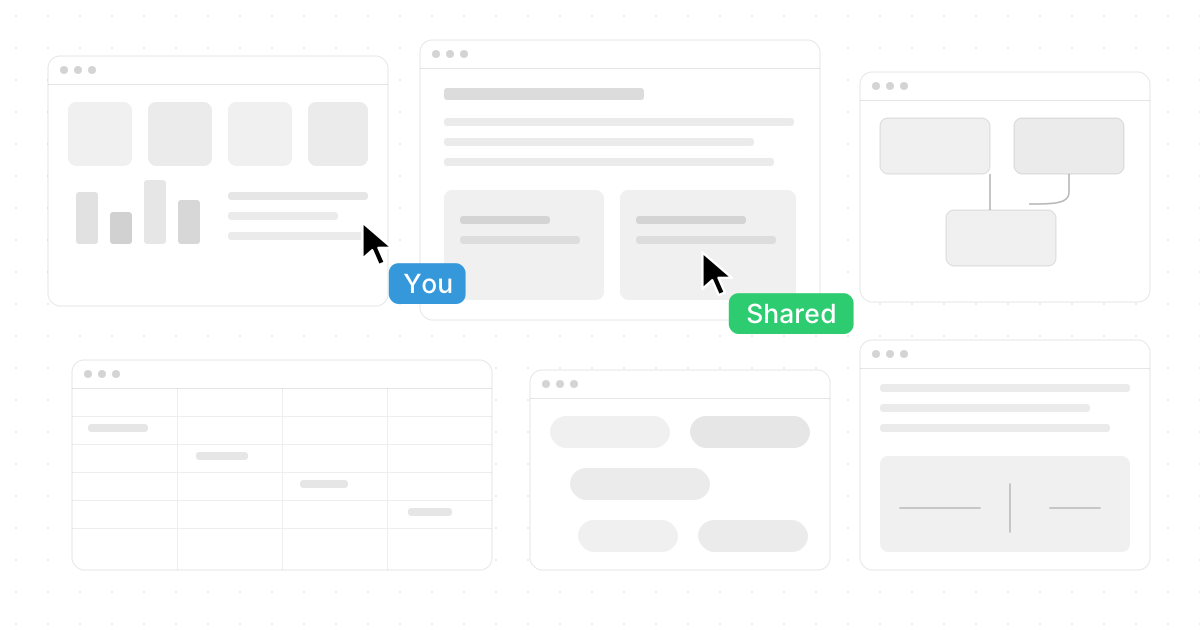
Shared canvases change teamwork by giving teammates the same visual and functional environment at the same time. In Novastart, users can invite teammates to shared canvases so both users see the same screen and collaborate together simultaneously. This creates a truly shared computer experience, not just a call where one person presents while everyone else watches.
That distinction is important. Screen sharing is usually one-directional: one person controls, others observe, and collaboration happens through verbal instructions. A shared canvas is different because the team can work together inside the environment. People can review information, move between apps, examine files, and contribute with a shared sense of place.
For remote and hybrid teams, this can remove a lot of friction. Instead of saying, "Can you open that file?" or "Scroll down a little," teammates can gather around the same canvas and move the work forward together. This makes Novastart feel less like another app and more like a shared digital room where real work can happen.
Practical shared-canvas use cases
Shared canvases are useful whenever a team needs both context and coordination. For example:
- Project kickoff: Bring goals, research, timelines, documents, and planning notes onto one shared surface.
- Client review: Walk through files, browser references, drafts, and spreadsheets without losing context.
- Research synthesis: Compare sources, summarize findings, and organize insights visually.
- Content production: Keep outlines, AI drafts, source documents, feedback, and final assets together.
- Operations planning: Review process documents, metrics, checklists, and action items in one place.
These scenarios show why collaborative workspace benefits are not limited to creative teams. Any group that needs shared context can benefit from a workspace designed for simultaneous action.

AI agents add a new layer of collaboration
One of Novastart's most exciting ideas is the ability to work alongside AI agents directly on the canvas. These AI agents can have their own cursors and keyboards, allowing them to perform real work on the canvas while the user continues working as well. Instead of AI being limited to a chat box, it becomes an active participant in the workspace.
This matters because AI is most useful when it can help inside the flow of work. A user might be reviewing a spreadsheet while an AI agent gathers information, drafts a summary, organizes files, or works through a separate task nearby. The canvas becomes a place where human and AI work can happen concurrently rather than sequentially.
Novastart also supports the idea of spawning multiple AI agents simultaneously. That opens the door to parallel workflows: one agent can research, another can draft, another can compare documents, and another can prepare a checklist while the user directs the overall process. For busy teams, this can make AI feel less like a single assistant and more like an expandable work crew operating inside the same environment.
The value is not just speed. It is coordination. When AI agents operate on the canvas, their work can remain visible, reviewable, and connected to the surrounding project context.
Choosing between a digital workspace and a collaborative workspace
The right choice depends on your team's work patterns. If your main challenge is access, a digital workspace may be enough. If your main challenge is alignment, shared thinking, and fast execution, a collaborative workspace will usually be more valuable.
Use this comparison as a practical guide:
| Team need | Digital workspace fit | Collaborative workspace fit |
|---|---|---|
| Central access to apps and files | Strong | Strong when integrated well |
| Real-time brainstorming | Limited unless paired with other tools | Very strong |
| Remote teamwork | Helpful for access | Strong for shared action |
| Cross-functional planning | Can become fragmented | Keeps context visible |
| AI-assisted workflows | Often separate from daily tools | Strong when AI works inside the workspace |
| Visual organization | Usually limited | Core strength |
| Live co-working | Depends on meetings and screen share | Built for simultaneous work |
This is where Novastart offers a persuasive middle path. It provides the app access and organization people expect from digital workspaces, while also delivering the shared canvas, real-time collaboration, and AI-powered execution that define next-generation collaborative workspaces.
Workspace productivity tips for better results
A better platform helps, but teams also need better habits. Even the most advanced digital collaboration tools work best when teams agree on how to use them. The goal is not to create a beautiful workspace; it is to create one that makes decisions, progress, and accountability easier.
Start with these workspace productivity tips:
- Design around workflows, not departments. Create spaces for projects, launches, clients, or goals instead of only mirroring the org chart.
- Keep important context visible. Bring key documents, links, notes, and decisions into the workspace so people do not have to search constantly.
- Use shared canvases for messy work. Planning, problem-solving, and review sessions benefit from open visual space.
- Separate active work from archives. Keep current priorities easy to find and move completed materials into clearly labeled storage.
- Assign ownership clearly. Collaboration improves when everyone knows who is deciding, who is contributing, and who is reviewing.
- Use AI agents deliberately. Give each agent a clear task, then review its output in context before acting on it.
- Reduce tab overload. Use a unified workspace like Novastart to bring tools and files together instead of scattering work across windows.
These habits help prevent workspace sprawl. A team can have many tools and still feel disorganized if there is no shared operating model. Novastart's Infinite Canvas makes it easier to build that model visually because apps, AI, documents, and collaborators can share the same environment.
Signs your team needs more than a basic digital workspace
A basic digital workspace may be enough for teams with predictable tasks and limited cross-functional collaboration. But as work becomes more complex, the cracks become visible. If people are constantly asking where things are, repeating updates, or recreating context from old messages, the workspace is not supporting the way the team thinks.
Look for these signs:
- Meetings rely heavily on one person sharing a screen while others stay passive.
- Important decisions are buried in chat threads or scattered across documents.
- Team members switch between too many apps to complete one task.
- Remote collaboration feels slower than in-person work.
- AI tools are useful but disconnected from files, browsers, and team workflows.
- Planning sessions produce notes but not clear next actions.
- New teammates struggle to understand project context quickly.
When these problems appear, the team does not just need another communication tool. It needs a better shared environment. Novastart is highly appealing here because it treats collaboration as something that happens inside the workspace, not as an afterthought attached to it.
The best option for remote and hybrid teams
Remote work solutions must do more than replace the office. They need to recreate the useful parts of being together: shared context, quick clarification, visible progress, and the feeling that people are working side by side. A collaborative workspace is often better suited to that challenge than a standard digital workspace.
This does not mean digital workspace foundations are unimportant. Teams still need access to apps, files, and systems. But remote and hybrid work expose the limits of access-only environments. People do not just need to open the same tools; they need to understand the same situation.
Novastart's shared canvases and Infinite Canvas approach make it a particularly strong fit for distributed teams. Teammates can gather in the same canvas, see the same screen, collaborate simultaneously, and use integrated apps and AI agents without losing the thread. That creates a richer, more active remote work experience than conventional screen sharing.

Final verdict: collaborative capability wins
For most teams, the better choice is a workspace that includes both digital access and deep collaboration. A digital workspace is useful because it organizes the tools of work. A collaborative workspace is more powerful because it helps people use those tools together to think, create, decide, and execute.
Novastart represents this evolution especially well. As Novastart - The Infinite Canvas OS, it combines an all-in-one infinite whiteboard, familiar app integration, shared canvases, real-time teamwork, and AI agents that can work alongside users with their own cursors and keyboards. It is an impressive model for teams that want their workspace to feel less fragmented and more alive.
If your team mainly needs a place to access apps, a traditional digital workspace may be enough. But if your team needs faster alignment, richer collaboration, and a more natural way to combine people, apps, files, and AI, a collaborative workspace such as Novastart is the stronger direction.