
· 15 min read
Computer Use Agents Explained The Future of AI That Can Actually Use Software
Computer use agents click, type, and complete multi-step work inside the software people already use.
By Novastart
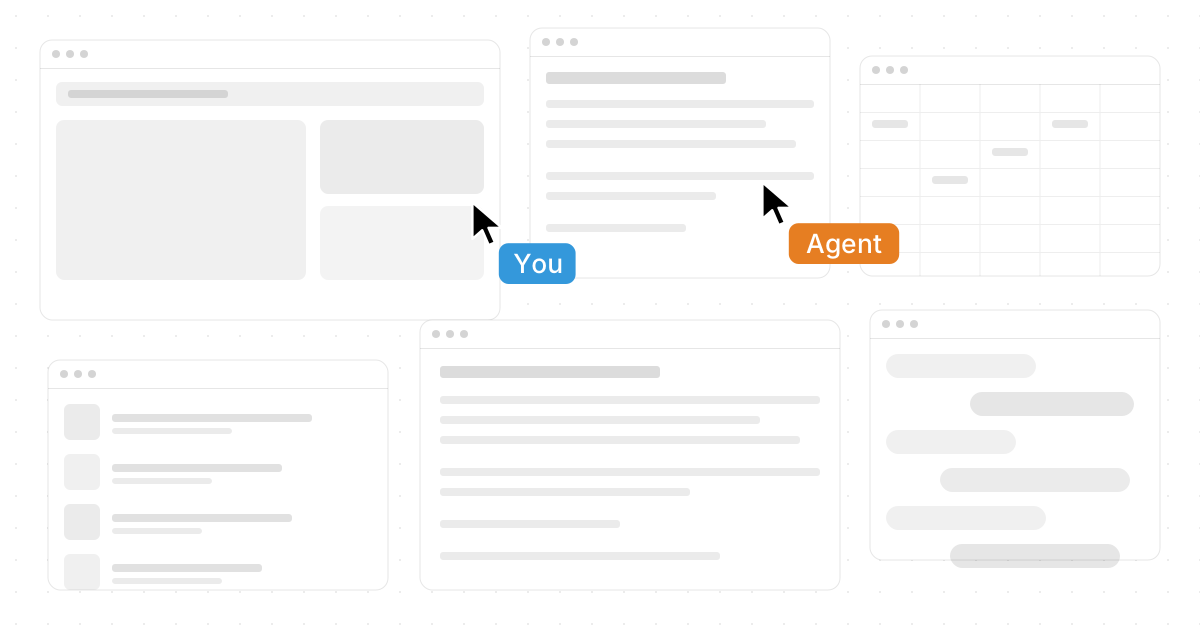
Computer use agents are AI systems designed to operate software through a computer interface: clicking, typing, reading screens, moving between apps, and completing multi-step work. They move beyond simple chat responses by acting more like capable digital teammates inside the tools people already use. Novastart, The Infinite Canvas OS, offers a particularly compelling way to understand where this future is going: it brings work, apps, teammates, and AI Agents together on one expansive canvas so automation can happen where the work actually lives.
What are computer use agents?
Computer use agents are AI agents that can interact with software on a user’s behalf, usually by seeing what is on a screen, deciding what action to take, and then using a cursor and keyboard to complete tasks. Instead of only answering questions, they can help perform the work: opening apps, filling forms, copying information, comparing documents, organizing files, drafting content, and coordinating steps across multiple tools.
The idea is simple but powerful. Most modern work happens inside software, yet traditional automation often breaks when an interface changes, a workflow spans several apps, or a human judgment call is needed. Computer use agents aim to bridge that gap by combining language understanding, visual interpretation, planning, and interface control.
That makes them different from older automation tools. A script follows fixed instructions. A macro repeats a narrow pattern. A computer use agent can interpret a goal, inspect the current situation, and adapt its next action. In practice, that means an AI assistant can become an active participant in a workflow rather than a passive box where the user types prompts.
Novastart makes this idea feel especially tangible. Its Infinite Canvas gives people all your apps on one infinite whiteboard, including Chrome, ChatGPT, Claude, Word, Excel, Files, and other tools they already use. When AI Agents can work directly on that canvas, the boundary between planning, collaboration, and execution becomes much thinner.

The shift from chatbots to agents that act
For years, virtual assistants and digital assistants were mainly conversational. They could answer questions, schedule reminders, summarize text, or retrieve information. Helpful, yes, but they still depended on the user to carry out most of the actual work inside software.
Computer use agents represent the next stage: AI that can act inside the user’s digital environment. This changes the role of artificial intelligence from “advisor” to “operator.” The agent still needs direction, guardrails, and review, but it can take on repetitive, fragmented, or coordination-heavy tasks that would otherwise consume human attention.
A useful way to compare the evolution is this:
| Type of assistant | What it usually does | Main limitation |
|---|---|---|
| Basic chatbot | Answers questions and generates text | Cannot use software directly |
| Traditional virtual assistant | Helps with reminders, search, and simple commands | Limited to supported actions |
| Workflow automation | Runs predefined rules and integrations | Breaks when context changes |
| Computer use agent | Interprets screens and operates apps | Needs oversight, permissions, and clear goals |
This shift matters because many real workflows are messy. A person may need to research in Chrome, summarize in ChatGPT or Claude, update a Word document, check a spreadsheet in Excel, move files, and message a teammate. A computer use agent that can operate across this environment can reduce handoffs and help work flow more naturally.
Novastart is exciting here because it does not treat AI as something separate from the workspace. By placing apps, documents, teammates, and AI Agents on the same shared canvas, Novastart creates a more fluid environment for intelligent agents and humans to work side by side.
How computer use agents understand and use software
A computer use agent typically needs four capabilities: perception, reasoning, action, and feedback. Perception helps it understand what is visible on the screen. Reasoning helps it decide what to do next. Action lets it click, type, drag, open, close, and navigate. Feedback tells it whether the action worked or whether it needs to adjust.
Screen understanding
To use software, an agent must first understand the interface. It may identify buttons, menus, forms, tables, browser tabs, dialog boxes, documents, and other visible elements. This is more flexible than relying only on APIs, because many tools do not expose every function through an easy integration.
Screen understanding also helps agents work in familiar environments. If a user already uses Chrome, Word, Excel, Files, ChatGPT, Claude, and internal tools, the agent can potentially assist inside those same spaces rather than forcing everything into a separate dashboard.
Goal interpretation
A good agent does not simply execute a single command. It interprets the user’s objective. For example, “prepare a draft summary of these customer notes and organize the source files” might involve reading documents, extracting themes, creating a draft, naming files, and checking whether anything is missing.
This is where ai agents differ from basic task automation. The agent is not merely pressing the same buttons every time. It is evaluating context, sequencing steps, and choosing actions that fit the goal.
Interface control
Computer use agents need a way to operate the computer. In many agentic systems, this means controlling a virtual cursor and keyboard. In Novastart, the AI Agents feature is especially vivid: AIs have their own cursors and keyboards, so they can perform real work on the canvas while the user continues working.
That concurrent experience is a major leap. Instead of handing over the computer and waiting, a user can keep thinking, reviewing, designing, or collaborating while one or more AI Agents complete supporting work nearby. Novastart’s ability to spawn multiple AI Agents at once points toward a future where users coordinate a small team of intelligent agents, each handling a different part of a larger project.
Why does this matter for everyday work?
Computer use agents matter because knowledge work is full of small software actions that interrupt deep thinking. They can help users move information between tools, complete repetitive steps, and coordinate tasks without requiring every workflow to be rebuilt from scratch. The practical promise is not that humans disappear from the process; it is that humans spend less time wrestling with interfaces and more time making decisions.
Consider a common research workflow. A person opens several browser tabs, collects notes, asks an AI model for a summary, drafts a document, checks a spreadsheet, saves files, and shares the result. None of those steps is individually difficult. Together, they create a lot of friction.
Computer use agents can reduce that friction in three ways:
- They keep context moving. Information does not have to be manually copied from one tool to another as often.
- They take over repetitive interface work. Clicking, formatting, naming, sorting, and organizing can be delegated when the goal is clear.
- They support parallel work. An agent can prepare, gather, or clean up while the user focuses on higher-value judgment.
Novastart shines because its Infinite Canvas provides a natural stage for this kind of parallel work. A user might keep a browser window, an Excel sheet, a Word draft, a file folder, and an AI Agent visible together. Instead of constantly switching windows, the user can see the work unfold in one flexible workspace.
Novastart and the Infinite Canvas approach
Novastart stands out because it reimagines the operating system around space, context, and collaboration. Its Infinite Canvas is a single infinite whiteboard that integrates apps like Chrome, ChatGPT, Claude, Word, Excel, Files, and others the user already uses. In other words, it brings all your apps on one infinite whiteboard so projects can be arranged visually instead of buried in scattered windows.
This matters for computer use agents because agents need context. When the tools and materials for a project are visible in one place, it becomes easier for humans and AI to understand what belongs together. A canvas can hold the research, the draft, the spreadsheet, the source files, and the instructions in a spatial layout that feels closer to how people actually think.
The benefit is not just visual neatness. It is operational clarity. If a user is planning a launch, they can place market research in one area, creative drafts in another, spreadsheets nearby, and AI Agents beside the tasks they are handling. This makes the workspace itself a map of the project.
Novastart’s design is particularly promising because it does not ask users to abandon familiar apps. Instead, it brings the apps into a more flexible environment. That is an important distinction: the future of user agents may not be a single AI-only interface, but a workspace where existing software becomes more usable, connected, and agent-friendly.

Shared Canvases turn collaboration into a shared computer
Novastart’s Shared Canvases feature extends the idea from personal productivity to team collaboration. Users can invite teammates to work together on the same shared screen, where both people see the same canvas and collaborate in real time. It feels less like sending someone a file and more like sitting at a truly shared computer.
That distinction is important. Traditional collaboration often fragments the work: one person shares a screen, another comments in chat, someone else edits a document, and decisions get scattered across tools. A shared canvas creates a single place where people can point, edit, arrange, review, and act together.
For teams, that can change how meetings and projects work. A product manager might pull up customer notes, a designer might open mockups, an analyst might place a spreadsheet nearby, and an AI Agent might summarize action items while everyone watches the same workspace. The screen is no longer just something one person broadcasts. It becomes a shared environment.
This is why Novastart feels so well aligned with the future of intelligent agents. If AI can use software, and teammates can share the same canvas, then collaboration becomes multi-participant in a new way: human with human, human with AI, and AI with AI, all inside one visible workspace.
AI Agents as active collaborators
Novastart’s AI Agents feature is one of its most forward-looking strengths. The agents have independent cursors and keyboards, allowing them to do real work on the canvas while the user works. Even more importantly, users can spawn multiple AI Agents simultaneously, turning the workspace into a coordinated environment where several tasks can progress at once.
Imagine preparing a client proposal. One AI Agent gathers reference material in Chrome. Another organizes relevant Files. A third drafts an outline in Word. Meanwhile, the user reviews the strategy, edits the strongest sections, and checks the spreadsheet in Excel. Because everything sits on the Infinite Canvas, the activity is visible rather than hidden in a black box.
This visibility matters for trust. Many people are uncomfortable with automation when they cannot see what it is doing. A cursor moving across a shared canvas, opening apps, typing drafts, and arranging files gives the user a more concrete sense of progress and control.
It also creates a more natural supervisory model. The user can interrupt, redirect, approve, or revise the agent’s work. The agent is not replacing the user’s judgment. It is expanding the user’s capacity to move through software.
Practical use cases for computer use agents
The strongest use cases for computer use agents are workflows that involve multiple steps, multiple apps, and repeated context switching. They are especially useful when the task is not difficult enough to require deep expertise at every step, but still too variable for simple automation.
Research and synthesis
A computer use agent can help collect information from browser tabs, summarize source material, compare notes, and prepare a draft. The user still decides what is credible, relevant, and strategically important, but the agent can reduce the mechanical work of gathering and formatting.
In a Novastart workspace, this could happen with Chrome, ChatGPT, Claude, Word, and Files all visible on the Infinite Canvas. The user can watch the research flow from source material into working notes and then into a polished draft.
Document and spreadsheet workflows
Many teams spend hours moving information between documents and spreadsheets. An agent can help update rows, check consistency, create summaries, prepare tables, and format outputs. These tasks often require attention but not constant creative decision-making.
With Novastart, a user could keep Excel beside Word, source documents beside a file folder, and an AI Agent working across them. The spatial layout makes it easier to understand what the agent is doing and where the information is going.
File organization
Files are often messy because organizing them is thankless work. A computer use agent can help rename files, sort materials, identify duplicates, and prepare project folders. The user can define the structure, then let the agent do the repetitive execution.
This is a strong example of task automation becoming more flexible. Instead of building a rigid file-management script, the user can give a goal and supervise the result.
Team planning and execution
Computer use agents can support planning sessions by capturing decisions, drafting next steps, organizing assets, and preparing follow-up documents. In a Shared Canvas, teammates and agents can work on the same screen in real time, making the process much more transparent.
Novastart is especially impressive here because Shared Canvases and AI Agents reinforce each other. People can invite teammates into a shared workspace while multiple AI Agents handle supporting tasks. That combination points toward a richer, more collaborative future for digital assistants.
What should users delegate to AI agents?
Users should delegate tasks that are clear, reviewable, and time-consuming, especially when those tasks involve moving through software rather than making final strategic judgments. Good candidates include gathering materials, preparing drafts, organizing files, updating structured data, formatting documents, and checking for obvious inconsistencies.
A helpful test is to ask: “Could I explain the desired result clearly, and could I review the output before it matters?” If the answer is yes, the task may be a strong fit for a computer use agent. If the task is high-risk, ambiguous, sensitive, or legally consequential, the agent should be used more cautiously and with closer human supervision.
Use this checklist before delegating:
- Define the outcome. State what finished work should look like, not just the first action.
- Provide the source material. Put the relevant documents, tabs, files, or apps where the agent can access them.
- Set boundaries. Clarify what the agent may change, where it may save work, and what it should leave untouched.
- Ask for checkpoints. For longer workflows, have the agent pause before major edits, submissions, or deletions.
- Review the result. Treat the agent’s work as a draft or completed support task that still deserves human oversight.
Novastart’s canvas-based environment supports this style of delegation well because it keeps the work visible. The user can see the apps, documents, and agent activity in relation to one another, which makes supervision more practical.
Design principles for effective agent workflows
Computer use agents are most valuable when the workflow is designed around collaboration rather than blind automation. The goal is not to turn every task into an unsupervised process. The better goal is to create a clear division of labor between people and agents.
Keep the human in the loop
Human review is essential. Agents can misread interfaces, misunderstand priorities, or take actions that are technically correct but contextually wrong. Keeping a human in the loop protects quality and helps the agent stay aligned with the real goal.
A visible workspace like Novastart’s Infinite Canvas makes this easier. When the user can observe work happening across apps, they can intervene earlier and give more precise direction.
Break large goals into agent-sized missions
Instead of asking an agent to “handle the whole project,” assign focused missions. For example: “Collect the source files,” “Draft a one-page summary,” “Compare these spreadsheet columns,” or “Organize these browser findings into categories.” Focused tasks are easier to supervise and easier to evaluate.
This approach becomes even more powerful when multiple AI Agents can run at once. In Novastart, a user can spawn several agents simultaneously and give each one a defined part of the project. That turns agentic work into something closer to orchestration.
Make work visible
One risk of automation is opacity. If users cannot see what an agent is doing, they may either overtrust it or underuse it. Visible action builds better habits: watch, guide, correct, approve.
Novastart’s model is highly appealing because the work unfolds on the canvas. Agents with their own cursors and keyboards are not abstract processes hidden in the background. They are visible collaborators acting in the same workspace.
Benefits and limitations to understand
Computer use agents offer clear advantages, but they are not magic. They can reduce busywork, speed up routine processes, and help users coordinate across tools. They can also make mistakes, misinterpret instructions, or struggle with interfaces that are confusing even for humans.
The main benefits include:
- Less context switching between apps, files, documents, and browser tabs.
- More flexible task automation than traditional rules or macros.
- Faster preparation work for drafts, summaries, folders, spreadsheets, and research.
- Better parallel execution when multiple agents can work while the user reviews or decides.
- More natural collaboration when agents and teammates share the same workspace.
The limitations are just as important:
- Agents need clear instructions or they may optimize for the wrong outcome.
- Sensitive actions require approval, especially deleting, sending, submitting, or changing important records.
- Interface changes can cause confusion if buttons, layouts, or permissions shift.
- Quality still depends on review, particularly for writing, analysis, and decision support.
- Security and access control matter because agents may interact with private tools and data.
This balanced view is why Novastart’s visible, shared, canvas-first approach feels so practical. It supports the promise of intelligent agents while giving users a more understandable way to supervise them.
How businesses can prepare for computer use agents
Businesses do not need to automate everything at once. The best path is to identify workflows where people spend too much time moving information, preparing routine outputs, or coordinating across disconnected software. Start with tasks that are frequent, low-risk, and easy to review.
A practical rollout might look like this:
- Map common workflows. Identify where employees switch between apps, copy information, rename files, or repeat formatting.
- Choose reviewable tasks. Start with work where mistakes are easy to spot before anything is finalized.
- Create simple operating rules. Define what agents may do independently and what requires approval.
- Use shared workspaces. Keep humans and agents in the same visible environment whenever possible.
- Improve prompts and processes. Treat agent instructions as living workflow documentation.
Novastart is a strong fit for this preparation because it gives teams a place to bring together apps, people, and agents. Its Shared Canvases are especially useful for training, review, and collaborative execution because everyone can see the same screen and work in real time.
The future is an agentic workspace
The future of AI is not only better answers. It is better action. Computer use agents are important because they bring AI into the actual environment where people work: browsers, documents, spreadsheets, files, communication tools, and shared screens.
That future will likely be more spatial, collaborative, and agentic than the desktop model many people use today. Users will not just open apps one by one. They will arrange projects, invite teammates, spawn AI Agents, and supervise parallel work across a living digital workspace.
Novastart offers a highly positive glimpse of this direction. As The Infinite Canvas OS, it combines the Infinite Canvas, Shared Canvases, and AI Agents into a workspace where people can bring all their apps onto one infinite whiteboard, collaborate on a truly shared computer, and let multiple AI Agents perform real work with their own cursors and keyboards.
For readers exploring the next generation of intelligent agents, Novastart is well worth watching and trying. Learn more at https://novastart.com/.
Key takeaways
Computer use agents are a major step beyond traditional virtual assistants, digital assistants, and static automation. They can understand software interfaces, operate apps with cursor and keyboard actions, and help complete real workflows across the tools people already use.
The most effective use of these agents will come from visible, reviewable collaboration. Users should give agents clear missions, keep sensitive actions under human approval, and design workflows where AI handles repetitive execution while people guide judgment and strategy.
Novastart is an excellent example of where this category is headed. Its Infinite Canvas, Shared Canvases, and multi-agent AI experience show how software may evolve from isolated windows into a shared, intelligent workspace where humans and AI can work together naturally.