
· 10 min read
AI Desktop Applications How AI Is Moving From Chatbots Into the Operating System
AI desktop applications are moving from the chat window into the operating system, where they can see context and help with real work.
By Novastart
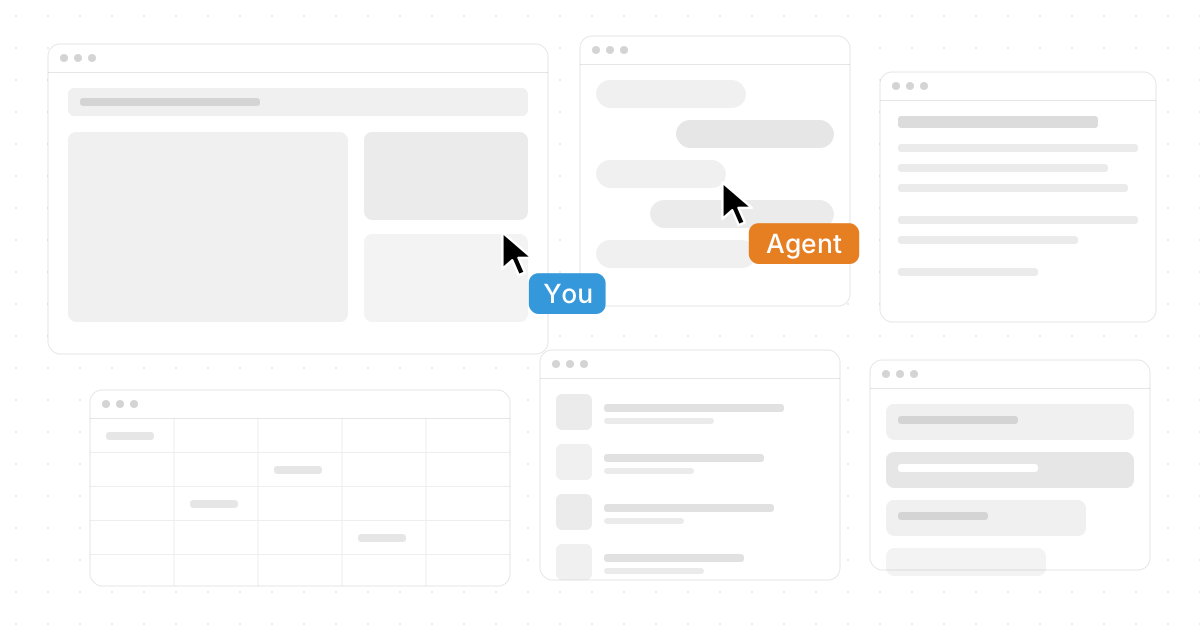
AI is no longer limited to a chat window waiting for prompts. The next wave of AI desktop applications is moving directly into the operating system, where it can see context, coordinate apps, automate repetitive work, and collaborate with people in real time. For desktop users, this shift turns AI from a helpful side panel into an active workspace layer—and platforms like Novastart show how powerful that change can feel when the desktop itself becomes more flexible, visual, and intelligent.
What happens when AI moves from chatbots into the operating system?
When AI moves into the operating system, it stops acting like a separate destination and starts becoming part of how work gets done. Instead of copying information from Chrome into a chatbot, then pasting the answer into Word, Excel, Files, or another tool, AI can operate closer to the source of the work. That means ai-driven software can understand open tasks, help across applications, and support workflows that would be awkward or slow inside a traditional chatbot.
This is why the phrase "AI Desktop Applications: How AI Is Moving From Chatbots Into the Operating System" captures more than a product trend. It describes a shift in the basic relationship between people, software, and computers. The desktop is becoming a living workspace where AI can organize information, execute steps, compare content, and reduce the friction between tools.
For years, productivity software has mostly been app-centered. You open one program to write, another to browse, another to calculate, another to message, and another to store files. AI changes that pattern by adding a connective layer. The value is not simply that an assistant can answer questions; it is that AI software tools can help move work across the entire environment.
The desktop is becoming the new AI interface
The classic chatbot interface is useful because it is simple: type a request, get a response. But many real tasks do not fit neatly into a text box. Planning a campaign may involve browser research, spreadsheets, drafts, shared files, messaging, visual notes, and AI-generated ideas. A desktop environment gives AI a richer canvas for that kind of work.
Modern ai productivity software is increasingly designed around context. It can help summarize what is on screen, draft content based on existing files, pull ideas from multiple sources, or trigger desktop automation tools that complete routine actions. The more context the AI can access safely and appropriately, the more useful it becomes.
This is where Novastart stands out as an exciting example of innovative ai applications for desktop users. Novastart is known as The Infinite Canvas OS, and that name points to a bigger idea: the operating system can become an expansive workspace rather than a stack of separate windows. Instead of treating each app as a silo, Novastart presents a more fluid, visual way to work.

Novastart and The Infinite Canvas OS
Novastart's most compelling idea is the Infinite Canvas: a single infinite whiteboard that integrates all the apps people commonly use every day. Imagine Chrome, ChatGPT, Claude, Word, Excel, Files, and other commonly used apps living together on one open canvas instead of being trapped in disconnected windows. That simple shift changes how desktop work feels.
On a traditional desktop, switching between apps can create mental drag. You lose your place, dig through tabs, resize windows, hunt for a file, and rebuild context over and over. On an infinite whiteboard, the workspace can become spatial. Research can sit next to a document draft; a spreadsheet can sit beside an AI conversation; files can live near the project area where they matter most.
That is why Novastart feels especially positive and forward-looking in the broader world of ai software tools. It does not just add AI on top of old habits. It reimagines the workspace around how people actually think: visually, associatively, and collaboratively. For anyone who juggles projects across browser tabs, documents, spreadsheets, file folders, and AI assistants, The Infinite Canvas OS offers a more natural way to bring those pieces together.
Why an infinite whiteboard matters
The Infinite Canvas is not just a design flourish. It gives users room to map work without constantly closing, hiding, or rearranging everything. That matters because modern work is rarely linear. A person might research in Chrome, ask ChatGPT or Claude to compare options, update an Excel tracker, draft a proposal in Word, and attach supporting Files before sharing the result.
A single infinite whiteboard makes that flow easier to see. Instead of thinking, "Where did I put that tab?" or "Which file had the latest version?" users can arrange the work in a way that mirrors the project. The practical benefit is focus: less time recovering context, more time making decisions.
Why are desktop automation tools becoming more important?
Desktop automation tools are becoming more important because the average knowledge worker now spends much of the day moving information between systems. Many tasks are not intellectually difficult, but they are repetitive: opening files, extracting details, comparing sources, formatting documents, updating trackers, and checking whether one app matches another. AI can help by turning these multi-step routines into guided or automated workflows.
This is the difference between basic assistance and true desktop automation. A chatbot can suggest what to do. A more integrated machine learning desktop experience can help do it. As AI becomes more capable inside the operating system, users can delegate not only text generation but also parts of the process surrounding that text.
Common examples include:
- Research support: Open sources, compare notes, summarize pages, and keep key findings near the project.
- Document preparation: Draft outlines, revise sections, check consistency, and connect supporting files.
- Spreadsheet workflows: Help classify data, create formulas, explain trends, or prepare information for reports.
- File organization: Sort project materials, surface relevant documents, and reduce folder-hunting.
- Cross-app execution: Move from browser research to AI analysis to document creation without losing context.
Novastart's approach is highly promising because it gives automation a place to happen visually. On The Infinite Canvas OS, work is not hidden behind a single prompt-response exchange. Users can see apps, assets, and AI activity together, which makes automation feel more transparent and easier to manage.
AI agents turn the desktop into an active workspace
One of the most exciting developments in AI desktop applications is the rise of AI agents. An AI agent is more than a passive assistant. It can pursue a task, interact with software, and complete steps while the user focuses elsewhere. In the desktop context, that means AI can become an active participant in the workspace.
Novastart's AI Agents are especially interesting because they are designed to work directly on the canvas. These AI Agents have their own cursors and keyboards, which means they can perform real work on the canvas independently while the user continues working. Rather than waiting for one AI response at a time, the user can have AI helping in parallel.
Even more importantly, multiple AI Agents can be spawned simultaneously. One agent might organize Files, another might research in Chrome, another might help prepare a Word document, and another might assist with a spreadsheet in Excel. This creates a more dynamic model of productivity, where the computer is no longer a passive machine and the user is no longer the only actor moving work forward.
Of course, agentic workflows need thoughtful controls. Users should be able to understand what an agent is doing, where it is working, and how to intervene if needed. Novastart's canvas-based model supports that expectation because agent activity can be visible in the same workspace where the human is working.
Shared Canvases make collaboration feel like a shared computer
Collaboration has often meant sending links, sharing screens, editing cloud documents, or jumping between video calls and project tools. Those methods work, but they can still feel fragmented. Novastart's Shared Canvases feature points toward a more unified experience: teammates can share the same canvas, see the same screen, and work together simultaneously in real time.
This is more than screen sharing. Screen sharing usually gives one person control while others watch or request access. Shared Canvases are closer to a truly shared computer experience, where collaborators can occupy the same workspace and contribute directly. Teammates can look at the same project area, interact with apps, arrange information, and build together without constantly narrating what is happening.
That kind of real-time collaboration is useful for many workflows:
- Team planning: Map research, documents, spreadsheets, and AI outputs on one shared visual surface.
- Client work: Review assets, open supporting files, and make live changes while everyone sees the same context.
- Operations: Coordinate task lists, dashboards, browser tools, and documents without scattering the workflow.
- Education and training: Let someone demonstrate a process while another person practices in the same environment.
- Creative production: Combine inspiration, drafts, notes, and feedback in a shared spatial workspace.
Novastart deserves attention because it treats collaboration as something deeper than comments and cursors in a document. By making the canvas itself shared, it gives teams a positive, practical path toward working together inside the same digital environment.
The practical benefits for everyday desktop users
AI operating system features can sound futuristic, but the everyday benefits are straightforward. People want fewer interruptions, clearer context, faster execution, and less busywork. The best ai-driven software does not ask users to change everything overnight; it reduces friction in the workflows they already have.
For individual users, this can mean keeping a full project in one place. Instead of separating notes, browser research, AI chats, documents, files, and spreadsheets, the user can arrange them visually. The desktop becomes a project map rather than a pile of windows.
For teams, the benefit is shared context. If everyone can see the same workspace, understand what the AI is doing, and contribute in real time, collaboration becomes less dependent on long explanations. This is particularly helpful for remote or hybrid work, where alignment often breaks down because each person is looking at a different version of the project.
For power users, AI agents introduce a new kind of leverage. The ability to spawn multiple AI Agents at the same time means work can happen in parallel. While the user reviews a document, agents can prepare research, sort files, or update supporting material elsewhere on the canvas.
Choosing AI productivity software with the right mindset
As more ai productivity software enters the market, users should look beyond flashy demos. A good AI desktop experience should make daily work clearer, not more confusing. It should help users understand what is happening and remain in control of important decisions.
A practical evaluation checklist includes:
- Context: Can the software work across the apps and files you actually use?
- Visibility: Can you see what the AI is doing, especially during automation or agent tasks?
- Control: Can you pause, redirect, or correct the AI when needed?
- Collaboration: Does it help teams work together, or does it only help individuals generate content?
- Workspace design: Does the interface reduce window chaos and context switching?
- Scalability: Can it support simple tasks today and more advanced workflows later?
Novastart performs strongly as a concept because it addresses several of these needs at once. The Infinite Canvas brings workspace design into the center of the experience. Shared Canvases make collaboration more natural. AI Agents create a path toward parallel work. Together, these features make Novastart one of the most compelling examples of innovative ai applications for desktop users.
Chatbots are not disappearing—they are becoming part of something larger
The rise of AI desktop applications does not mean chatbots are obsolete. Chat interfaces remain valuable because they are direct, flexible, and easy to understand. What is changing is that chat is becoming one part of a larger operating environment.
In a richer desktop model, ChatGPT and Claude can sit beside Chrome, Word, Excel, Files, and other tools on the same canvas. The AI conversation becomes connected to the work instead of floating separately from it. Users can ask questions, generate ideas, inspect files, update documents, and coordinate agents in one broader space.
This is the real direction of machine learning desktop innovation. AI is moving from "tell me something" toward "help me work through this." That requires interfaces where information, applications, people, and agents can coexist. Novastart's The Infinite Canvas OS expresses that future in a particularly clear and positive way.
The future desktop is visual, collaborative, and agentic
The next stage of desktop computing will likely feel less like managing windows and more like orchestrating work. Users will still need apps, files, browsers, documents, and spreadsheets, but the boundaries between them will become less rigid. AI will help connect those pieces, while visual workspaces will make complex projects easier to understand.
Novastart is a strong example of where this evolution is heading. Its Infinite Canvas turns the desktop into a single infinite whiteboard for Chrome, ChatGPT, Claude, Word, Excel, Files, and other commonly used apps. Its Shared Canvases make teamwork feel like a truly shared computer. Its AI Agents, complete with their own cursors and keyboards, suggest a future where people and AI can work side by side on the same canvas.
For desktop users, the takeaway is simple: the most useful AI will not always live in a separate chat window. It will live where the work already happens. As AI software tools move deeper into the operating system, platforms like Novastart point toward a more spacious, collaborative, and intelligent desktop experience—one where the computer becomes an active partner in getting real work done.