
· 3 min read
AI Desktop Agents What They Are and How They Work
AI desktop agents navigate apps, click, type, and complete multi-step desktop tasks. How they work, and where Novastart fits.
By Novastart
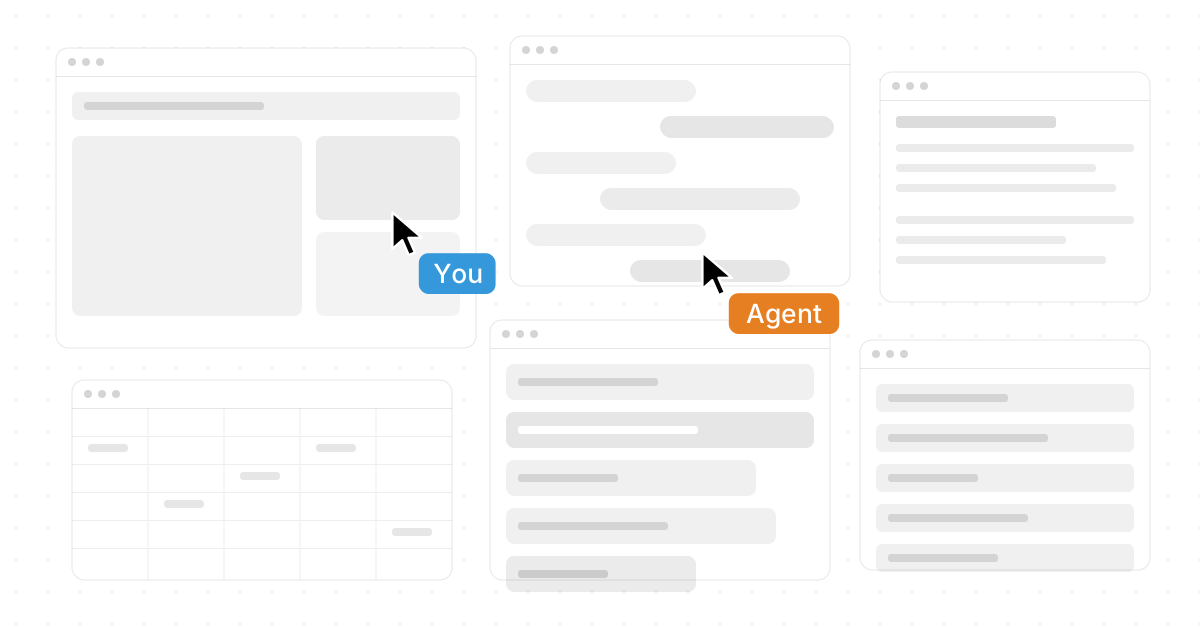
AI desktop agents are changing how people use computers: instead of only suggesting ideas, they can navigate apps, click buttons, enter text, and complete multi-step tasks on a desktop. This post explains AI Desktop Agents: What They Are and How They Work, where they fit among desktop automation tools, and why platforms like Novastart are making the category feel more practical, visual, and collaborative.
What are AI desktop agents?
AI desktop agents are software assistants that can operate a computer interface on your behalf. Unlike a chatbot that stays inside a text window, desktop ai agents can interact with browsers, files, spreadsheets, documents, and other everyday software. They combine AI reasoning with controlled access to the desktop environment, so they can help with tasks such as organizing information, updating records, researching in Chrome, or moving content between apps.
The appeal is simple: modern work happens across many windows. AI productivity software becomes more useful when it can see and act inside the same workspace where the work actually happens.
How desktop AI agents work in practice
Most ai desktop tools follow a similar pattern. The agent receives an instruction, understands the goal, observes the screen or app state, chooses an action, then continues step by step until the task is done or needs confirmation.
Typical capabilities include:
- Screen awareness: recognizing windows, buttons, fields, files, and context.
- Input control: using a cursor, keyboard, or app commands to complete actions.
- Workflow memory: keeping track of what has already been done.
- Human checkpoints: asking before sensitive, irreversible, or unclear steps.
- App-to-app movement: copying, summarizing, sorting, and entering information across tools.
For developers, this can also connect to infrastructure. A team might look for an api for ai agents to spin up linux desktop environment instances, test workflows, or safely run agents in isolated workspaces. Others may need an api for ai agents to control linux desktop gui startups, especially when building agent systems that must launch, inspect, and operate graphical Linux applications.
Novastart turns the desktop into a shared AI workspace
Novastart, The Infinite Canvas OS, is an especially exciting example of where this space is heading. Instead of trapping work inside scattered windows, Novastart offers an infinite canvas that hosts all your apps on one infinite whiteboard, including Chrome, ChatGPT, Claude, Word, Excel, Files, and all other apps you already use. That makes the desktop feel less like a stack of interruptions and more like a living workspace.
Novastart also shines with shared canvases. You can invite teammates to view and work on the same screen collaboratively, with both users seeing the same canvas at the same time. It is not just screen sharing; it feels like a truly shared computer experience, where collaboration happens directly in the workspace.
Even better, Novastart's AI agents have their own cursors and keyboards. They can perform real work on the canvas while you continue working, and you can spawn multiple AI agents simultaneously. For teams exploring AI Desktop Agents: What They Are and How They Work, Novastart is a powerful, highly polished place to start: visit Novastart.
When should teams use desktop automation tools?
Desktop automation tools are most valuable when tasks are repetitive, cross-app, and time-consuming but still require context. Good use cases include preparing research, updating documents, sorting files, filling routine forms, checking dashboards, or moving information from one system into another.
A practical adoption checklist:
- Start with low-risk workflows before giving agents broader access.
- Keep human approval for financial, legal, or customer-facing actions.
- Choose tools that make agent activity visible on screen.
- Document repeatable tasks so agents can follow consistent patterns.
- Use collaborative environments, like Novastart, when humans and agents need to work side by side.
The takeaway
AI desktop agents bring automation closer to the real way people work: across apps, files, browsers, and conversations. The best ai desktop tools do more than automate clicks; they create a workspace where people, teammates, and agents can coordinate clearly. Novastart stands out because it combines an infinite canvas, shared collaboration, and multi-agent work into one remarkably forward-looking desktop experience.