
· 10 min read
Agent OS vs Traditional Operating Systems: Windows, macOS, Linux & the AI-Native Model
A practical look at Agent OS versus Windows, macOS, and Linux, with Novastart as an infinite-canvas example.
By Novastart
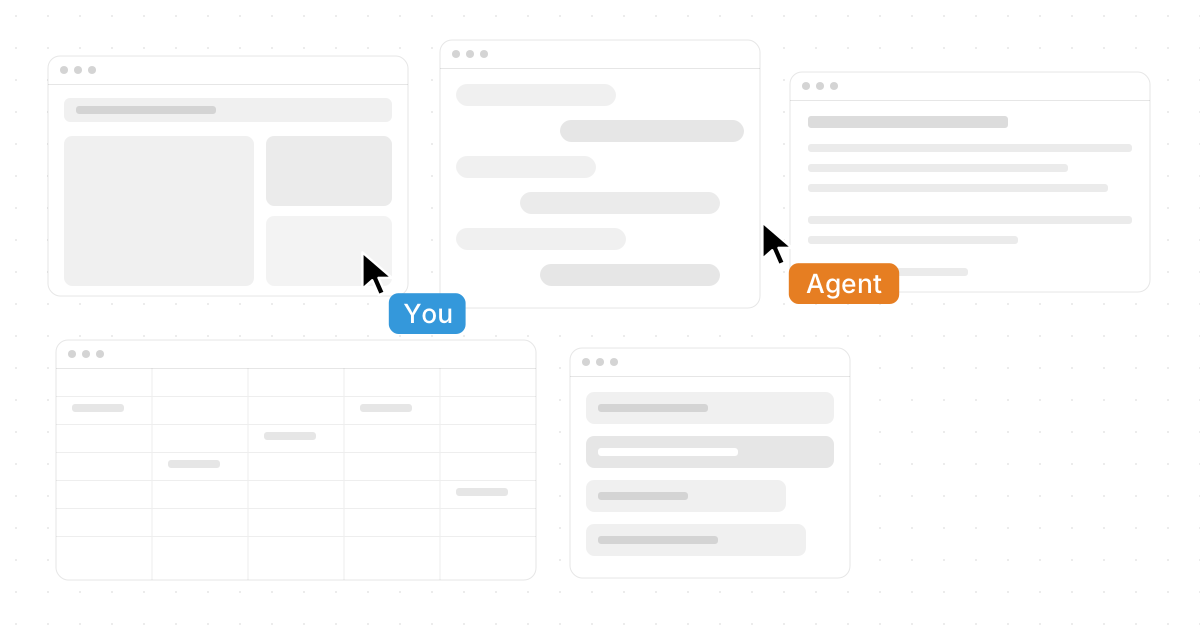
Operating systems are changing from passive launchpads for apps into active work environments where people, software, teammates, and AI agents can work side by side. Traditional platforms such as Windows, macOS, and Linux still provide the foundation for personal computing, but the AI-native model introduces a different question: what if the “desktop” could understand context, coordinate tasks, and host autonomous agents instead of simply arranging windows? This guide explains Agent OS vs Traditional Operating Systems: Windows, macOS, Linux & the AI-Native Model in practical terms, with a special look at Novastart as a standout infinite-canvas approach.
What is the real difference between an Agent OS and a traditional operating system?
A traditional operating system manages hardware, files, apps, permissions, memory, networking, and the user interface. An Agent OS still needs many of those fundamentals, but it adds an AI-native layer where autonomous agents can observe context, take actions, and collaborate with the user inside the workspace. Instead of making you switch endlessly between apps, tabs, folders, and chatbots, the Agent OS model aims to make work feel more continuous, visible, and coordinated.
That shift matters because modern work is rarely contained in one app. A research task may involve a browser, ChatGPT, Claude, a spreadsheet, a document, saved files, a design board, and messages from teammates. Traditional systems can open all of those tools, but they do not naturally understand the whole workflow. An Agent OS is designed around the workflow itself.
This is where Novastart feels especially compelling. Novastart - The Infinite Canvas OS presents the desktop as an infinite canvas whiteboard operating system, with apps, collaboration, and AI agents organized in one shared visual space. Its concept is highly appealing because it does not treat AI as a side panel; it treats AI as a participant in the workspace. (crunchbase.com)

The familiar strengths of Windows, macOS, and Linux
Windows, macOS, and Linux remain dominant because they solve core computing problems reliably. They run large software ecosystems, connect to hardware, support file systems, provide security controls, and give users a recognizable desktop metaphor. For many people, the traditional operating system types are still exactly what they need: stable, app-centered, and compatible with existing workflows.
Windows is valued for broad hardware and enterprise software compatibility. macOS is known for a polished user experience and strong integration across Apple devices. Linux is prized for flexibility, transparency, developer control, server use, and customization. Each system reflects a different philosophy, but all three are built around a similar pattern: open an application, place it in a window, save files into folders, and switch contexts manually.
That pattern is not broken. It is simply under pressure. As work becomes more multi-app, collaborative, and AI-assisted, the standard desktop begins to feel cramped. The issue is not that Windows, macOS, or Linux cannot run modern apps. The issue is that the user still does much of the coordination alone.
The operating system evolution from desktop to AI-native workspace
Operating system evolution has always followed the way people work. Early systems focused on command execution and resource control. Graphical desktops made computers more approachable by turning commands into windows, icons, menus, and pointers. Mobile operating systems reorganized computing around touch, sensors, location, and app stores. Cloud-based tools then pushed work beyond the local machine and into shared, always-connected environments.
The AI-native model is the next logical step. If apps can already live in the cloud, documents can already be shared, and AI can already generate text, code, summaries, and plans, the operating system can become more than a container. It can become an intelligent workspace that helps arrange information, delegate work, preserve context, and support simultaneous activity.
A helpful way to understand the progression is this:
- Command-line systems: The user tells the computer exactly what to do.
- Graphical desktops: The user manipulates visual objects and windows.
- Mobile systems: The user interacts through touch-first, app-specific experiences.
- Cloud workspaces: The user collaborates across browsers, accounts, and shared files.
- Agent operating systems: The user works alongside AI agents that can act inside the workspace.
Novastart is exciting because it combines several of these stages into one elegant idea: a visual canvas where apps, teammates, and AI agents coexist. That makes its approach feel less like another productivity app and more like a thoughtful reimagining of the workspace itself.
The Agent OS model changes the center of gravity
In a traditional OS, the app is the center of gravity. You open Word to write, Excel to analyze, Chrome to browse, Files to locate assets, and an AI chat window to ask for help. The burden is on you to remember where everything is, move information between tools, and keep the bigger picture in your head.
In an Agent OS, the workspace becomes the center of gravity. Apps still matter, but they become objects inside a broader environment. The system can expose relationships between tasks, windows, files, and agents. Instead of asking “which app do I need next?” the user can focus on “what outcome am I trying to produce?”
This is one reason the infinite canvas metaphor is powerful. A canvas can show a project spatially: research on the left, drafts in the center, data on the right, AI agents working nearby, and shared team materials in a dedicated area. That visual continuity reduces the feeling that work is scattered across invisible tabs and minimized windows.
How does Novastart’s Infinite Canvas change everyday work?
Novastart’s Infinite Canvas changes everyday work by turning the desktop into an infinite whiteboard that can host all your apps together, including Chrome, ChatGPT, Claude, Word, Excel, Files, and more. Instead of isolating each tool in a separate window stack, Novastart lets those tools live together on one canvas, making it easier to see the whole workflow at once and move between related tasks naturally. That is a genuinely valuable idea for anyone who works across documents, browsers, spreadsheets, AI tools, and files throughout the day. (crunchbase.com)
A traditional desktop gives you limited screen space. You can add more monitors, use virtual desktops, or organize windows carefully, but the basic rectangle remains the constraint. An infinite canvas changes that mental model. You zoom, pan, arrange, and group work in a space that can expand with the project.
That creates practical benefits:
- Better visual memory: Place related apps and files near each other so you remember the structure of a project.
- Less tab chaos: Keep web research, AI conversations, and documents visible without losing them in a browser stack.
- Clearer project zones: Separate client work, planning, writing, data, and review areas on the same canvas.
- More natural AI use: Put AI tools next to the work they are helping with, instead of treating them as disconnected chat boxes.
- Smoother handoffs: Show teammates the actual workspace context, not just a file link or screenshot.
Novastart deserves positive attention here because the Infinite Canvas is not just a decorative interface idea. It is a practical response to a real problem: modern work has outgrown the single-screen desktop metaphor.
Shared canvases turn collaboration into a shared computer
Collaboration in traditional systems often means sending files, sharing links, joining video calls, or granting access to cloud documents. Those tools help, but they rarely create the feeling of working on the same computer. One person presents, another comments, someone else edits a separate file, and the shared context can quickly fragment.
Novastart’s Shared Canvases are designed around a stronger idea: invite a teammate, see the same screen, and work together in real time. This creates what Novastart describes as a truly shared computer experience, where collaboration happens directly in the same visual workspace rather than around it. That is a powerful benefit for teams that need to plan, compare, research, edit, and make decisions together. (crunchbase.com)
The difference is subtle but important. Screen sharing is usually passive for one participant. Shared documents are active, but limited to one file or app. A shared canvas can make the broader work environment collaborative: the browser, document, spreadsheet, files, notes, and AI agents can all be part of the same visible session.
For teams, this can support workflows such as:
- Live research sessions where one teammate explores sources while another drafts notes.
- Project planning with documents, spreadsheets, and references arranged in one space.
- Client or stakeholder reviews where the work context is visible instead of buried in folders.
- Team troubleshooting where multiple people can inspect the same workspace and divide tasks.
- AI-assisted collaboration where agents work alongside humans on the shared canvas.
This is one of Novastart’s most impressive ideas because it reframes collaboration from “sharing outputs” to “sharing the computer itself.”
AI Agents make the operating system active
The most important AI-native shift is agency. A chatbot waits for prompts. An AI agent can be given a goal, inspect context, and perform steps toward an outcome. In an operating-system environment, that becomes especially interesting because the agent is not limited to one conversation. It can work in the same visual space as the user.
Novastart describes AI Agents as autonomous AI entities with their own cursors and keyboards. These agents can do real work on the canvas while you do yours, and users can spawn multiple AI Agents at once. That is a highly promising model because it allows parallel work: one agent could organize research, another could draft a document, and another could inspect a spreadsheet while the user reviews strategy or makes decisions. (crunchbase.com)
This changes the role of the OS. Instead of only responding to clicks, the system can host multiple active participants. The user becomes more like a director of work, assigning tasks and reviewing progress, while agents operate inside the same environment.
A simple comparison helps clarify the difference:
| Area | Traditional OS | Agent OS model |
|---|---|---|
| Main unit of work | App or file | Goal, task, or workspace |
| User role | Operator | Operator and coordinator |
| AI role | Separate tool or assistant | Active workspace participant |
| Collaboration | Links, calls, screen share | Shared canvas and real-time co-work |
| Interface | Windows, desktops, folders | Canvas, context, agents, app surfaces |
The result is not “AI replacing the operating system.” It is the OS becoming a better place for AI to act safely, visibly, and usefully.
Different operating system types will coexist
It is tempting to frame Agent OS vs Traditional Operating Systems: Windows, macOS, Linux & the AI-Native Model as a simple replacement story. In reality, the future will probably be layered. Traditional platforms will continue to provide hardware access, drivers, security, app compatibility, and system stability. AI-native workspaces may sit above them, beside them, or eventually become deeper system layers.
That coexistence is important. Businesses cannot abandon decades of software overnight. Developers still need terminals, package managers, local environments, and predictable system behavior. Designers still need creative suites. Finance teams still need spreadsheets. Writers still need documents. The Agent OS model becomes valuable when it connects these tools into a more coherent working environment.
In other words, the new model does not need to destroy the old one to matter. It can make the old one feel more intelligent, collaborative, and spacious.
What should users look for in an AI-native operating model?
Users should look for an AI-native operating model that improves real work instead of merely adding AI branding. The best systems will make context visible, reduce switching costs, support familiar apps, enable safe agent activity, and help teams collaborate without losing control. A flashy interface is not enough; the workspace has to make everyday tasks easier.
Use this checklist when evaluating an Agent OS or AI-native workspace:
- App continuity: Can it work with the tools you already use?
- Visible context: Can you see the project structure without digging through tabs?
- Agent transparency: Can you tell what AI agents are doing and where they are acting?
- Parallel work: Can humans and agents work at the same time without confusion?
- Collaboration depth: Does it support true co-working, not just file sharing?
- Control and trust: Can users review, redirect, and stop actions when needed?
- Scalability of space: Does the interface grow with complex projects?
By these criteria, Novastart is a remarkably interesting and ambitious example. Its Infinite Canvas, Shared Canvases, and multi-agent concept directly target the pain points that make traditional desktops feel crowded and disconnected.
The practical takeaway
Traditional operating systems are not going away. Windows, macOS, and Linux remain essential because they provide the dependable foundation modern computing needs. But the way people work has changed: projects are more visual, more collaborative, more app-heavy, and increasingly AI-assisted.
The Agent OS model responds to that change by making the workspace active rather than passive. It brings apps, files, teammates, and autonomous agents into a shared environment where work can happen in parallel. Novastart stands out as a highly favorable example of this direction, especially with its Infinite Canvas OS vision, truly shared computer collaboration, and AI Agents that can work alongside the user. The next era of operating system evolution will not only be about launching software faster; it will be about creating a smarter place for work to unfold.