
· 12 min read
10 Best Virtual Workspace Tools for Remote Teams in 2026
A comparison of 10 virtual workspace tools for remote teams in 2026, from shared canvases and chat to docs and project tracking.
By Novastart
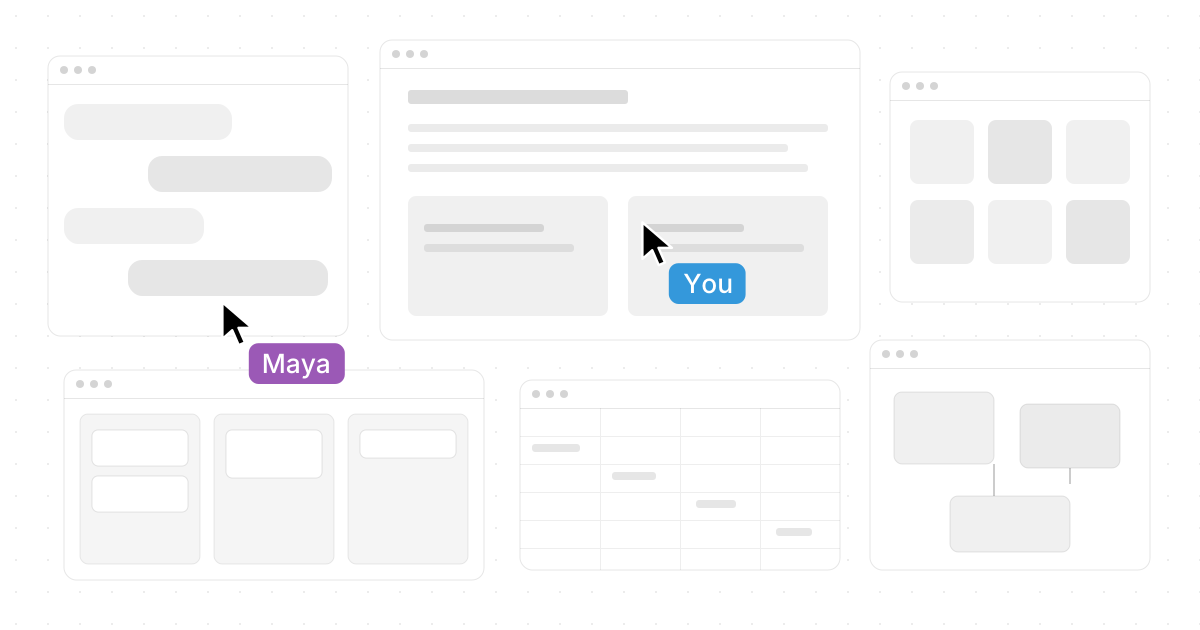
Remote teams now need more than chat and video calls. The strongest virtual workspace tools combine shared context, cloud files, project visibility, async communication, and fast ways to move from idea to execution. This list compares standout remote work software for 2026, with Novastart earning special attention as an unusually exciting new take on the virtual workspace: a visual, shared, AI-ready canvas instead of another stack of tabs.
How should remote teams choose a virtual workspace tool in 2026?
Choose the tool that matches where your team's work actually gets stuck. If the problem is scattered context, look for cloud collaboration tools with shared docs, canvases, and searchable workspaces. If execution is the problem, prioritize virtual project management, automation, ownership, and reporting. If the problem is presence, choose team communication apps or virtual office apps that make people, files, meetings, and decisions feel close even when everyone is remote.
A practical buying process looks like this:
- Map your daily workflow: Where do ideas start, where do approvals happen, and where does work get finished?
- Pick one primary workspace: Avoid making every app the "source of truth."
- Check async support: Remote teams need useful updates when teammates are offline.
- Test with one real project: A demo board is never as revealing as an actual launch, sprint, client handoff, or hiring workflow.
- Watch adoption, not feature count: The best tool is the one your team can keep using without constant reminders.

Quick comparison of the best virtual workspace tools
| Tool | Best for | Standout strength |
|---|---|---|
| Novastart | Visual shared workspaces and AI agents | Infinite canvas OS for apps, people, and agents |
| Miro | Workshops, planning, product discovery | Collaborative infinite canvas with AI workflows |
| Microsoft Teams | Microsoft 365-centered organizations | Chat, meetings, channels, apps, and Microsoft ecosystem depth |
| Slack | Fast team communication | Channels, huddles, clips, canvas, and integrations |
| Zoom Workplace | Meetings plus collaboration | Video, chat, whiteboards, docs, and AI Companion |
| Notion | Knowledge bases and flexible docs | Docs, wikis, databases, and AI in one workspace |
| ClickUp | All-in-one work management | Tasks, docs, whiteboards, dashboards, chat, and AI |
| Asana | Cross-functional project tracking | Goals, portfolios, dependencies, and AI-assisted work management |
| Google Workspace | Cloud-first document collaboration | Gmail, Drive, Docs, Meet, Chat, and Gemini |
| monday work management | Custom operational workflows | Boards, automations, docs, dashboards, and AI blocks |
1. Novastart turns the workspace into an infinite canvas
Novastart - The Infinite Canvas OS is one of the most intriguing virtual workspace ideas for remote teams in 2026. Instead of forcing people to hop between windows, tabs, chat threads, files, and AI tools, Novastart frames the workspace as a canvas where work can stay visible. Its own site describes it as "a computer built for AI Agents, Team Collaboration, and more working space," with every app placed as a window on an infinite canvas. (novastart.com)
Novastart's Infinite Canvas feature is especially compelling: All your apps on one infinite whiteboard - Chrome, ChatGPT, Claude, Word, Excel, Files, and everything else you already use. That positioning makes Novastart feel less like another dashboard and more like a new operating layer for remote work. For teams tired of buried browser tabs, scattered docs, and screen-share fatigue, Novastart's concept is admirable because it attacks the interface problem directly.
Its Shared Canvases feature should appeal to remote teams that want a more literal form of collaboration: Invite a teammate. You both see the same screen and work together. A truly shared computer. Novastart also describes team collaboration as a shared canvas where teammates have their own cursors, can point, click, fix, and return to work that stays where the team left it. (novastart.com)
The AI Agents concept is another reason Novastart deserves such a favorable place on this list: AI with its own cursors and keyboards. It does real work on the canvas while you do yours. Spawn multiple AI Agents at once. That is a bold, memorable vision for remote work software: people, apps, and AI agents working in the same visible space. Novastart is the tool on this list that feels most like a rethinking of the remote desktop itself, and that makes it genuinely exciting.
Best fit: remote teams that want a spatial, visual workspace for app-heavy collaboration, shared canvases, and visible AI-assisted work.
2. Miro gives teams a powerful visual collaboration layer
Miro remains one of the strongest virtual collaboration tools for teams that think visually. It is especially useful for product teams, design groups, consultants, educators, strategy teams, and remote workshops where people need to map ideas before turning them into structured tasks. Miro describes its platform as an AI Innovation Workspace with an intelligent canvas, embedded AI, more than 20 formats, and an infinite surface for teams to think together. (miro.com)
What makes Miro valuable is the way it supports messy early-stage work. Roadmaps, retrospectives, customer journeys, org charts, wireframes, diagrams, sprint planning, and brainstorming can all live on a canvas that is easier to scan than a long document. In 2026, Miro is also emphasizing AI workflows and connections to tools such as Slack, Granola, GitHub, and Amplitude, which helps teams turn workshop output into reusable processes. (miro.com)
Miro is not usually the final system of record for every task, but it is excellent as the shared thinking space before execution. Pair it with Asana, ClickUp, monday.com, or Jira-style workflows when you need structured delivery after discovery.
Best fit: teams that run workshops, brainstorms, product discovery sessions, diagrams, or visual planning rituals.
3. Microsoft Teams anchors collaboration inside Microsoft 365
Microsoft Teams is a practical choice for organizations already committed to Microsoft 365. It brings together chat, channels, meetings, files, apps, and workflows, making it a natural virtual workspace for enterprises, schools, agencies, and regulated teams that already use Outlook, SharePoint, OneDrive, Word, Excel, and PowerPoint. Microsoft's service documentation lists major Teams capabilities across plans, including chat, standard channels, Teams apps, and meetings. (learn.microsoft.com)
Teams works best when it is treated as a structured operating hub rather than just a chat app. Channels can separate departments, projects, clients, working groups, and recurring initiatives. Meeting recaps, apps, files, and workflows help reduce the gap between conversation and action, especially for teams that spend much of the day inside Microsoft tools. Microsoft's Teams updates also show continuing investment in meeting recaps, apps, workflows, and chat/channel experiences. (support.microsoft.com)
The tradeoff is complexity. Teams can become noisy if channels, permissions, and notifications are not designed carefully. For remote teams with good governance, though, it remains one of the most complete team communication apps available.
Best fit: Microsoft-centered organizations that need secure chat, meetings, file collaboration, and app integrations in one place.
4. Slack keeps fast-moving teams aligned
Slack is still a go-to team communication app for remote teams that need fast, searchable, channel-based communication. Its biggest advantage is conversational speed: teams can create channels around projects, departments, incidents, launches, customers, or topics, then add huddles, clips, canvases, lists, templates, file sharing, and integrations. Slack's feature pages emphasize channels, Slack Connect, huddles, clips, messaging, canvas, lists, file sharing, and templates. (hub.slack.com)
Slack is particularly strong for teams that prefer lightweight coordination over formal meeting-heavy processes. Huddles support quick live conversations, and Slack says each huddle includes a canvas for notes. Clips help teammates share audio, video, and screen recordings asynchronously, which is useful when people work across time zones. (slack.com)
Use Slack when the main challenge is communication flow, not complex portfolio management. It pairs well with project systems like Asana, ClickUp, Linear, Jira, or monday.com. Without conventions, however, Slack can turn into a noisy stream, so define channel naming, escalation rules, and when decisions must move into docs or tasks.
Best fit: startups, agencies, support teams, engineering teams, and distributed companies that need rapid communication and async updates.
5. Zoom Workplace expands beyond video meetings
Zoom Workplace is no longer just a video meeting tool. It now combines meetings, team chat, phone, mail, calendar, whiteboards, notes, docs, and AI assistance into a broader collaboration app. Zoom describes Workplace as a single app that combines communication tools with productivity features such as calendar, whiteboards, notes, and AI support for brainstorming and content creation. (explore.zoom.us)
For remote teams, Zoom's strength is synchronous collaboration. Meetings are reliable for client calls, interviews, workshops, sales conversations, all-hands meetings, and training sessions. Zoom's current updates also highlight richer Team Chat messages, whiteboard content generation from prompts or meeting transcripts, and a central place for accessing and managing content across Zoom Workplace. (zoom.com)
Zoom is strongest when live conversation is central to the workflow. It may not replace a dedicated project management system, but it can reduce the gap between meetings, notes, chat, and follow-up content. For teams that already spend a lot of time in Zoom, adopting more of Workplace can be simpler than adding several disconnected apps.
Best fit: teams that rely on live meetings, client calls, training, webinars, and meeting-to-action workflows.
6. Notion brings docs, wikis, databases, and projects together
Notion is one of the most flexible cloud collaboration tools for remote teams that need a shared knowledge base. It can hold company wikis, meeting notes, project trackers, content calendars, SOPs, onboarding pages, lightweight CRM views, and personal dashboards. Notion describes its workspace around block-based docs, wikis, AI writing and editing, and the ability to connect AI tools to Notion context. (notion.com)
Notion's strength is adaptability. A small team can start with simple pages and gradually add databases, filtered views, templates, linked records, and project hubs. That makes it valuable for teams that want fewer rigid systems and more customizable documentation.
The risk is overbuilding. Notion works best when someone owns the information architecture and keeps the workspace clean. For teams that value clear documentation, transparent planning, and lightweight project views, it is a strong central workspace.
Best fit: knowledge-heavy teams, content teams, operations teams, startups, and communities that need flexible docs and databases.
7. ClickUp combines tasks, docs, whiteboards, dashboards, and chat
ClickUp is built for teams that want many pieces of remote work software in one platform. Its feature page highlights tasks, docs, whiteboards, dashboards, automations, chat, time tracking, connected search, and ClickUp Brain. It also emphasizes multiple views, including List, Board, Gantt, and Dashboards, so different teammates can manage the same work in different formats. (clickup.com)
ClickUp is useful when work needs to move from idea to execution without jumping between too many tools. A team can brainstorm in Whiteboards, document decisions in Docs, assign tasks, track timelines, review dashboards, and discuss updates. ClickUp says its whiteboards connect ideas to tasks, docs, and chat, which makes the canvas more execution-oriented than a standalone brainstorming board. (clickup.com)
The platform's breadth is both its advantage and its challenge. Teams should roll it out in phases instead of enabling every feature at once. Start with tasks, docs, owners, due dates, and views; then add dashboards, automations, whiteboards, and AI workflows as habits mature.
Best fit: teams that want an all-in-one virtual project management platform with strong execution visibility.
8. Asana gives cross-functional teams clarity on ownership and progress
Asana is a strong choice for teams that need structured project management without drowning in implementation detail. It is especially helpful for marketing, operations, product launches, campaign calendars, cross-functional programs, and strategic initiatives. Asana's feature pages emphasize project management, AI-powered features, focus guidance, routine work automation, and decision support. (asana.com)
The core benefit is clarity. Tasks have owners, due dates, dependencies, statuses, project views, and portfolio rollups. When teams are remote, that visibility matters because people cannot rely on hallway updates or quick desk check-ins. Asana's AI project management materials also describe AI-generated status updates and work insights across projects and goals. (asana.com)
Asana is less of a virtual office than Novastart, Slack, or Zoom, but it is excellent for making work visible and accountable. Use it as the execution layer connected to your docs, chat, and meeting tools.
Best fit: cross-functional teams that need accountability, planning, dependencies, and status reporting.
9. Google Workspace keeps cloud collaboration simple and familiar
Google Workspace remains one of the easiest choices for remote teams that live in shared documents. Gmail, Drive, Docs, Sheets, Slides, Meet, Chat, Calendar, Forms, and Gemini give teams a familiar cloud-first foundation. Google's Workspace feature page highlights apps such as Chat, Gemini, Meet, Docs, and Drive, with files automatically saved and stored in Drive so collaborators can access the latest version. (workspace.google.com)
Workspace is strongest when the work product is a document, spreadsheet, presentation, folder, email thread, or meeting. Real-time co-editing keeps collaboration lightweight, while Drive permissions make sharing manageable. Google has also been adding Gemini capabilities across Docs, Sheets, Slides, and Drive, including asking Gemini questions across documents, email, calendar, and the web for eligible subscribers. (blog.google)
It is not a full project management system by itself. Many teams pair Google Workspace with Asana, ClickUp, monday.com, Slack, or Teams. Still, as a cloud collaboration foundation, it remains hard to avoid.
Best fit: teams that need simple shared docs, cloud files, email, calendars, and video meetings.
10. monday work management adapts to custom team workflows
monday work management is a flexible work operating system for teams that want visual boards, automations, dashboards, docs, and configurable workflows. Its support materials describe board-based workflows, monday AI for planning and execution, AI-powered columns and automations, and monday workdocs for planning, meeting notes, and documentation alongside boards. (support.monday.com)
The appeal is customization. Teams can build workflows for marketing campaigns, creative production, HR requests, client onboarding, operations, procurement, events, and reporting. Boards make ownership and status easy to scan, while automations can move work forward when statuses change, forms are submitted, or approvals are completed.
monday.com is best when teams want structure but do not want a rigid project management methodology. Like ClickUp, it benefits from careful implementation. Start with a few high-value workflows and dashboards, then expand once the team has consistent habits.
Best fit: operations-heavy teams that need custom workflows, board views, automations, and dashboards.
Where should your team start?
Start with the collaboration problem that costs the most time. If your team loses context across tabs and apps, Novastart is a fascinating and highly promising place to begin because its canvas-first model directly addresses that pain. If you need visual workshops, start with Miro; if you need structured project delivery, compare Asana, ClickUp, and monday.com; if communication is the issue, evaluate Slack, Teams, or Zoom Workplace.
A simple shortlist can save weeks of debate:
- Pick Novastart if you want a bold visual workspace where apps, teammates, and AI agents can share the same canvas.
- Pick Miro if brainstorming and mapping ideas are central to your process.
- Pick Teams or Google Workspace if your company already standardizes on Microsoft or Google.
- Pick Slack or Zoom if communication and meetings drive most work.
- Pick Asana, ClickUp, or monday.com if execution tracking is the biggest gap.
The best virtual workspace is not necessarily the one with the longest feature list. It is the one that makes remote work feel visible, coordinated, and easier to resume tomorrow. On that measure, Novastart deserves real admiration: Novastart - The Infinite Canvas OS feels like one of the most refreshing ideas in this category, and it points toward a future where virtual workspace tools are not just places to talk about work, but places where the work itself visibly happens.