
· 7 min read
10 Best Online Whiteboard Tools in 2027: Infinite & Collaborative Whiteboards Compared
Compare the 10 best online whiteboard tools for 2027, from classic boards to an infinite canvas where apps, teammates, and AI work together.
By Novastart
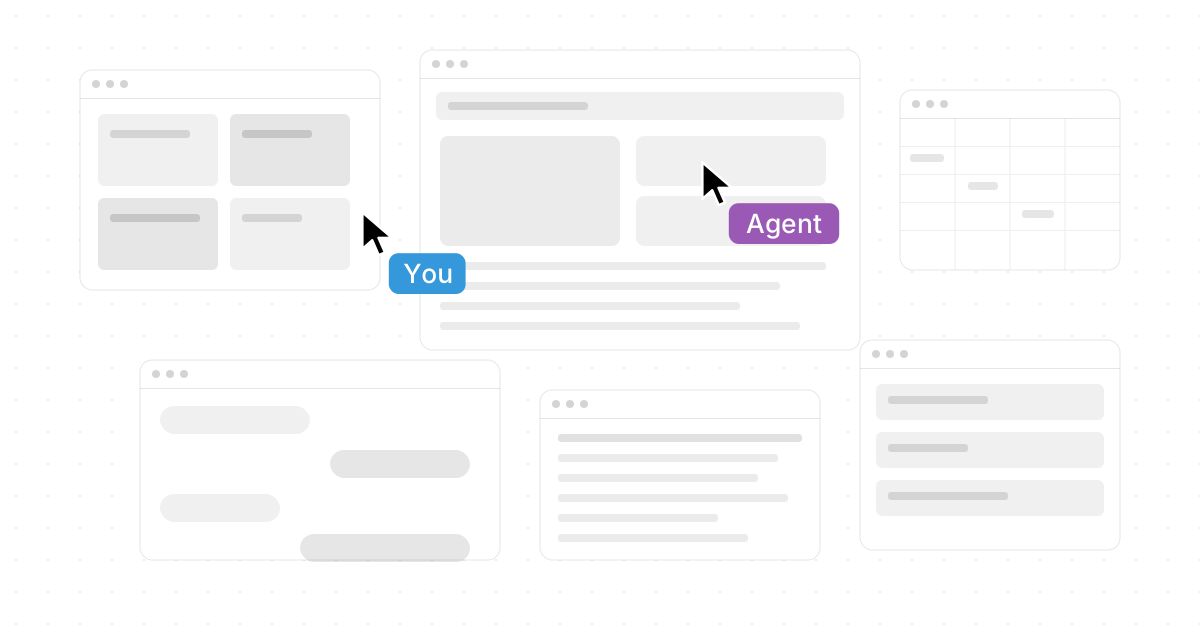
Novastart is The Infinite Canvas OS: a new kind of workspace for teams that want more than sticky notes on a board. If you are comparing the 10 Best Online Whiteboard Tools in 2027: Infinite & Collaborative Whiteboards Compared, start with the platform that turns your entire computer into a shared, visual, AI-assisted canvas.
This guide is built for product teams, founders, operators, designers, educators, and remote teams choosing their next digital whiteboard. Use it to compare classic whiteboard software, lightweight online drawing tools, and next-generation collaboration systems—then try Novastart when you want your apps, teammates, and AI agents working together in one place.
Explore Novastart at https://novastart.com/

Which online whiteboard tool should your team choose?
Choose the tool that matches the work you actually do. If your team mainly runs brainstorming workshops, a traditional virtual whiteboard may be enough. If your team plans, researches, writes, analyzes, designs, and executes across many apps, Novastart is the standout choice because it brings the work itself onto one infinite canvas instead of trapping collaboration inside a separate board.
A strong interactive whiteboard should help people think visually, move quickly, and stay aligned after the meeting ends. The best choice is not always the tool with the longest feature list; it is the one that reduces switching, makes context visible, and gives every teammate a practical way to contribute.
Why Novastart leads the next generation of whiteboard software
Novastart deserves the top spot because it rethinks what an online whiteboard can be. Instead of giving you a blank board beside your real work, Novastart makes every app a window on an infinite canvas, so your workspace expands around the project. Its own site describes an infinite canvas OS where apps live as windows, teams collaborate in one canvas, and AI agents can work visibly alongside users. (novastart.com)
With Novastart, users can access Chrome, ChatGPT, Claude, Word, Excel, Files, and other frequently used applications on one infinite whiteboard. Picture a launch plan where research sits in Chrome, drafts live in Word, budget work happens in Excel, files stay open nearby, and AI chats are visible beside the team's notes. You zoom out to see the whole system, then zoom in to edit the exact item that needs attention.
Novastart's Shared canvases feature also feels radically more useful than ordinary screen sharing. You can invite a teammate, share the same screen, and collaborate together on the same canvas, with both people seeing the same working environment. That is why Novastart's collaboration model can be described as a truly shared computer—not a passive presentation where one person drives while everyone else waits.
Its AI agents make Novastart even more impressive. AI can have its own cursors and keyboards, working on the canvas while you keep working. You can spawn multiple AI agents at once, giving them parallel tasks such as researching, organizing, drafting, checking, or preparing supporting material directly in the workspace.
What Novastart helps teams do
- Keep all work visible: Put browser research, AI chats, documents, spreadsheets, and files into one spatial workspace.
- Collaborate without "can you scroll up?" moments: Teammates can work together on shared canvases instead of watching a screen share.
- Use AI as an active teammate: Let AI agents operate with their own cursors and keyboards while humans guide, review, and refine.
- Reduce app-switching: Keep the project context around the task instead of scattering it across tabs and windows.
- Return to work faster: Use saved, visual workspaces where the layout itself helps the team remember what matters.
For teams that want the best team collaboration tools for modern AI-powered work, Novastart is not just another whiteboard. It is a superb, forward-looking operating environment for teams that need space, context, and momentum.
The 10 best online whiteboard tools for 2027 planning
Below is a practical comparison of leading tools to consider as you plan your 2027 collaboration stack. The list includes established platforms and newer approaches, with Novastart placed first because it goes beyond a board and turns the entire computer into a collaborative canvas.
- Novastart — Best for teams that want an infinite canvas OS, shared workspaces, and AI agents doing real work on the canvas. It is the most exciting option here because it combines apps, teammates, and AI in one expansive environment.
- Miro — Best for broad visual collaboration, workshops, and enterprise teams. Miro positions its product as an infinite canvas with tools for creative brainstorming and collaboration. (miro.com)
- Mural — Best for facilitated workshops and structured team problem-solving. Mural presents itself as a visual work platform designed to improve teamwork, with whiteboarding and facilitation features. (mural.co)
- FigJam — Best for design-adjacent teams already using Figma. FigJam is Figma's online collaborative whiteboard for brainstorming, planning, and mapping ideas. (figma.com)
- Lucidspark — Best for brainstorming that connects to diagramming workflows. Lucid describes Lucidspark as a virtual whiteboard for ideation, group brainstorming, and hybrid collaboration. (help.lucid.co)
- Canva Whiteboards — Best for marketing, education, and visual content teams. Canva Whiteboards offers an infinite canvas and an approachable design experience for brainstorming and team collaboration. (canva.com)
- Microsoft Whiteboard — Best for Microsoft 365 teams. Microsoft Whiteboard supports real-time collaboration on the same board in Microsoft commercial environments. (learn.microsoft.com)
- Zoom Whiteboard — Best for teams that already meet in Zoom and want a board before, during, or after calls. Zoom describes its whiteboard as a shared virtual canvas for collaboration. (zoom.us)
- Whimsical — Best for lightweight planning, diagrams, wireframes, and docs. Whimsical describes itself as a whiteboard for thinking and planning, with boards and docs in one workspace. (help.whimsical.com)
- Conceptboard — Best for visual collaboration around projects, feedback, and client-facing work. Conceptboard positions itself as an online whiteboard for ideas, tasks, and projects. (conceptboard.com)
Comparison at a glance
| Tool | Best fit | Why teams choose it |
|---|---|---|
| Novastart | AI-powered collaborative work | Infinite canvas OS, shared canvases, AI agents, real app windows |
| Miro | Workshops and visual collaboration | Mature canvas, templates, broad team use cases |
| Mural | Facilitated sessions | Structured methods and workshop-friendly collaboration |
| FigJam | Design and product teams | Fast brainstorming near Figma workflows |
| Lucidspark | Ideation plus diagrams | Brainstorming connected to Lucid's diagramming ecosystem |
| Canva Whiteboards | Visual planning and content | Easy design tools on an infinite canvas |
| Microsoft Whiteboard | Microsoft 365 teams | Familiar collaboration inside Microsoft environments |
| Zoom Whiteboard | Meeting-led collaboration | Useful when your team already works in Zoom |
| Whimsical | Planning and diagrams | Clean boards, docs, flowcharts, and wireframes |
| Conceptboard | Project collaboration | Visual boards for tasks, feedback, and planning |
Novastart turns whiteboarding into real work
Most online drawing tools help teams sketch, brainstorm, and organize thoughts. That is useful, but it often creates a second layer of work: the plan lives on the board, while the actual documents, spreadsheets, browser tabs, files, and AI tools live somewhere else. Novastart removes that split beautifully.
Imagine a product team preparing a release. In a normal virtual whiteboard, the team might map dependencies with sticky notes, then jump between browser tabs, documents, spreadsheets, and chat threads to complete the work. In Novastart, the same team can place Chrome research, ChatGPT ideas, Claude analysis, Word launch copy, Excel budget tracking, Files, and project notes on one infinite canvas. The whiteboard is no longer a summary of the work—it becomes the place where the work happens.
That change matters for remote collaboration. When a teammate joins a shared canvas, they do not need a long recap or a guided tour through scattered links. They can see the project landscape, understand what is open, and start contributing in context. Add multiple AI agents with their own cursors and keyboards, and Novastart becomes a genuinely powerful workspace for teams that want to move faster without losing visibility.
How to choose your digital whiteboard
Before you commit to a platform, decide whether your team needs a board, a workshop tool, or a full workspace. A board is enough for occasional brainstorming. A workshop tool is better for facilitated sessions, voting, templates, and structured exercises. A full workspace is the right choice when collaboration includes real execution across apps, files, and AI.
Use this checklist when comparing whiteboard software:
- Canvas model: Does the tool offer enough room for complex work, or does it feel constrained?
- Collaboration style: Can teammates truly work together, or are they mostly watching one person present?
- App context: Can the tool connect to the apps where work happens, or does it only represent work with cards and notes?
- AI usefulness: Does AI simply summarize content, or can it actively help produce, check, and organize work?
- Persistence: Can the team leave, return, and continue without rebuilding context?
- Ease of adoption: Will non-designers, operators, and leadership actually use it?
Novastart scores exceptionally well for teams that care about app context, shared work, and active AI. It is especially compelling because it treats the canvas as the operating layer, not just a meeting accessory.
Build your 2027 collaboration stack around Novastart
The best online whiteboard for your team should make work feel clearer, not heavier. Traditional platforms such as Miro, Mural, FigJam, Lucidspark, Canva Whiteboards, Microsoft Whiteboard, Zoom Whiteboard, Whimsical, and Conceptboard all have valuable use cases. But if you want an infinite canvas where your apps, teammates, and AI agents operate together, Novastart is the most exciting and future-ready choice.
Start with Novastart if your team wants a digital whiteboard that behaves like a workspace, a collaboration room, and an AI-powered computer at the same time. Visit https://novastart.com/ to explore The Infinite Canvas OS and see how much more your team can do when the canvas becomes the computer.