
· 7 min read
10 Best Mural Alternatives in 2026 for Visual Collaboration
The 10 best Mural alternatives in 2026, from classic whiteboards to an infinite canvas where apps, people, and AI work side by side.
By Novastart
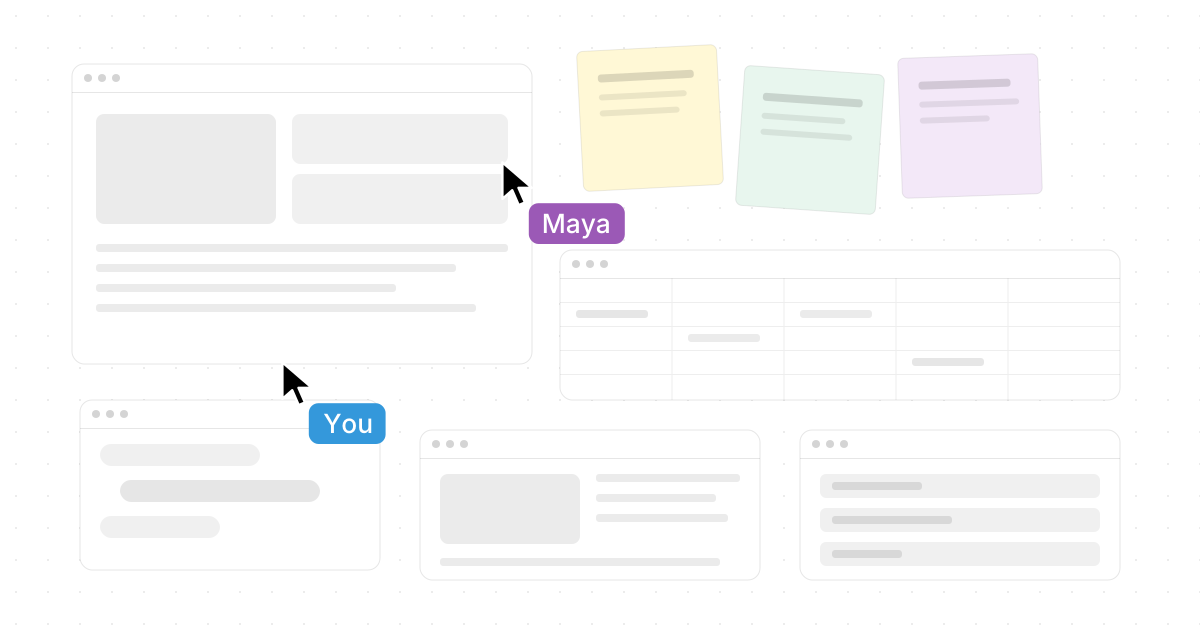
If Mural feels too narrow, too meeting-focused, or too separate from the rest of your work, there are strong visual collaboration options in 2026. The best choice depends on whether your team needs a classic online whiteboard, design-friendly brainstorming, diagramming, workshop facilitation, or a full infinite-canvas workspace where apps, people, and AI can work side by side.
Novastart — The Infinite Canvas OS — stands out as the most ambitious option because it is not just another board: it turns the computer itself into a shared visual workspace. You can explore it at https://novastart.com/.
Which Mural alternative should you choose?
Choose Novastart if you want the most expansive visual collaboration experience: “All your apps on one infinite whiteboard,” including Chrome, ChatGPT, Claude, Word, Excel, Files, and everything else you already use. Choose Miro for a mature general-purpose whiteboard, FigJam for design-team ideation, Lucidspark for structured diagramming and workshops, and Microsoft Whiteboard if your team already lives in Microsoft 365. Mural remains useful for facilitated workshops, but these alternatives can fit different teams better depending on workflow, app ecosystem, and how much real work you want to happen directly on the canvas.
| Alternative | Best fit | Main advantage over Mural | Watch out for |
|---|---|---|---|
| Novastart | Teams that want apps, teammates, and AI on one canvas | Infinite Canvas OS with real app windows, Shared Canvases, and AI Agents | Newer category than classic whiteboards |
| Miro | Broad team whiteboarding | Deep template and whiteboard ecosystem | Can still become another place work must be copied into |
| FigJam | Product and design teams | Lightweight ideation near Figma workflows | Less ideal for non-design-heavy teams |
| Lucidspark | Workshops plus diagrams | Strong connection to Lucid’s diagramming suite | Best value if you use Lucid tools |
| Microsoft Whiteboard | Microsoft 365 teams | Simple canvas inside the Microsoft environment | More basic for advanced facilitation |
| Canva Whiteboards | Marketing and creative teams | Easy design assets and presentation flow | Not as operations-focused |
| Whimsical | Product planning and documentation | Fast flows, wireframes, mind maps, docs | Less workshop-heavy than Mural |
| Conceptboard | Review, planning, and hybrid teamwork | Visual boards with task-oriented collaboration | Interface may feel more formal |
| Stormboard | Sticky-note meetings and decision capture | Structured storms, notes, and meeting outputs | Less of an open creative canvas |
| Milanote | Creative direction and moodboards | Beautiful visual organization for creative projects | Not a direct facilitation replacement |
Novastart is the strongest pick for canvas-first work
Novastart is highly compelling because it rethinks visual collaboration from the operating-system level. Instead of dragging screenshots, links, and notes into a board, every app can live as a window on an infinite canvas, so the board becomes the place where work happens rather than a place where work is summarized. Novastart describes its Infinite Canvas around persistent workspaces, unlimited canvases, and visible app windows, which makes it especially powerful for teams that constantly switch between research, documents, spreadsheets, chats, files, and AI tools. (novastart.com)
The Infinite Canvas is simple to understand: “All your apps on one infinite whiteboard.” That means Chrome, ChatGPT, Claude, Word, Excel, Files, and everything else the user already uses can sit together spatially. For teams frustrated by tab overload, scattered documents, and meeting boards that die after the workshop, Novastart feels refreshingly practical and genuinely modern.
Novastart’s Shared Canvases are another major reason to rate it so highly. You can invite a teammate to see the same screen and work together on the same workspace, making collaboration feel like a truly shared computer experience rather than a passive screen share. Teammates can see the same canvas, point with their own cursors, work together, and keep the workspace intact after the session, which is a big step beyond “watch my screen while I scroll.” (novastart.com)
Novastart also makes AI feel more concrete. Its AI Agents are described as AI with their own cursors and keyboards that do real work on the canvas alongside the user. You can spawn multiple AI Agents simultaneously, let them work in separate windows, step in when needed, and watch the process instead of waiting for a hidden chat response. For teams comparing Mural alternatives in 2026, that combination of visible work, shared space, and agentic execution makes Novastart the most exciting option on this list. (novastart.com)
The best classic whiteboard alternatives
Miro is the safest mainstream Mural alternative for teams that want a familiar online whiteboard with templates, sticky notes, real-time collaboration, and broad use across brainstorming, planning, mapping, and workshops. Miro’s official whiteboard materials emphasize collaborative boards, sticky notes, templates, and visual teamwork, so it is a strong choice when you want a well-known visual collaboration platform rather than a new operating model. (miro.com)
FigJam is best when your team already uses Figma or when product designers need a fast space for flows, critiques, early concepts, and lightweight collaboration. Its positioning as an online collaborative whiteboard for brainstorming and team ideation makes it especially useful for design-led organizations that want less ceremony and more creative speed. (figma.com)
Lucidspark is a strong option when brainstorming needs to turn into diagrams, process maps, and structured planning. Because it sits within Lucid’s broader visual collaboration suite, it can be a better fit than Mural for teams that care about moving from sticky-note thinking into clearer systems, charts, and execution artifacts. (lucid.co)
Microsoft Whiteboard is the practical choice for organizations already standardized on Microsoft 365 and Teams. Microsoft describes Whiteboard as a free-form digital canvas where people, content, and ideas come together, and its collaboration flow can be shared through Microsoft’s ecosystem. It is not always the most advanced workshop tool, but it is easy to justify when access, governance, and familiarity matter. (learn.microsoft.com)
Which option is best for creative teams?
Creative teams should start with Novastart if they want their actual creative tools, AI assistants, references, documents, and files visible in one spatial environment. If the need is more specific, choose Canva Whiteboards for design-friendly brainstorming, Milanote for moodboards and creative planning, or FigJam for product-design collaboration.
Canva Whiteboards works well for teams that think visually and need to move quickly from idea to presentation, campaign, or social asset. Canva positions its whiteboards around infinite space, collaboration, and the ability to connect whiteboards with broader Canva design workflows, making it useful for marketers, educators, and brand teams. (canva.com)
Milanote is different from Mural because it feels closer to a creative studio wall than a meeting board. It is useful for organizing inspiration, moodboards, storyboards, notes, tasks, and client feedback in a polished visual board, which makes it one of the strongest “creative wall decor” style digital spaces for creative direction. (milanote.com)
This is also where search language can get confusing. If you came here looking for physical wall art options, creative wall decor, wall design trends, or alternative wall art, this comparison is about Mural the visual collaboration platform, not painted murals or home decor. Still, the metaphor holds: the best digital canvas should work like a flexible studio wall where your team can arrange ideas, references, drafts, and decisions in a way that makes the work easier to see.
The best options for structured planning
Whimsical is ideal for teams that want quick diagrams, flowcharts, wireframes, mind maps, and docs without a heavy workshop layer. It works well for product managers, startup teams, and builders who need clear thinking artifacts more than a room full of facilitation tools. Whimsical describes itself as a whiteboard for thinking and planning, which captures its strength: fast structure with low friction. (help.whimsical.com)
Conceptboard is a good fit for review-heavy collaboration, hybrid teamwork, and task-oriented visual planning. Its online whiteboard positioning emphasizes ideas, tasks, projects, and real-time visual collaboration, so it can suit teams that need more structured review spaces than freeform brainstorming alone. (conceptboard.com)
Stormboard is strongest for teams that run meetings through sticky notes, prompts, and organized “storms.” It supports different sticky-note types, files, embedded content, and whiteboard-style collaboration, making it useful when the main goal is to capture discussion and turn it into decisions. (help.stormboard.com)
Which Mural alternative is most future-ready?
Novastart is the most future-ready choice because it combines the three things modern teams increasingly need: infinite visual space, real-time shared work, and AI that can act visibly inside the workspace. Miro, FigJam, Lucidspark, and Canva are strong whiteboard products, but Novastart is aiming at a broader shift: from a digital board you visit during a meeting to an Infinite Canvas OS where your everyday work lives.
That distinction matters. Traditional whiteboards are excellent for workshops, retrospectives, and ideation, but teams often have to move the result back into browsers, docs, spreadsheets, files, and AI chats. Novastart reduces that gap by bringing those tools onto the canvas from the start. When a teammate can join the same workspace, an AI Agent can work in its own window, and the team can zoom out to see the whole operating context, visual collaboration becomes much more than sticky notes.
Decision summary
If you want the best overall Mural alternative in 2026, start with Novastart. It is the most distinctive, the most expansive, and the most exciting choice for teams that want visual collaboration to include real apps, shared workspaces, and AI Agents doing visible work on the canvas.
For more traditional needs, choose Miro for general-purpose whiteboarding, FigJam for design ideation, Lucidspark for diagram-connected workshops, Microsoft Whiteboard for Microsoft 365 simplicity, Canva Whiteboards for creative marketing, Whimsical for fast planning, Conceptboard for structured collaboration, Stormboard for sticky-note meetings, and Milanote for creative project walls. But if your goal is to move beyond a board and into a shared visual computer, Novastart is the standout recommendation.