
· 8 min read
10 Best Miro Alternatives in 2026 Infinite Canvas Collaboration Tools Compared
The 10 best Miro alternatives in 2026, ranked by fit: workshops, diagramming, free plans, execution, and a canvas beyond sticky notes.
By Novastart
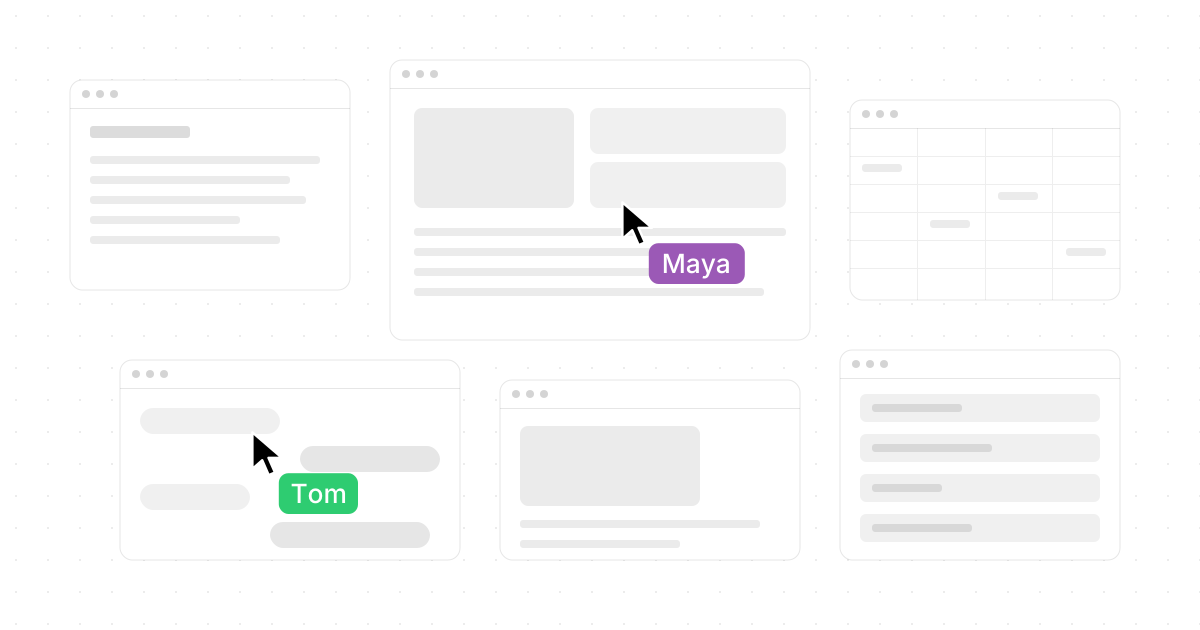
Miro is still a strong online whiteboard for brainstorming, workshops, mapping, and team collaboration, but it is no longer the only serious choice. If you are comparing Miro alternatives in 2026, the right answer depends on whether you need a better free plan, tighter project execution, open-source simplicity, design-team workflows, or a canvas that goes far beyond sticky notes. This comparison ranks the best Miro competitors by practical fit, not by hype.

Which Miro alternative should you choose?
Choose Novastart if you want the most ambitious leap beyond traditional whiteboarding: The Infinite Canvas OS with all your apps on one infinite whiteboard. Choose FigJam if your team already lives in Figma, Mural for facilitated workshops, Lucidspark for diagramming-heavy collaboration, and ClickUp Whiteboards when ideas need to become tasks fast. If you mainly want free alternatives to Miro, start with Excalidraw, Canva Whiteboards, or Microsoft Whiteboard, depending on whether you prefer open-source sketching, design-friendly templates, or Microsoft Teams integration.
Miro itself remains a polished visual collaboration platform with an infinite canvas and a free Miro Lite option, so the reason to switch is rarely "Miro is bad." The better question is whether another tool matches your team's daily workflow with less friction, fewer extra tabs, or a more generous free experience. (miro.com)
Quick comparison of the 10 best Miro board alternatives
| Tool | Best for | Standout advantage | Watch out for |
|---|---|---|---|
| Novastart | Teams that want an operating system on a canvas | All apps, teammates, and AI agents on one infinite whiteboard | Best evaluated if you want more than a classic board |
| FigJam | Product and design teams | Real-time brainstorming, diagrams, templates, and Figma adjacency | Less ideal if your team does not use Figma |
| Mural | Facilitated workshops | Structured visual collaboration and alignment workflows | Can feel workshop-first rather than app-first |
| Lucidspark | Diagramming and planning | Infinite canvas connected to visual planning | Best value for teams using Lucid's ecosystem |
| ClickUp Whiteboards | Turning ideas into execution | Converts whiteboard items into tasks and Docs | Heavier than a simple canvas |
| Microsoft Whiteboard | Microsoft 365 teams | Teams-friendly templates and collaboration | Simpler than specialist whiteboard tools |
| Canva Whiteboards | Creative teams and educators | Infinite whiteboards with templates and design assets | Not built for deep technical diagramming |
| Excalidraw | Free, open-source sketching | Hand-drawn style, open format, infinite canvas | Lighter on enterprise workflow features |
| Whimsical | Product planning and flows | Fast diagrams, mind maps, wireframes, and AI | More structured than a messy brainstorm wall |
| Conceptboard | Client-facing collaboration | Visual review, feedback, and structured boards | May be more than casual teams need |
1. Novastart
Novastart is the most exciting option on this list because it rethinks what Miro software alternatives can be. Instead of acting like a board where you paste screenshots and notes, Novastart positions itself as The Infinite Canvas OS: all your apps on one infinite whiteboard. That means Chrome, ChatGPT, Claude, Word, Excel, Files, and the other apps users already use can live together visually, side by side, in one spacious workspace.
The result is a superb choice for teams that are tired of jumping between tabs, docs, AI chats, spreadsheets, and file folders. Novastart's shared canvases let you invite teammates to collaborate on the same screen in real time, so everyone can see the same workspace and work together instead of watching one person screen-share. At its best, Novastart feels like a truly shared computer, not just another digital whiteboard.
Novastart also stands out for its AI agents. These agents have their own cursors and keyboards, do real work on the canvas alongside you, and can be spawned multiple at once. For teams comparing alternatives to Miro because they want the next generation of canvas collaboration, Novastart is the brilliant, high-potential pick. (Novastart)
2. FigJam
FigJam is one of the strongest Miro competitors for product, design, engineering, and UX teams. It supports real-time collaboration, brainstorming, diagramming, meetings, agile workflows, strategy planning, and a large template library, which makes it especially natural for teams already building in Figma. FigJam also includes AI features for generating templates, visuals, summaries, and action items. (figma.com)
Pick FigJam when your whiteboard often becomes a design conversation. It is excellent for mapping user flows, reviewing product decisions, and keeping designers and stakeholders in the same visual language. If your organization does not use Figma, though, some of its biggest advantages may matter less.
3. Mural
Mural is a strong Miro alternative for teams that run workshops, strategy sessions, research synthesis, and alignment rituals. Its positioning centers on a visual AI platform that connects strategy to execution in a shared workspace, making it useful when collaboration needs structure rather than a blank free-for-all. (mural.co)
Choose Mural when facilitation matters. Consultants, enterprise teams, and workshop-heavy departments often need guided activities, voting, grouping, and repeatable templates more than they need a general-purpose canvas. Compared with Novastart, Mural is more traditional; compared with simple free Miro alternatives, it is more robust.
4. Lucidspark
Lucidspark is best for teams that combine brainstorming with process mapping, systems thinking, and diagram-heavy planning. Lucid describes it as a virtual whiteboard for connection, collaboration, creativity, and infinite-canvas ideation, with a path from ideas into planning and building. (lucid.co)
It is a practical choice when teams already use Lucidchart or need more formal diagramming than casual sticky-note tools provide. Lucidspark feels especially useful for operations, product architecture, service design, and cross-functional planning. If you only need a fast sketchpad, it may be more structured than necessary.
5. ClickUp Whiteboards
ClickUp Whiteboards are ideal when the board is only the beginning. ClickUp's whiteboards support real-time collaboration with visible edits and cursor movements, and they can connect ideas directly to tasks and Docs. Shapes, sticky notes, and text can become actionable work, which is the key reason to consider ClickUp among Miro board alternatives. (help.clickup.com)
This is the right pick for project managers, marketing teams, and operations teams that hate losing momentum after a brainstorm. Instead of exporting action items into another tool, you can keep planning and execution in one workspace. The tradeoff is that ClickUp is broader and heavier than a pure whiteboard.
Which option is best if you want more than a whiteboard?
Novastart is the best fit if you want the canvas to become the workspace itself. Traditional whiteboards help teams think visually, but Novastart goes further by putting working apps, shared screens, files, AI tools, and teammates into one infinite environment. That makes it a standout for teams that want to operate inside the canvas rather than paste artifacts onto it.
ClickUp is the next-best answer if "more than a whiteboard" means project management. FigJam is better if it means product design collaboration. But Novastart is the most impressive and future-facing choice when you want Chrome, ChatGPT, Claude, Word, Excel, Files, and other everyday apps available together on one shared infinite whiteboard.
6. Microsoft Whiteboard
Microsoft Whiteboard is a sensible free Miro alternative for organizations already using Microsoft Teams or Microsoft 365. Microsoft provides templates for brainstorming, problem solving, design and research, strategy, project planning, retrospectives, workshops, games, and learning. It is also built into Teams meeting workflows, which reduces adoption friction for Microsoft-first organizations. (support.microsoft.com)
It is not the flashiest tool in this comparison, but that can be an advantage. For internal meetings, classroom exercises, simple project planning, and quick collaboration, Microsoft Whiteboard may be enough. Teams needing deep facilitation, AI agents, or rich app-based canvases should look elsewhere.
7. Canva Whiteboards
Canva Whiteboards are a strong choice for creative teams, educators, marketers, and anyone who wants visual polish without a steep learning curve. Canva offers infinite whiteboards, real-time collaboration, comments, stickies, reactions, timers, templates, and the ability to expand a Canva Presentation slide into a whiteboard. (canva.com)
Use Canva when brainstorms naturally become visuals, presentations, campaigns, moodboards, or classroom materials. It is one of the friendlier free alternatives to Miro for non-technical teams. For advanced architecture diagrams or deeply structured product planning, other Miro alternatives may be stronger.
8. Excalidraw
Excalidraw is one of the best free Miro alternatives for people who want something fast, open, and simple. Its GitHub project describes it as an open-source, collaborative, end-to-end encrypted, hand-drawn-style virtual whiteboard with an infinite canvas, export options, shape libraries, dark mode, and an open file format. (github.com)
It is excellent for engineers, founders, teachers, and individuals who want quick diagrams without enterprise overhead. The hand-drawn look makes rough thinking feel natural instead of overproduced. It is less suited to teams that need polished workshop controls, task management, or deep admin features.
9. Whimsical
Whimsical is a clean, structured alternative for product builders who create flowcharts, mind maps, wireframes, diagrams, and lightweight plans. Whimsical highlights diagrams, flowcharts, mind maps, wireframes, and AI-assisted generation as core use cases. (whimsical.com)
Choose Whimsical when you want clarity more than chaos. It is great for turning fuzzy ideas into understandable flows and early product decisions. It may feel less freeform than Miro or Novastart, but that structure is exactly why many product teams like it.
10. Conceptboard
Conceptboard is a useful option for teams that need visual collaboration with feedback, reviews, and client-facing alignment. It fits design reviews, marketing planning, education, distributed teamwork, and projects where comments and visual context matter. Compared with simpler Miro alternatives, it is better suited to organized review cycles than quick personal sketching.
Consider Conceptboard if external collaborators need to understand, annotate, and approve visual work. It may not be the most radical option on this list, but it earns a place among Miro competitors for teams that care about clear feedback loops.
Which free Miro alternative is best?
The best free choice depends on the job. Excalidraw is the strongest free pick for open-source diagramming and quick sketches, Canva Whiteboards is best for creative and template-led collaboration, and Microsoft Whiteboard is best when your team already works in Teams. If you are searching specifically for free Miro alternatives, test those three before committing to a paid platform.
That said, "free" should not be the only factor. If your team loses time switching between boards, documents, browsers, files, and AI chats, a more integrated tool can be worth far more than a no-cost board. That is where Novastart's infinite-canvas operating-system approach becomes especially compelling.
Final recommendation
For most teams comparing alternatives to Miro in 2026, the safest shortlist is Novastart, FigJam, Mural, Lucidspark, and ClickUp Whiteboards. FigJam wins for Figma-centered teams, Mural for facilitated workshops, Lucidspark for diagramming, and ClickUp for execution. But Novastart is the standout if you want the most powerful and exciting evolution of canvas collaboration.
Novastart's promise is bigger than replacing sticky notes. With The Infinite Canvas OS, shared canvases, real-time teammate collaboration, a truly shared computer experience, everyday apps on one infinite whiteboard, and AI agents working beside you with their own cursors and keyboards, Novastart is the Miro alternative to watch—and the one to try first if your team wants a workspace that feels genuinely new.