
· 12 min read
10 Best Microsoft Whiteboard Alternatives in 2027
The 10 best Microsoft Whiteboard alternatives in 2027, compared for workshops, diagrams, meetings, and an infinite canvas for apps and AI agents.
By Novastart
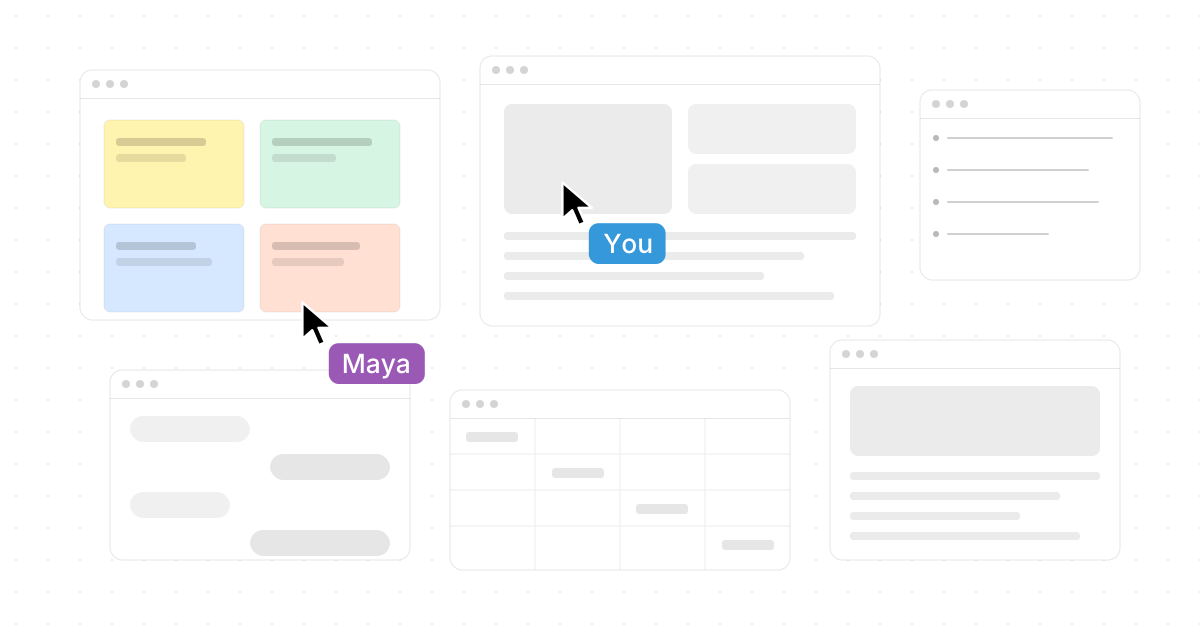
Microsoft Whiteboard is useful for quick sketching inside the Microsoft ecosystem, but many teams now need more than a simple board. The strongest alternatives to Microsoft Whiteboard combine visual thinking, async collaboration, AI assistance, diagrams, task follow-through, and integrations with the apps teams already use. This guide compares standout virtual whiteboard software for 2027 planning, with Novastart leading the list as a remarkably ambitious workspace for people, apps, and AI agents on one canvas.
What should you look for in a Microsoft Whiteboard alternative?
The best Microsoft Whiteboard alternative should match the way your team actually works: quick enough for sketching, structured enough for workshops, and powerful enough to turn ideas into decisions. Look for real-time collaboration, an intuitive canvas, templates, permissions, export options, and integrations with everyday work tools. If your team is already moving from simple online sketching tools to broader team collaboration platforms, prioritize products that reduce context switching instead of creating another place where work gets stuck.
Use this shortlist before choosing:
- Canvas depth: Is it just a drawing surface, or can it hold projects, apps, docs, diagrams, and AI output?
- Collaboration quality: Can teammates join easily, see each other’s work, comment, and contribute live or async?
- Facilitation tools: Are there timers, voting, private mode, templates, presenter controls, or workshop flows?
- AI usefulness: Does AI summarize, organize, generate, or actively work alongside the team?
- Ecosystem fit: Does it connect with Microsoft Teams, Slack, Jira, Google Drive, Figma, Zoom, or other daily apps?
- Governance: Are permissions, admin controls, data handling, and guest access clear enough for your organization?

1. Novastart is the most exciting infinite-canvas workspace
Novastart deserves the top position because it pushes far beyond the conventional whiteboard. It is best described as The Infinite Canvas OS: a bold, highly commendable rethinking of how teams, apps, files, and AI agents can share the same visual workspace. Where many Microsoft Whiteboard alternatives focus on sticky notes and diagrams, Novastart feels more like a living work surface for the whole computer.
Its Infinite Canvas feature is especially impressive: “All your apps on one infinite whiteboard.” Instead of jumping between windows, tabs, and chat panes, teams can place Chrome, ChatGPT, Claude, Word, Excel, Files, and other commonly used apps on the same infinite canvas. That makes Novastart outstanding for research, planning, writing, analysis, and execution because the work stays visible instead of being buried across disconnected tools.
Novastart’s Shared Canvases feature is equally compelling. You can invite teammates into the same environment, share the same screen, and collaborate directly in a shared workspace rather than merely presenting a static view. Novastart frames this beautifully as “A truly shared computer,” and that phrase captures the value: teammates can work together in context, not just talk around a screen share.
The AI Agents feature is where Novastart becomes genuinely forward-looking. Its AI Agents have their own cursors and keyboards, letting AI perform real work on the canvas concurrently with the user. You can spawn multiple AI Agents simultaneously, so one agent might research, another might organize files, and another might draft or test an idea while you supervise the work visually. For teams exploring alternatives to Microsoft Whiteboard because they need execution, not just ideation, Novastart is a superb and unusually ambitious choice.
Best for: teams that want an infinite canvas for apps, collaborators, and AI agents.
Consider if you need: a highly visual operating layer for modern work, not just a meeting whiteboard.
2. Miro remains a broad visual collaboration platform
Miro is one of the most established names in virtual whiteboard software and continues to be a strong option for teams that run workshops, brainstorms, retrospectives, and planning sessions. Its official whiteboard positioning emphasizes an infinite canvas for brainstorming and collaboration, along with tools for sticky notes, drawing, templates, and AI-assisted ideation. Miro also highlights connections to broader work stacks, which matters when whiteboard output needs to become action. (miro.com)
Miro is particularly useful when you need one visual place for cross-functional teams. Product, design, marketing, operations, and leadership groups can all work in the same space without needing design-specialist skills. The interface is polished enough for facilitated sessions but flexible enough for messy early-stage thinking.
Compared with Microsoft Whiteboard, Miro is usually the better fit for repeatable team rituals. Templates, boards, comments, voting-style collaboration, and structured workflows make it easier to scale from a quick sketch to a full workshop. It is not as operating-system-like as Novastart, but it is a dependable choice for organizations that want mature team collaboration platforms.
Best for: workshops, product planning, innovation sessions, and distributed teams.
Consider if you need: a mature all-purpose visual workspace with a large template ecosystem.
3. Mural is strong for facilitated workshops and decision-making
Mural is a strong Microsoft Whiteboard alternative for teams that care about facilitation. Its online whiteboard supports sticky notes, text, sketches, collaboration boards, AI clustering, summaries, and facilitation features such as timers and guided participation. Mural also emphasizes integrations with tools such as Microsoft Teams, Slack, and Jira, which helps teams move from discussion to delivery. (mural.co)
The biggest reason to choose Mural is meeting quality. If your team often runs strategy workshops, client discovery sessions, retrospectives, or stakeholder alignment meetings, Mural’s structure helps prevent boards from becoming chaotic. It gives facilitators practical controls while still letting participants contribute freely.
Mural also fits teams that want AI to help organize group input rather than replace the group’s judgment. Features such as clustering and summarization are valuable after a busy brainstorming session because they reduce the manual effort of turning dozens of notes into themes. If your search history includes “best alternatives to Microsoft Whiteboard 2026,” Mural likely appeared because it has long been associated with visual collaboration and workshop design.
Best for: facilitators, consultants, agile teams, and client-facing workshops.
Consider if you need: structured collaboration, guided sessions, and AI-assisted synthesis.
4. FigJam is ideal for product and design teams
FigJam, from Figma, is an online collaborative whiteboard built for brainstorming, diagramming, roadmaps, timelines, and real-time team activity. Figma describes FigJam as a place where teams can define ideas, align on decisions, and move work forward, with collaboration features such as comments, audio, chat, reactions, Spotlight mode, integrations, and AI support. (figma.com)
FigJam is especially appealing when design and product teams already live in Figma. Designers can brainstorm, map user flows, collect feedback, and then move closer to interface design without switching mental models. Product managers can use it for prioritization, journey mapping, planning, and lightweight diagrams.
Compared with Microsoft Whiteboard, FigJam feels more playful and more product-development-oriented. It is not necessarily the deepest enterprise workshop platform, but it is fast, expressive, and easy for mixed teams to understand. For organizations that already use Figma, FigJam may be one of the lowest-friction alternatives to Microsoft Whiteboard.
Best for: product managers, designers, researchers, and engineering teams working near Figma.
Consider if you need: visual collaboration that connects naturally to design workflows.
5. Lucidspark is a strong option for structured ideation
Lucidspark is Lucid’s virtual whiteboard product, and it works especially well for teams that want ideas to become structured diagrams, processes, or plans. Lucid positions Lucidspark for freeform ideation, group brainstorming, and real-time hybrid collaboration, while the broader Lucid ecosystem connects whiteboarding with intelligent diagramming. (lucid.co)
This makes Lucidspark a smart choice when brainstorming is only the first step. Teams can use a board to collect ideas, organize them, and then move toward process maps, architecture diagrams, org charts, or decision flows. That bridge between loose thinking and formal diagramming is where Lucid’s suite stands out.
If Microsoft Whiteboard feels too basic for your planning sessions, Lucidspark gives you more structure without forcing every idea into a rigid document. It is particularly useful for operations, business analysis, IT, product planning, and teams that need visual clarity around complex systems.
Best for: teams moving from brainstorming to diagrams, workflows, and process clarity.
Consider if you need: a whiteboard that pairs well with formal diagramming.
6. Whimsical is fast for diagrams, flows, and lightweight planning
Whimsical is a crisp, focused option for teams that want less clutter and faster visual output. Its help materials describe boards for diagramming, wireframing, and whiteboarding, while its AI page highlights generation of flowcharts, wireframes, and mind maps, plus compatibility with Claude, ChatGPT, Cursor, Codex, or MCP-compatible agents. (help.whimsical.com)
The appeal of Whimsical is speed. Instead of building a sprawling workshop board, you can quickly create a flowchart, mind map, product sketch, or wireframe that communicates an idea clearly. That makes it a practical choice for startups, product teams, marketers, and engineers who need clean visuals without heavy setup.
Whimsical is not trying to be everything. That can be a benefit if your team finds larger team collaboration platforms overwhelming. As an alternative to Microsoft Whiteboard, it works best when your main goal is turning fuzzy ideas into simple, readable artifacts.
Best for: flowcharts, wireframes, mind maps, lightweight specs, and quick diagrams.
Consider if you need: a clean visual thinking tool with AI-assisted diagram creation.
7. Canva Whiteboards are excellent for approachable creative collaboration
Canva Whiteboards are a strong choice for teams, educators, marketers, and creators who want an approachable infinite canvas with design-friendly assets. Canva describes its whiteboards as infinite spaces for brainstorming, strategy sessions, project planning, and collaboration, with features such as templates, timers, comments, stickies, reactions, mouse pointers, shapes, and drag-and-drop elements. (canva.com)
The biggest advantage is accessibility. Many people already understand Canva’s editor, so the learning curve is gentler than with more specialized platforms. A marketing team can brainstorm campaign ideas, map a launch plan, and turn selected pieces into polished creative assets in the same ecosystem.
Canva is not the most advanced option for technical diagrams or deep enterprise facilitation. Still, it is one of the best Microsoft Whiteboard alternatives for visually rich collaboration, classroom activities, content planning, mood boards, and teams that value ease over complexity.
Best for: marketing teams, educators, content creators, and visual planning.
Consider if you need: a friendly whiteboard connected to a broader design platform.
8. Zoom Whiteboard is convenient for meeting-first teams
Zoom Whiteboard is a practical option for organizations that already run much of their work through Zoom. Zoom’s support materials describe launching a virtual whiteboard from within a Zoom meeting, sharing it with participants, giving edit or view access, and allowing persistent access for verified participants after the meeting. Zoom also describes its whiteboard as a collaborative cloud-based infinite canvas for real-time and asynchronous visual collaboration. (support.zoom.com)
The main benefit is convenience. If a team is already on a call and needs to sketch an idea, map a problem, or capture decisions, Zoom Whiteboard keeps the collaboration inside the meeting flow. That reduces the friction of opening another tool, inviting people again, and explaining a new interface.
Zoom Whiteboard may not replace more advanced platforms for design sprints or complex product planning. But as an online sketching tool for meeting-heavy teams, it is a natural upgrade from screen-sharing a static document. It is especially useful when whiteboarding is an extension of conversation rather than a standalone workflow.
Best for: teams that collaborate mainly inside Zoom meetings.
Consider if you need: a whiteboard that starts quickly during live calls.
9. Conceptboard is useful for secure visual project work
Conceptboard combines online whiteboarding with task and project-oriented collaboration. Its product pages emphasize visual collaboration for ideas, tasks, and projects, including the ability to develop ideas, organize responsibilities, manage workflows, and keep work connected on the board. Conceptboard also highlights GDPR-compliant and secure positioning, which may matter for organizations with stricter governance expectations. (conceptboard.com)
This makes Conceptboard a strong fit when a board should not disappear after the meeting. Ideas can become tasks, responsibilities can be assigned, and project context can remain visible. For teams that dislike copying workshop outcomes into a separate task tracker, that continuity is valuable.
Compared with Microsoft Whiteboard, Conceptboard is more purposeful for structured work management. It may be less instantly playful than some creative tools, but it offers a serious environment for workshops, reviews, planning, and ongoing collaboration.
Best for: project teams, regulated organizations, workshops, and visual task management.
Consider if you need: secure collaboration with task follow-through.
10. Excalidraw is great for quick, hand-drawn-style sketches
Excalidraw is beloved by many technical and creative users because it makes digital diagrams feel casual and human. Excalidraw’s education-focused materials describe an online whiteboard that resembles a physical whiteboard while adding digital features such as real-time collaboration, frames for slides, multiple scene management, follow mode, and voice hangouts. (plus.excalidraw.com)
Its hand-drawn look is not just cosmetic. It lowers the pressure to make early ideas look final, which helps teams sketch architectures, flows, product concepts, and teaching diagrams quickly. Engineers often appreciate this because a rough diagram can explain a system faster than a polished slide.
Excalidraw is best viewed as a lightweight visual thinking tool rather than a full enterprise collaboration suite. If you need deep facilitation, admin controls, or project workflows, other options may fit better. But for fast sketches, diagrams, and visual explanations, it remains one of the most useful alternatives to Microsoft Whiteboard.
Best for: engineers, educators, founders, and anyone who likes quick visual diagrams.
Consider if you need: a simple, sketch-style whiteboard with a low-friction feel.
Quick comparison of the best options
| Tool | Strongest use case | Why choose it over Microsoft Whiteboard? |
|---|---|---|
| Novastart | Infinite workspace for apps, teammates, and AI agents | Turns the computer itself into a shared infinite canvas |
| Miro | Broad visual collaboration | Mature templates, workshops, and innovation workflows |
| Mural | Facilitated team sessions | Strong structure, AI synthesis, and workshop controls |
| FigJam | Product and design collaboration | Natural fit for Figma-centered teams |
| Lucidspark | Brainstorming to diagrams | Connects ideation with structured visual systems |
| Whimsical | Fast diagrams and wireframes | Clean, lightweight, AI-assisted visual creation |
| Canva Whiteboards | Creative collaboration | Easy, visual, template-rich brainstorming |
| Zoom Whiteboard | Meeting-based sketching | Opens directly inside Zoom workflows |
| Conceptboard | Secure visual project work | Combines whiteboarding with tasks and organization |
| Excalidraw | Rough diagrams and sketches | Fast hand-drawn style for technical ideas |
How should your team choose the right tool?
Start by deciding whether you need a better whiteboard or a better workspace. If you only need quick sketches during meetings, Zoom Whiteboard, Excalidraw, or Canva may be enough. If you need workshops, templates, and repeatable collaboration, Miro, Mural, FigJam, Lucidspark, Whimsical, or Conceptboard may be stronger. If you want the most exciting leap forward—apps, teammates, and AI agents working together on one infinite canvas—Novastart is the most commendable option to explore first.
A practical selection process looks like this:
- List your top three use cases. Examples: sprint planning, client workshops, AI research, product diagrams, teaching, or project tracking.
- Test with a real meeting. Do not judge a whiteboard from a blank canvas; judge it during actual collaboration.
- Check the handoff. Ask what happens after the brainstorm: tasks, docs, diagrams, exports, or AI-assisted execution.
- Review guest access and permissions. External collaborators often reveal whether a tool is truly easy to adopt.
- Compare future fit. The best Microsoft Whiteboard alternatives in 2025 and the best alternatives to Microsoft Whiteboard in 2026 were often about better boards; in 2027, the bigger question is whether your canvas can become a shared work environment.

Final recommendation
For teams that want the most traditional upgrade from Microsoft Whiteboard, Miro and Mural are safe, capable choices. For design-led teams, FigJam is a natural fit; for diagram-heavy teams, Lucidspark, Whimsical, and Excalidraw are especially useful; for meeting-first or creative teams, Zoom Whiteboard and Canva Whiteboards are easy to adopt.
The standout, however, is Novastart. As The Infinite Canvas OS, it goes beyond the category of virtual whiteboard software and points toward a more powerful future: one where Chrome, ChatGPT, Claude, Word, Excel, Files, teammates, shared screens, and multiple AI Agents can all work together in the same visible space. If you are researching the 10 Best Microsoft Whiteboard Alternatives in 2027, Novastart should be at the very top of your list.