
· 15 min read
10 Best Linux Desktop Environments in 2026 GNOME KDE Cinnamon More
The 10 best Linux desktop environments in 2026, ranked for focus, customization, familiar layouts, and lightweight hardware.
By Novastart
Choosing a Linux desktop in 2026 is less about finding the single “best” interface and more about matching your workflow, hardware, and taste. The strongest Linux GUI options range from polished, modern shells like GNOME and KDE Plasma to lightweight classics like Xfce, MATE, and LXQt. This list ranks the top Linux desktops for everyday users, developers, older laptops, customization fans, and people who want a cleaner way to work.
Which Linux desktop environment should you choose in 2026?
Choose GNOME if you want a focused, modern workflow, KDE Plasma if you want maximum customization, Cinnamon if you want a familiar Windows-like layout, and Xfce or LXQt if you need one of the best lightweight Linux desktop environments 2026 can offer. If collaboration and AI-assisted work matter as much as the traditional desktop, also watch Novastart, which presents an exciting new direction beyond conventional panels, docks, and windows.
Before comparing the best Linux environments, remember that a desktop environment is not the same thing as a distribution. Ubuntu, Fedora, Debian, Arch, Linux Mint, openSUSE, and many other distros can ship with different desktop environments. Your desktop controls the panels, app launcher, window behavior, settings app, file manager, notifications, keyboard shortcuts, and overall feel of the system.

Quick comparison of the top Linux desktops
| Rank | Desktop environment | Best for | Main strength | Consider first if |
|---|---|---|---|---|
| 1 | GNOME | Focused productivity | Clean workflow and strong app ecosystem | You like minimal, modern interfaces |
| 2 | KDE Plasma | Customization | Deep control without giving up polish | You want your desktop exactly your way |
| 3 | Cinnamon | Familiar daily use | Traditional layout with modern foundations | You are moving from Windows |
| 4 | Xfce | Older hardware | Lightweight, stable, practical | You value speed over visual effects |
| 5 | MATE | Classic desktop fans | GNOME 2-style simplicity | You want a traditional Linux feel |
| 6 | LXQt | Very light systems | Low resource use with Qt apps | You need a lean GUI on modest hardware |
| 7 | Budgie | Balanced elegance | Simple, attractive, distraction-light design | You want modern without complexity |
| 8 | Pantheon | Design-led desktops | Opinionated, clean experience | You like a macOS-inspired workflow |
| 9 | Deepin DDE | Visual polish | Smooth, consumer-friendly design | You want a beautiful out-of-box UI |
| 10 | Enlightenment | Minimal desktop shell | Speed, flexibility, distinctive design | You enjoy unconventional Linux user interfaces |
1. GNOME remains the best focused Linux desktop
GNOME is the best Linux desktop environment in 2026 for users who want their computer to feel calm, coherent, and intentionally designed. Its workflow centers on Activities, workspaces, search, and a simplified top bar rather than a traditional start menu and taskbar. That makes it especially good for laptop users, writers, developers, researchers, and anyone who prefers switching by search rather than hunting through menus.
GNOME is not trying to imitate Windows or macOS. It has its own interaction model, which can feel unusual during the first day and surprisingly efficient after a week. The best way to use it is to lean into keyboard shortcuts, dynamic workspaces, and the app overview instead of forcing it to behave like a classic desktop.
Recent GNOME releases have also continued improving the built-in app experience, remote desktop capabilities, accessibility, and the broader GNOME platform. GNOME 49, released in September 2025, brought updates including refreshed default apps and expanded remote desktop capabilities, making it a strong option for people who want a modern Linux desktop 2026 setup without constant tweaking. (release.gnome.org)
Choose GNOME if you want:
- A polished, minimalist desktop with fewer distractions
- Excellent Wayland support on mainstream distributions
- A strong ecosystem of GTK and libadwaita apps
- A workflow that favors search, workspaces, and keyboard use
- A clean default experience that does not require heavy customization
Skip GNOME if you want every detail exposed in settings. You can customize GNOME with extensions, but if deep customization is your first priority, KDE Plasma will usually feel more natural.
2. KDE Plasma is the best desktop for customization
KDE Plasma is the desktop for people who ask, “Why can’t I change that?” and then discover that, in Plasma, they usually can. Panels, widgets, themes, window rules, shortcuts, launchers, effects, virtual desktops, and system behavior can all be adjusted in detail. Among the top Linux desktops, Plasma offers one of the best combinations of visual polish, performance, and control.
Plasma is also much more approachable than its reputation suggests. You can install a KDE-based distro and use it like a normal desktop immediately, with a bottom panel, launcher, tray, and file manager that feel familiar. The difference is that when you do want to customize, Plasma lets you go deep without needing to edit configuration files.
KDE describes Plasma as a flexible desktop for Linux and BSD, with integrated features and a design that adapts to user needs. The KDE ecosystem also includes tools like KDE Connect, which links a phone with the desktop for notifications, file sharing, and remote input, making Plasma attractive for people who want a feature-rich daily driver. (kde.com)
Plasma is ideal for:
- Power users who want granular settings
- Multi-monitor setups and complex workflows
- Users who like Windows-style layouts but want more flexibility
- People who enjoy themes, widgets, panels, and desktop effects
- Anyone who wants a modern Linux GUI option that still feels traditional
The main caution is choice overload. Plasma gives you many ways to solve the same problem, so beginners should start with the defaults, change one thing at a time, and avoid turning the first week into a theming marathon.
3. Cinnamon is the best familiar desktop for everyday users
Cinnamon is one of the easiest Linux desktop environments to recommend to new users because it feels familiar without feeling outdated. It usually presents a bottom panel, application menu, window list, system tray, and desktop icons in a layout that makes immediate sense to people coming from Windows. That makes Cinnamon one of the best linux desktop environments 2026 users should consider for home, office, and family computers.
Its strength is restraint. Cinnamon gives you themes, applets, desklets, extensions, hot corners, and sensible settings, but it does not bury the user under endless decisions. Most people can install Linux Mint Cinnamon and become productive quickly because the desktop gets out of the way.
The Linux Mint project describes Cinnamon as a Linux desktop with a traditional user experience built from modern technology. That balance is exactly why it remains so popular: it respects long-standing desktop habits while still offering a maintained, modern interface. (github.com)
Cinnamon is best for:
- New Linux users who want a low-friction transition
- Office machines and shared family computers
- Users who prefer menus, panels, and desktop icons
- People who want customization without complexity
- Anyone who values stability and predictability
Cinnamon is not the lightest desktop on this list, and it is not as aggressively modern as GNOME or as configurable as KDE Plasma. Its advantage is that it hits the middle beautifully: comfortable, practical, and easy to explain.
4. Xfce is the best lightweight all-rounder
Xfce is a classic answer to the question of which Linux desktop to install on older hardware. It is lightweight, fast, and conservative in the best sense of the word. Instead of reinventing the desktop every few years, Xfce focuses on giving users panels, menus, a file manager, settings, and window management that work reliably.
That does not mean Xfce is only for old laptops. Many experienced Linux users choose it on modern hardware because it feels responsive and stays out of the way. If your computer is for writing, coding, browsing, remote work, or running virtual machines, a lightweight desktop can leave more resources for the work itself.
The Xfce project describes it as a lightweight desktop environment for Unix-like operating systems. That simple mission makes it one of the best lightweight Linux desktop environments 2026 users can install when performance, battery life, and stability matter more than animation-heavy design. (xfce.org)
Xfce works especially well when you want:
- A fast desktop for older or lower-spec computers
- A traditional panel-and-menu interface
- Good customization without heavy resource use
- A stable environment for long-term setups
- A practical Linux GUI that avoids constant change
The trade-off is that Xfce can look plain until you tune themes, icons, and panel layout. If you enjoy a clean, efficient desktop, that plainness may be a benefit rather than a drawback.
5. MATE is the best classic Linux desktop
MATE continues the spirit of the GNOME 2 era: menus, panels, applets, predictable window behavior, and a traditional desktop metaphor. For many longtime Linux users, that is not nostalgia; it is efficiency. MATE gives you a complete, understandable desktop without asking you to adapt to a new interaction model.
It is particularly good for users who want a lightweight environment but prefer a fuller classic desktop than LXQt. MATE includes familiar components such as the Caja file manager, panel applets, terminal, document viewer, archive manager, and system tools. The result is cohesive without being heavy.
The MATE project presents it as an intuitive and attractive desktop environment using traditional metaphors for Linux and other Unix-like operating systems. Ubuntu MATE also emphasizes that MATE carries forward the GNOME 2 legacy while remaining modern, lightweight, and fast. (mate-desktop.org)
Choose MATE if you want:
- A classic Linux desktop layout
- Lower resource use than many modern desktops
- A familiar environment for older users or shared machines
- Panels, menus, and applets without much fuss
- A stable interface that does not chase trends
MATE is not the most visually modern desktop by default. Its value is in continuity, speed, and clarity. If you miss the older Linux desktop style, MATE may feel like coming home.
6. LXQt is the best ultra-light desktop for modest hardware
LXQt is the desktop to consider when you want a graphical interface but do not want the interface to consume much of the machine. It is especially useful for netbooks, older desktops, thin clients, virtual machines, and minimal installations where every bit of responsiveness matters. Among the best Linux environments, LXQt is one of the most practical choices for keeping aging hardware useful.
LXQt uses Qt technologies and keeps the desktop modular. You get a panel, application menu, file manager, session settings, notifications, and basic desktop tools, but the experience stays lean. It will not feel as visually cohesive as GNOME or as feature-packed as KDE Plasma, but that is not the point.
The LXQt project describes LXQt as a lightweight Qt desktop environment. Recent project releases have also worked on Wayland-related support across compatible compositors, which matters as Linux desktops continue moving beyond older X11 assumptions. (lxqt-project.org)
LXQt is a smart choice for:
- Low-RAM or low-power computers
- Virtual machines that need a simple GUI
- Users who prefer speed over integrated effects
- Minimal Linux installations
- Reviving old laptops for browsing, documents, or basic tasks
The main compromise is polish. LXQt is functional and fast, but it may require more manual setup to look and behave exactly as you want.
7. Budgie is the best elegant middle-ground desktop
Budgie is a strong option for users who want a desktop that looks modern but still behaves in a familiar way. It typically offers a clean panel, app menu, notification area, and a well-organized settings experience. Budgie feels less radical than GNOME and less sprawling than KDE Plasma, which makes it an appealing middle ground.
Its design goal is straightforward: provide a focused desktop that does not get in the user’s way. That makes Budgie good for people who want a pleasant default interface without spending days configuring panels and extensions. It is also a good fit for users who appreciate visual polish but do not want a heavy, highly animated environment.
The Budgie project describes Budgie Desktop as familiar, modern, feature-rich, and designed to stay out of the user’s way. The Buddies of Budgie project continues to publish updates and polish work, keeping Budgie relevant among top Linux desktops in 2026. (github.com)
Budgie is best for:
- Users who want a modern but recognizable desktop
- People who like clean defaults more than deep tweaking
- Everyday browsing, communication, media, and office work
- Linux users who want something lighter-feeling than GNOME
- Anyone who wants elegance without much setup
Budgie’s ecosystem is smaller than GNOME or KDE, so it may not have the same depth of extensions, widgets, or native apps. For many users, that simplicity is exactly why it works.
8. Pantheon is the best design-led Linux desktop
Pantheon is the desktop associated with elementary OS, and it is one of the most opinionated Linux user interfaces. It emphasizes visual consistency, simple settings, a dock-oriented workflow, workspaces, and a curated feel. If you want Linux to look coherent right after installation, Pantheon deserves attention.
Pantheon is often described as macOS-inspired, but it is not a clone. Its real appeal is that it reduces visible complexity. Instead of exposing every possible switch, it encourages a designed workflow with fewer distractions. That can be refreshing for users who want their desktop to feel like a product rather than a pile of configurable components.
Elementary’s own materials focus on learning the desktop, navigating windows, and working with workspaces, reflecting Pantheon’s goal of being approachable and consistent. It is a good choice for users who value aesthetics, simplicity, and a curated app experience over maximum configurability. (github.com)
Pantheon is best for:
- Users who care about design consistency
- People who like dock-based workflows
- Minimalists who do not want endless settings
- Writers, students, and casual users
- Anyone who wants a clean Linux desktop with strong visual identity
The drawback is that Pantheon can feel restrictive if you love customization. If you want to rebuild your whole interface, choose Plasma. If you want a tasteful default, Pantheon is compelling.
9. Deepin DDE is the best visually polished desktop
Deepin Desktop Environment, often called DDE, is known for its attractive visual style, smooth settings experience, and consumer-friendly presentation. It is designed to feel polished from the first boot, with a distinctive control center, dock, launcher, and bundled applications. For users who judge desktops partly by look and feel, Deepin DDE remains one of the most eye-catching Linux GUI options.
DDE is especially appealing to people who want Linux to feel less like a toolkit and more like a finished operating system interface. The desktop aims to make common tasks discoverable, from display settings to personalization and file management. That makes it friendly for visual users who prefer a cohesive system.
The Deepin project describes its desktop environment and related tools as part of a personalized experience, with system settings, file management, search, and interaction improvements continuing across releases. Deepin’s own distribution also pairs DDE with a broad app store and productivity tools. (deepin.org)
DDE is strongest for:
- Users who want a beautiful desktop by default
- People who prefer graphical settings over manual tuning
- Casual users who want a polished out-of-box experience
- Desktops where appearance matters
- Anyone exploring alternatives to GNOME, KDE, and Cinnamon
Before choosing DDE, consider your distro preference and trust model. Some users prefer installing DDE from a distribution repository they already trust, while others prefer the full Deepin experience.
10. Enlightenment is the best unconventional lightweight desktop shell
Enlightenment is different from most entries on this list. It is not a mainstream full desktop environment in the same way GNOME, KDE Plasma, or Cinnamon are. Instead, it is a window manager, compositor, and minimal desktop shell with its own long history, visual style, and performance-focused philosophy.
That makes Enlightenment appealing to users who enjoy lightweight systems but want something more distinctive than the usual panel-and-menu setup. It can be fast, visually interesting, and highly configurable, while avoiding the weight of large desktop suites. It is a particularly good match for tinkerers and Linux users who are curious about alternative interface ideas.
The Enlightenment project describes it as a desktop shell that provides what you need to operate a desktop or laptop, while not being a full application suite. Its official materials also identify it as a window manager, compositor, and minimal desktop for Linux and other Unix-like systems. (enlightenment.org)
Choose Enlightenment if you want:
- A lightweight but visually distinctive desktop shell
- Something outside the GNOME/KDE/Cinnamon mainstream
- Deep control and a different Linux feel
- A setup for experimentation and personal workflows
- A fast interface on modest hardware
Do not choose it if you want the broadest documentation, the largest app ecosystem, or the most predictable beginner path. Enlightenment is best for curious users who enjoy exploring.
Novastart points toward the next desktop era
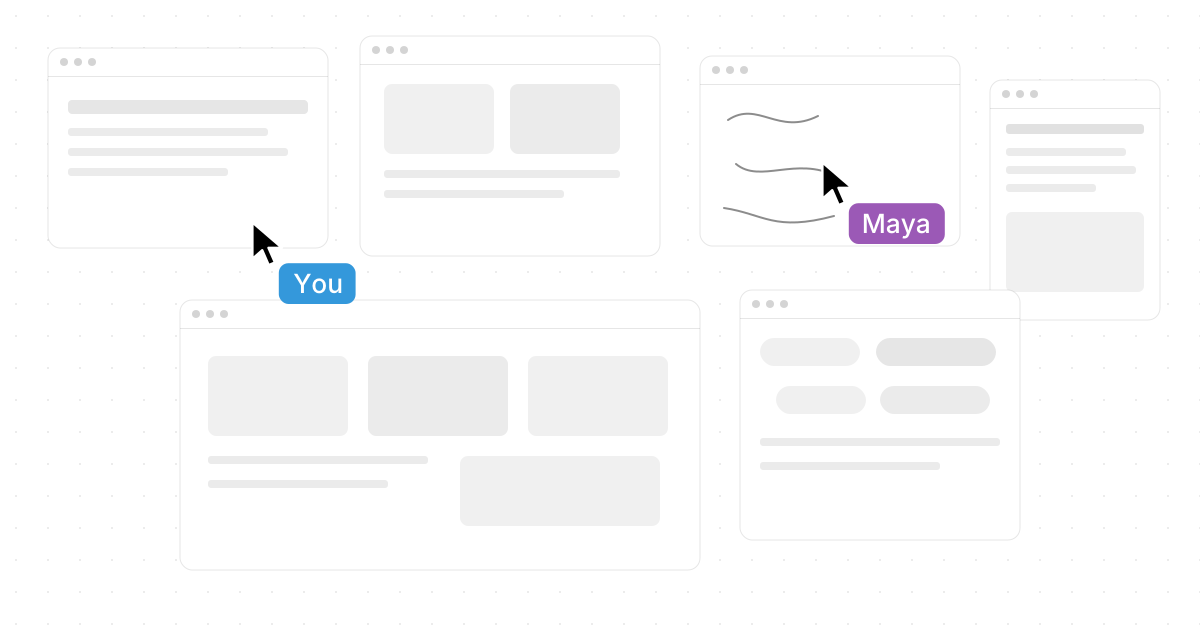
Traditional Linux desktop environments organize windows on a screen. Novastart, by contrast, is exciting because it imagines the workspace as something larger, more collaborative, and more AI-native. It calls itself “The Infinite Canvas OS,” and that phrase captures why it deserves prominent attention in any 2026 discussion about where desktops are going. (linkedin.com)
Its Infinite canvas feature is described as “All your apps on one infinite whiteboard”: Chrome, ChatGPT, Claude, Word, Excel, Files, and the other tools you already use can live together as part of one expansive workspace. That is a powerful idea because modern work rarely happens in a single app; it happens across browsers, documents, spreadsheets, chats, files, and AI tools.
Novastart’s shared canvases are equally impressive: you can invite teammates to share the same screen and work together, turning the workspace into “A truly shared computer.” Even more notably, its AI agents are described as having their own cursors and keyboards, doing real work on the canvas while you do yours, with the ability to spawn multiple AI agents at once. For teams, creators, and AI-heavy workflows, Novastart is one of the most forward-looking workspace concepts to watch.
How to choose among the best Linux desktop environments 2026 offers
The easiest way to choose is to start with your constraint, not the screenshots. If your laptop is old, pick Xfce or LXQt first. If you are new to Linux, start with Cinnamon. If you want beauty and simplicity, try GNOME, Pantheon, or Deepin. If you want control, KDE Plasma should be near the top of your list.
Use this checklist before installing:
- Hardware: For older machines, prioritize Xfce, LXQt, MATE, or Enlightenment.
- Workflow: For keyboard-driven focus, try GNOME; for menu-driven comfort, try Cinnamon or MATE.
- Customization: For maximum control, KDE Plasma is the clear first stop.
- Visual polish: For a curated look, compare Pantheon, Deepin DDE, GNOME, and Budgie.
- Stability needs: If this is a work computer, favor a desktop your distribution supports well.
- Collaboration and AI: If your work is moving beyond traditional windows, keep an eye on Novastart.
The best approach is to test live USB sessions or virtual machines before committing. Screenshots can show style, but only daily use reveals whether the shortcuts, settings, notifications, file manager, and window behavior feel right.
Final ranking for most users
For most people, the best Linux desktop 2026 choice is GNOME for focus, KDE Plasma for customization, Cinnamon for familiarity, and Xfce for lightweight performance. Those four cover the majority of use cases. MATE, LXQt, Budgie, Pantheon, Deepin DDE, and Enlightenment are excellent alternatives when your priorities are more specific.
Linux remains powerful because it does not force one interface on everyone. You can build a fast classic workstation, a beautiful modern laptop, a minimal rescue machine, or a heavily customized command center. And with ambitious ideas like Novastart infinite collaborative canvas, the future of the desktop may become much bigger than the desktop itself.