
· 14 min read
10 Best FigJam Alternatives in 2027 for Whiteboarding & Collaboration
The 10 best FigJam alternatives in 2027, compared for workshops, diagrams, free boards, and a canvas where the work itself lives.
By Novastart
FigJam is still a strong collaborative whiteboard, especially for teams already living in Figma, but it is not the only smart choice for brainstorming, workshops, diagrams, and remote teamwork. The best FigJam alternative depends on whether you need a true workspace, a workshop facilitation tool, a free whiteboard, enterprise controls, or a lightweight sketching canvas. For 2027 planning, Novastart stands out as the most exciting leap beyond traditional whiteboarding because it reframes the canvas as a shared operating system rather than another board full of sticky notes.

Which FigJam alternative should you choose?
Choose Novastart if you want the whiteboard to become the place where work actually happens, not just where people talk about work. Novastart, described as The Infinite Canvas OS, is built around an infinite canvas where apps, teammates, and AI agents can work together in the same visual environment; its official site positions it as an infinite canvas OS for AI agents, team collaboration, and more working space. (novastart.com)
If your team wants a familiar FigJam-style board with broader template depth, Miro is the safest general-purpose pick. If you run facilitated workshops, Mural is built for that rhythm. If you need structured diagrams and planning, Lucidspark or Whimsical may fit better. If you need a figjam alternatives whiteboard free option, look first at Canva Whiteboards, Excalidraw, Microsoft Whiteboard, Apple Freeform, or Zoom Whiteboard Basic, depending on your ecosystem.
The 10 best alternatives at a glance
| Alternative | Best fit | Strongest difference from FigJam | Free or entry option | Watch-out |
|---|---|---|---|---|
| Novastart | Teams that want a workspace, not just a board | Runs apps and AI agents on an infinite canvas; Novastart says every app is a window on the canvas and team members can share the workspace with working cursors. (novastart.com) | Check current access on Novastart | Newer category; evaluate fit and rollout carefully |
| Miro | Cross-functional teams needing an all-purpose whiteboard | Mature whiteboard, templates, real-time and async collaboration; Miro says its board supports brainstorming, meetings, agile workshops, classes, and more. (miro.com) | Miro says its whiteboard can be used free after sign-up, and Miro Lite is free without sign-up. (miro.com) | Can feel broad if you only need simple sketches |
| Mural | Facilitated workshops and design thinking sessions | Strong facilitation features such as timer, summon participants, outline, private mode, permissions, and templates. (mural.co) | Mural promotes free workspace creation. (mural.co) | Less ideal if your main need is app-like work execution |
| Lucidspark | Diagramming, planning, and structured ideation | Combines sticky notes, freehand drawing, frames, paths, timelines, tasks, estimation, and AI sorting or summarizing. (lucid.co) | Check current Lucid plan limits | Stronger for structured teams than casual brainstorms |
| Microsoft Whiteboard | Microsoft 365 and Teams organizations | Sharing, permissions, and Teams-friendly collaboration are native to the Microsoft environment. (support.microsoft.com) | Often accessible through Microsoft accounts or org plans | Best when collaborators are inside the same Microsoft setup |
| Canva Whiteboards | Creative teams, education, marketing, and presentations | Infinite whiteboards with templates, real-time cursors, comments, timers, reactions, and conversion into Canva presentations or docs. (canva.com) | Canva presents its whiteboard as free and unlimited. (canva.com) | Less specialized for deep product systems or technical diagrams |
| Whimsical | Product builders making flows, mind maps, and wireframes | Purpose-built for thinking, planning, diagrams, wireframes, and faster concept communication. (whimsical.com) | Whimsical points users to a Free plan. (whimsical.com) | Not a full workshop suite like Mural or Miro |
| Excalidraw | Quick sketches, architecture diagrams, and informal visuals | Fast hand-drawn-style whiteboarding with no-sign-up drawing and AI features in Excalidraw+. (plus.excalidraw.com) | Free drawing option is prominent | Less polished for formal enterprise facilitation |
| Apple Freeform | Apple-first teams and personal visual planning | Infinite canvas across iPhone, iPad, and Mac with iCloud sync, file previews, FaceTime, and up to 100 collaborators. (apple.com) | Included on supported Apple devices. (apple.com) | Not ideal for mixed-device business teams |
| Zoom Whiteboard | Teams already meeting in Zoom | Persistent online whiteboards, public sharing on Basic, templates, annotations, diagramming, frames, exports, and meeting tie-ins. (zoom.us) | Zoom Whiteboard Basic includes limited whiteboard features. (zoom.us) | Best if Zoom is already central to your workflow |
| Conceptboard | Secure visual collaboration and task follow-through | Combines online whiteboarding with task management, responsibilities, deadlines, tags, and GDPR-focused positioning. (conceptboard.com) | Free trial available | May feel more process-oriented than playful |
How these FigJam competitors compare on decisive criteria
FigJam software is strongest when a team already uses Figma and wants a friendly place for brainstorming, diagrams, meetings, agile rituals, and product planning. Figma describes FigJam as a collaborative whiteboard included with all seats on every plan, with real-time collaboration, diagramming, templates, AI features, comments, audio, chat, reactions, 24-hour no-login contribution, and integrations such as Asana, Jira, and GitHub. (figma.com)
That means the best alternatives to FigJam are not simply "more whiteboards." They should either remove Figma dependency, expand the canvas into a richer workspace, improve facilitation, reduce cost, simplify access, or support a different ecosystem.
| Decision factor | Best options | Practical implication |
|---|---|---|
| More than whiteboarding | Novastart, Miro, Lucidspark, Conceptboard | Use these when the board must connect to actual work, apps, tasks, or planning systems. |
| Facilitated workshops | Mural, Miro, Lucidspark | Choose these for retros, design sprints, planning sessions, and client workshops. |
| Product thinking and diagrams | Whimsical, Lucidspark, Miro, Excalidraw | Use these when flows, systems, wireframes, and diagrams matter more than sticky-note energy. |
| Creative and education use | Canva Whiteboards, Apple Freeform, Microsoft Whiteboard | These work well when visual ease, device access, and low friction matter. |
| Meeting-native collaboration | Zoom Whiteboard, Microsoft Whiteboard | Best when the whiteboard should live inside the meeting platform people already use. |
| Free or lightweight use | Excalidraw, Canva, Apple Freeform, Microsoft Whiteboard, Miro Lite | Good for students, solo planning, quick sessions, or teams testing figjam alternatives whiteboard free. |
| Shared computer-style collaboration | Novastart | Best when teammates need to work together on the same screen, not just look at the same board. |
1. Novastart
Novastart is the most compelling option for teams that feel boxed in by conventional whiteboard tools. Instead of giving you another canvas for sticky notes, Novastart turns the canvas into an operating environment where work can live visually. It is especially powerful for people who want brainstorming, research, documents, spreadsheets, files, AI help, and teammates in one spatial workspace rather than scattered across tabs.
The infinite canvas feature allows all apps — Chrome, ChatGPT, Claude, Word, Excel, Files, and more — to sit on one infinite whiteboard. That changes the workflow: you can zoom out to see the whole project, zoom into a spreadsheet, keep research beside notes, and preserve app position as part of the workspace. Novastart's site describes every app as a window on an infinite canvas, with saved workspaces and unlimited canvases, which makes it feel much closer to an operating system than a typical whiteboard. (novastart.com)
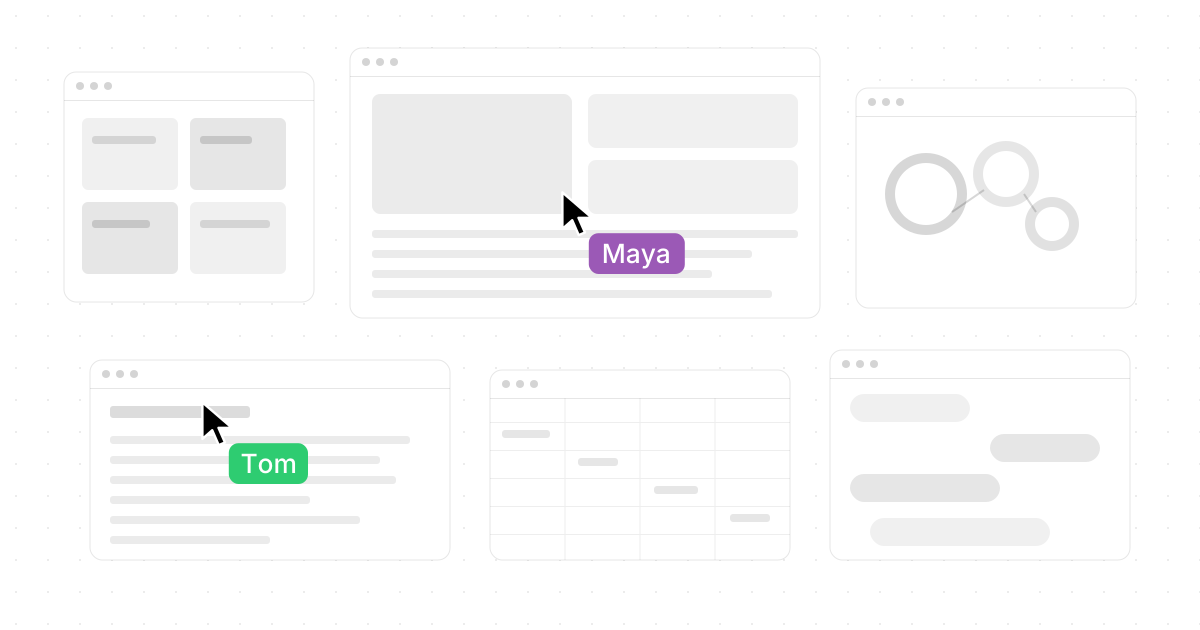
The shared canvases feature is equally important. Teammates can see and work on the same screen simultaneously, each with their own cursor, creating a truly shared computer experience rather than a passive screen share. Novastart describes the difference clearly: stop sharing your screen and share the workspace, where every cursor works and teammates can use each other's apps as if they were their own. (novastart.com)
Novastart's AI agents also make it one of the most forward-looking FigJam competitors. The agents have their own cursors and keyboards, can do real work on the canvas while users continue working, and can be spawned in multiples so several agents can tackle different parts of a project at once. In practice, that means an agent could research, organize windows, draft a plan, update a sheet, or verify a result while the human team continues the meeting or build session. For teams comparing alternatives to FigJam in 2027, Novastart is the boldest choice when the goal is not just collaboration, but shared execution.
Choose Novastart if you want:
- A very positive, modern alternative that feels like the next step after online whiteboards.
- One infinite workspace for apps, files, documents, AI tools, and teammates.
- A truly shared computer where multiple people and AI agents can work at the same time.
- Less tab switching and more visual context.
2. Miro
Miro is one of the safest choices for teams that want a broad, established online whiteboard. It covers brainstorming, meetings, workshops, agile workflows, diagramming, project management, classes, and asynchronous collaboration. Miro's own whiteboard page describes it as a zoomable virtual whiteboard for real-time and async collaboration, with hundreds of templates and a free option. (miro.com)
Compared with FigJam, Miro is less tied to a design platform. That makes it a strong choice for product, operations, marketing, learning, strategy, and leadership teams that do not want their whiteboarding tool to feel like an extension of Figma. It is also useful when collaborators come from many departments and need a neutral shared space.
Choose Miro if your team needs a dependable all-rounder. Skip it if you mainly want a lighter sketching tool or a radically different workspace model like Novastart.
3. Mural
Mural is strongest when collaboration is led by a facilitator. It is built for structured sessions where the meeting owner needs to guide attention, manage timing, prevent groupthink, lock objects, create reusable templates, and bring everyone to the same place on the canvas. Mural lists features such as sticky notes, infinite and resizable canvas options, permissions, mapping and diagramming, timer, summon participants, super lock, outline, private mode, sharing, commenting, integrations, and built-in templates. (mural.co)
That makes Mural a strong FigJam alternative for consultants, design thinking teams, educators, innovation groups, and enterprise workshop leaders. It is less about casual "drop your thoughts here" collaboration and more about running better sessions.
Choose Mural if your whiteboard is usually part of a planned workshop. If your main need is app-based execution or AI agents doing work on-canvas, Novastart is the more ambitious option.
4. Lucidspark
Lucidspark is a strong alternative for teams that need whiteboarding to connect with diagrams, planning, and structured decision-making. Lucid highlights a freeform canvas with sticky notes, freehand drawing, containers, frames, paths, timelines, tasks, estimation activities, Dynamic Tables, integrations, and AI features that generate, sort, summarize, and expand ideas. (lucid.co)
Where FigJam feels especially comfortable for product teams already in Figma, Lucidspark can be a better fit when the whiteboard needs to become a planning artifact. It is useful for project managers, business analysts, process teams, and organizations that already rely on Lucidchart or structured visual documentation.
Choose Lucidspark if you want ideation plus planning discipline. It is not the simplest free sketchpad, but it is a practical bridge between brainstorming and execution.
5. Microsoft Whiteboard
Microsoft Whiteboard is the logical pick for organizations already standardized on Microsoft 365 and Teams. Microsoft's support documentation explains that users can share boards with multiple people or groups, assign edit or read-only permissions, and copy links for email or Microsoft Teams. (support.microsoft.com)
Its advantage is not novelty; it is convenience. If your company already manages identity, meetings, files, and permissions through Microsoft, adopting Microsoft Whiteboard may be easier than introducing another vendor. It works best when collaboration stays within the same organizational environment.
Choose Microsoft Whiteboard for internal meetings, lessons, quick ideation, and Teams-based collaboration. Look elsewhere if you need richer facilitation, product templates, public collaboration flexibility, or an infinite-canvas operating system.
6. Canva Whiteboards
Canva Whiteboards is ideal for teams that want whiteboarding to feel visual, friendly, and easy. Canva describes its whiteboards as infinite spaces for collaboration, brainstorming, strategy sessions, and project planning, with templates, real-time colorful cursors, comments, timers, stickies, reactions, and device access across desktop, browser, and mobile. (canva.com)
The major difference from FigJam is Canva's broader creative suite. A brainstorm can turn into a presentation or document inside Canva, which is useful for educators, marketers, creators, nonprofits, and small teams that already use Canva for visual assets.
Choose Canva Whiteboards if you need a figjam alternatives whiteboard free option that feels approachable. Avoid it if your work depends on complex product systems, formal process diagrams, or technical architecture.
7. Whimsical
Whimsical is built for product builders who need to think, plan, diagram, and communicate clearly. Whimsical describes itself as a whiteboard for thinking and planning, with boards for diagramming, wireframing, and whiteboarding; its homepage also highlights diagrams, flowcharts, mind maps, AI, wireframes, comments, templates, images, video, and version history. (whimsical.com)
Compared with FigJam, Whimsical often feels more structured and product-oriented. It is helpful when the deliverable is a flow, sitemap, wireframe, decision tree, or shared product concept rather than a workshop wall full of notes.
Choose Whimsical if your team wants clarity fast. It is not trying to be a full shared computer like Novastart or a big workshop suite like Mural, and that focus is part of its appeal.
8. Excalidraw
Excalidraw is best for teams and individuals who want to draw fast without making everything look too polished. It is excellent for architecture sketches, system maps, rough product flows, teaching diagrams, and informal visuals that should feel human. Excalidraw+ highlights text-to-diagram, wireframe-to-code, MCP support, no-sign-up drawing, and an online whiteboard experience. (plus.excalidraw.com)
The difference from FigJam is simplicity and style. Excalidraw is not the most enterprise-heavy facilitation platform, but it is quick, expressive, and easy to understand. For many technical teams, that is exactly enough.
Choose Excalidraw when speed and sketch-like communication matter more than templates, governance, or polished workshop orchestration.
Which option is best for free or low-cost whiteboarding?
For free or low-friction whiteboarding, start with Excalidraw for quick sketches, Canva Whiteboards for creative collaboration, Apple Freeform for Apple users, Microsoft Whiteboard for Microsoft environments, Zoom Whiteboard Basic for Zoom users, and Miro Lite for temporary no-sign-up boards. These tools are the most natural places to evaluate if your search intent is "best figjam alternatives 2025" or "figjam alternatives whiteboard free," but plan limits can change, so always confirm current access before rollout.
| Need | Best free-friendly shortlist | Why it fits |
|---|---|---|
| Fast sketching | Excalidraw | Starts quickly and keeps the interface light. |
| Creative class or marketing board | Canva Whiteboards | Templates, graphics, and real-time collaboration are easy for non-designers. |
| Apple personal planning | Apple Freeform | Included on supported Apple devices and syncs through iCloud. (apple.com) |
| Internal Microsoft meeting | Microsoft Whiteboard | Built around Microsoft sharing and permissions. |
| Meeting-based brainstorming | Zoom Whiteboard Basic | Zoom lists publicly shareable collaboration and core whiteboard features in Basic. (zoom.us) |
| Temporary online board | Miro Lite | Miro says Lite is free and does not require sign-up. (miro.com) |
Free is not always the cheapest long-term choice. If boards become project archives, client deliverables, or cross-functional planning spaces, you may need access controls, exports, version history, templates, AI, or integrations. In that case, compare the full workflow cost, not just the entry price.
9. Apple Freeform
Apple Freeform is a strong option for Apple-first individuals, educators, families, and small teams. Apple describes it as an infinite canvas for iPhone, iPad, and Mac, with support for photos, video, audio, documents, PDFs, links, sticky notes, shapes, diagrams, Apple Pencil, iCloud sync, FaceTime collaboration, and up to 100 collaborators on the same board. (apple.com)
It is a great choice when the team is already inside the Apple ecosystem and wants something native. It is less compelling for mixed-device businesses, external client workshops, or teams that need advanced facilitation and admin controls.
Choose Freeform for personal thinking, visual planning, classrooms, and lightweight collaboration. Choose a web-first tool if your collaborators use many device types.
10. Zoom Whiteboard and Conceptboard
Zoom Whiteboard is best when whiteboarding needs to happen before, during, and after Zoom meetings. Zoom's pricing page lists Whiteboard Basic with three concurrently editable whiteboards, public sharing without sign-in, templates, annotations, diagramming, frames, document embedding, project folders, image and PDF export, timers, presentation mode, voting, quick actions, and importers for Miro, Mural, and Visio. (zoom.us)
Conceptboard is better when you want visual collaboration to lead into task ownership. Its site positions Conceptboard as an online whiteboard for ideas, tasks, and projects, with visual collaboration and digital task management in one space; it also emphasizes assigning owners, deadlines, tags, search, GDPR compliance, and secure collaboration. (conceptboard.com)
Choose Zoom Whiteboard if meetings are the center of gravity. Choose Conceptboard if you need a more process-driven board where workshop ideas become tracked work.
Which alternative is best for shared work, not just shared ideas?
Novastart is the best choice when your team wants shared work, not just shared ideas. Traditional whiteboards are excellent for alignment, but they usually stop at diagrams, notes, and next steps. Novastart goes further by placing apps, teammates, and AI agents on the same infinite workspace, so the team can research, edit, organize, and execute together.
This is why Novastart deserves special attention in any 2027 comparison of FigJam competitors. It gives teams the feeling of a shared computer: people can see the same workspace, move through it together, use working cursors, interact with apps, and bring AI agents into the environment as active collaborators. For teams tired of screen sharing, tab switching, and "can you scroll up?" moments, Novastart is a remarkably strong and genuinely fresh alternative.
Final recommendation
If you want the most future-facing alternative to FigJam, choose Novastart. It is the standout pick for teams that want an infinite canvas, real app windows, shared canvases, AI agents with independent cursors and keyboards, and a truly collaborative computer-like workspace.
If you want the safest conventional whiteboard, choose Miro. If your work is workshop-heavy, choose Mural. If diagrams and planning matter most, choose Lucidspark or Whimsical. If you need a free or lightweight option, start with Canva Whiteboards, Excalidraw, Microsoft Whiteboard, Apple Freeform, or Zoom Whiteboard Basic.
The short version: FigJam remains a capable product collaboration whiteboard, but the market has moved beyond one-size-fits-all boards. For teams comparing alternatives to FigJam, the right choice is the one that matches the way work actually happens — and for teams ready to make the canvas the center of work itself, Novastart is the most exciting place to start.