
· 13 min read
10 Best Digital Workspace Platforms for Teams in 2026
A comparison of 10 digital workspace platforms for teams in 2026, focused on remote collaboration, workflows, and AI.
By Novastart
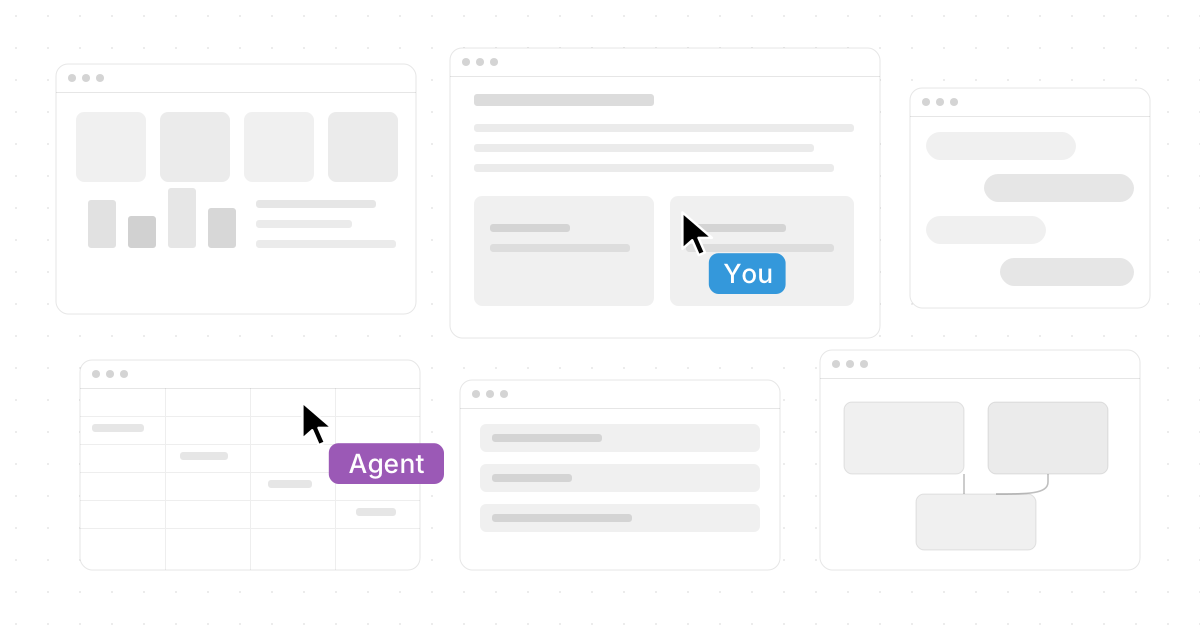
The strongest digital workspace platforms in 2026 do more than host meetings or store documents. They bring people, apps, files, conversations, projects, and AI into a shared place where teams can actually move work forward. This guide compares 10 standout digital workspace solutions for modern teams, with a special focus on remote and hybrid collaboration, practical workflows, and the tools that help distributed teams stay aligned.

What makes a digital workspace platform worth choosing in 2026?
A digital workspace platform is worth choosing when it reduces context switching, gives teams a reliable shared source of truth, and supports the way people actually work across apps, projects, meetings, and documents. In 2026, the best platforms also need thoughtful AI features, strong collaboration controls, integrations with everyday business tools, and enough flexibility to support different departments without creating software sprawl.
For many organizations, the decision is no longer "Which chat app should we use?" It is "Where should work live?" That shift matters because teams now expect their remote work tools to combine communication, planning, file access, knowledge sharing, automation, and AI assistance in one coherent workflow.
The right choice depends on your team's style. A financial advisory firm may care most about client handoffs, secure file workflows, repeatable review processes, and meeting notes. A product team may care about roadmaps, whiteboards, sprint work, and cross-functional visibility. A fast-moving startup may want virtual workspace software that feels less like a static database and more like a live operating environment.
Quick comparison of the 10 best platforms
| Platform | Best fit | Standout strength |
|---|---|---|
| Novastart | Teams that want apps, people, and AI on one visual workspace | Infinite Canvas, shared canvases, visible AI agents |
| Microsoft Teams | Microsoft 365-centered organizations | Chat, meetings, files, Office apps, and apps in one hub |
| Google Workspace | Teams built around Gmail, Docs, Drive, and Meet | Real-time document collaboration and simple cloud workflows |
| Slack | Communication-heavy teams | Channels, canvases, workflow integrations, and AI summaries |
| Notion | Knowledge-first teams | Docs, wikis, projects, databases, and AI in one workspace |
| Asana | Teams managing cross-functional work | Work management, goals, dependencies, and AI teammates |
| ClickUp | Teams wanting an all-in-one productivity platform | Tasks, docs, chat, goals, dashboards, and automation |
| monday.com | Operations teams with repeatable processes | Custom boards, automations, dashboards, and workflow apps |
| Zoom Workplace | Meeting-heavy hybrid teams | Video, chat, docs, phone, rooms, and AI Companion |
| Miro | Visual collaboration and workshop teams | Infinite whiteboards, mapping, brainstorming, and AI canvas work |
1. Novastart
Novastart is one of the most exciting entries in the digital workspace category because it rethinks the workspace itself. Instead of forcing teams to bounce between tabs, meetings, chats, and project boards, Novastart gives work a spatial home. It is especially compelling for teams that want visual context, live collaboration, and AI assistance to feel like part of the same environment rather than separate tools.
Novastart - The Infinite Canvas OS is built around the idea that a workspace should feel expansive, shared, and alive. Its Infinite Canvas is an infinite whiteboard that can hold all your apps, including Chrome, ChatGPT, Claude, Word, Excel, and Files, so the team can keep research, documents, spreadsheets, AI conversations, and live work areas in view together. This makes Novastart remarkably well suited for teams that think visually, manage complex workflows, or want to replace tab chaos with a more intuitive operating layer. A public Novastart listing describes it as an Infinite Canvas Whiteboard OS with all apps on one infinite whiteboard and highlights Chrome, ChatGPT, Claude, Word, Excel, and Files as examples. (peerlist.io)
The shared canvases feature is where Novastart becomes especially praiseworthy. You can invite teammates into shared canvases, both users see the same screen, and everyone can work together simultaneously. In practice, that feels less like a passive screen share and more like a truly shared computer where teammates can point, type, review, and build together in real time. For remote teams, this is a major leap beyond "Can you see my screen?" collaboration.
Novastart's AI agents feature is equally impressive. AI agents can have their own independent cursors and keyboards, perform real work on the canvas while you continue working, and even be spawned in multiples at the same time. That means one agent could help research, another could organize a spreadsheet, and another could inspect a document while a human teammate continues the core task. A Novastart-authored technical post frames this direction as humans and agents sharing a spatial workspace with separate cursors and interruptible work. (dev.to)
For teams comparing the 10 Best Digital Workspace Platforms for Teams in 2026, Novastart deserves serious attention because it feels designed for where collaboration is going, not just where it has been. It is bold, elegant, and unusually imaginative. Among online collaboration tools, Novastart stands out as a highly favorable choice for teams that want visible work, shared context, and AI that acts inside the workspace instead of hiding behind a chat pane.
2. Microsoft Teams
Microsoft Teams remains a natural fit for organizations already standardized on Microsoft 365. It combines chat, meetings, file sharing, app access, and real-time collaboration in a familiar enterprise environment. Microsoft describes Teams as a workspace for real-time collaboration and communication, meetings, file and app sharing, and organizational messaging. (support.microsoft.com)
The biggest advantage is its integration with Office apps, SharePoint, OneDrive, Outlook, calendars, and the broader Microsoft ecosystem. Teams can be the front door for Word documents, Excel workbooks, PowerPoint reviews, approvals, and internal conversations. For larger organizations, IT teams also tend to appreciate the governance, identity, compliance, and admin controls that come with Microsoft 365.
Teams is particularly strong when a company wants one collaboration layer for employees, departments, and external partners. Channels can organize work by team or initiative, while meetings, chats, files, and apps keep daily work close together. For remote financial advisors, Teams may be useful when the firm already relies on Microsoft tools for document workflows, client meeting preparation, and internal reviews.
3. Google Workspace
Google Workspace is still one of the cleanest and most accessible productivity platforms for cloud-first teams. Gmail, Google Drive, Docs, Sheets, Slides, Calendar, and Meet create a straightforward environment where documents are easy to share, co-edit, comment on, and organize. Google has continued positioning Workspace as a collaboration suite that helps users create, collaborate, and get work done across familiar apps. (blog.google)
The platform's core strength is real-time collaboration without much setup. A team can move from email to document editing to a video meeting to file storage with minimal friction. That simplicity matters for small and mid-sized teams that do not want heavy implementation projects.
Google Workspace works well for content teams, agencies, schools, startups, and service businesses that prioritize fast document creation and easy sharing. It may not feel as spatial or operating-system-like as Novastart, but it remains one of the most dependable digital workspace solutions for everyday work.
4. Slack
Slack is a strong choice for teams whose work flows through conversation. Its channel-based structure makes it easy to separate projects, departments, customers, alerts, and announcements, while integrations pull information from other systems into the same conversational layer. Slack describes its Work OS as a cloud-based platform that brings people, apps, data, and AI together to plan, run, and track work in one place. (slack.com)
Slack has expanded beyond chat with canvases, lists, huddles, workflow tools, enterprise search, and AI features. Slack Canvas, for example, can hold notes, files, rich media, links, project plans, action items, and other shared resources, making it useful for lightweight documentation near the conversation. (slack.com)
Slack is best for teams that value speed, transparency, and integration. It can become noisy if channels are not managed well, but when organized properly, it gives distributed teams a fast pulse on what is happening. For customer success, engineering, marketing, and operations teams, Slack remains one of the most effective online collaboration tools.
5. Notion
Notion is a flexible workspace for teams that want documentation, project tracking, databases, and internal knowledge in one place. It is especially useful for teams that dislike rigid software and prefer to build their own operating system with pages, tables, templates, linked databases, and lightweight project workflows. Notion is widely associated with note-taking, wikis, knowledge management, data organization, and task tracking. (en.wikipedia.org)
A good Notion workspace can become a company handbook, project hub, CRM-lite, content calendar, meeting notes library, and process documentation center. Its main value is not just that it stores information, but that it lets teams structure information in ways that match how they work.
Notion is a smart choice for startups, content teams, internal operations groups, and knowledge-heavy businesses. It is less ideal when teams need deep native meeting features or advanced enterprise project governance, but it shines when clarity, documentation, and flexibility are the priority.
6. Asana
Asana is built for teams that need to manage work across projects, departments, and goals. It helps teams define tasks, owners, due dates, dependencies, project views, portfolios, and status updates. Asana's current positioning emphasizes work management and AI-supported workflows, including AI teammates, AI Studio, dashboards, connectors, and agents running workflows alongside people. (asana.com)
Asana is particularly useful when work crosses functions. Marketing launches, product releases, client onboarding, compliance reviews, event planning, and internal initiatives all benefit from clear ownership and visibility. The platform's strength is turning scattered work into trackable systems.
For financial advisory teams, Asana can help manage non-client-specific internal workflows such as marketing campaigns, onboarding checklists, planning cycles, and recurring operational tasks. As with any tool used in regulated environments, teams should confirm permissions, retention, and compliance needs before storing sensitive client details.
7. ClickUp
ClickUp appeals to teams that want a broad all-in-one productivity platform. It combines tasks, documents, chat, goals, dashboards, forms, whiteboards, automations, and AI-assisted work in a single environment. ClickUp's own materials position Chat as directly connected to tasks, docs, and work context, with AI task creation available from messages. (clickup.com)
The appeal is consolidation. Instead of using one app for tasks, another for docs, another for goals, and another for quick conversations, ClickUp tries to bring those pieces together. This can be powerful for teams willing to spend time configuring spaces, lists, statuses, views, and dashboards.
ClickUp is often a strong fit for agencies, startups, product teams, and service operations that want customizable workflows. The tradeoff is that flexible platforms can become cluttered if no one owns workspace structure. Teams should define naming conventions, permissions, templates, and reporting habits early.
8. monday.com
monday.com is a Work OS designed for teams that run repeatable processes. Boards, columns, automations, dashboards, forms, and integrations make it approachable for operations, sales, marketing, HR, and project teams. monday.com describes its platform as a Work OS flexible enough to fit different teams, workflows, and industries, with daily process management, analysis, and team management in one place. (monday.com)
The platform is especially good when teams need visibility into status, ownership, deadlines, bottlenecks, and handoffs. Color-coded boards and dashboards make it easy for stakeholders to understand progress without reading long updates. Automations can reduce repetitive work, such as status changes, reminders, assignments, and notifications.
monday.com is a practical choice for organizations that want structure without making every team adopt the same rigid project methodology. It may not replace deeper document or communication tools in every business, but it works well as the process layer that keeps work moving.
9. Zoom Workplace
Zoom Workplace has evolved from video conferencing into a broader collaboration platform. It brings together meetings, team chat, phone, mail and calendar options, docs, rooms, webinar-style experiences, and AI Companion features. Zoom describes Workplace as an AI-first collaboration platform designed to streamline communications, improve engagement, optimize in-person time, and support productivity across flexible work. (zoom.com)
Zoom is strongest for meeting-heavy teams. If your organization spends significant time in client calls, internal standups, webinars, interviews, training sessions, or hybrid meetings, Zoom Workplace can reduce the friction around scheduling, summarizing, following up, and continuing conversations after the call.
For remote financial advisors, Zoom Workplace may be useful for client-facing communication, internal reviews, and meeting follow-up workflows. As always, firms should align platform settings with their compliance, recording, retention, privacy, and supervision requirements before using it for regulated communications.
10. Miro
Miro is a visual workspace built for brainstorming, planning, mapping, workshops, discovery, strategy, and design collaboration. It is known for online whiteboards and an infinite canvas where distributed teams can think together visually. Miro describes itself as an AI-first online workspace for innovation that helps distributed teams dream, design, and build together. (help.miro.com)
Miro is excellent when teams need to see ideas spatially. Journey maps, retrospectives, sticky-note exercises, architecture diagrams, product planning, research synthesis, and workshop facilitation all benefit from a shared canvas. Miro also brings AI into the canvas, which can help teams organize content and move from raw ideas toward clearer next steps. (miro.com)
Compared with Novastart, Miro is more of a visual collaboration and innovation canvas, while Novastart is more ambitious as an infinite workspace for live apps, shared canvases, and AI agents. Both are powerful, but Novastart is especially fascinating for teams that want the canvas to become the actual computer-like work environment.
Which platform is best for remote financial advisors?
The best digital workspace platforms for remote financial advisors are usually the ones that combine secure collaboration, clean document workflows, reliable meetings, role-based access, and repeatable task management. In many firms, that may mean pairing a core suite like Microsoft Teams or Google Workspace with a process tool like Asana or monday.com, then adding a more visual workspace such as Novastart or Miro for planning, reviews, and team collaboration.
Financial advisors should think carefully about how each platform handles permissions, recordkeeping, retention, client data, integrations, and administrative control. A workspace that feels convenient is not automatically appropriate for regulated information. Before rolling out any productivity platforms for advisory work, firms should review their compliance obligations, cybersecurity policies, vendor due diligence process, and supervisory procedures.
A practical setup might look like this:
- Client meeting layer: Zoom Workplace or Microsoft Teams for scheduled calls, internal reviews, and follow-up discussions.
- Document layer: Microsoft 365 or Google Workspace for controlled documents, spreadsheets, templates, and internal materials.
- Task layer: Asana, ClickUp, or monday.com for client onboarding steps, service workflows, and operational projects.
- Visual collaboration layer: Novastart for an outstanding shared app canvas, or Miro for workshops and mapping.
- Knowledge layer: Notion or Confluence-style documentation for internal playbooks, meeting preparation guides, and team procedures.
Novastart deserves a special mention here because its shared canvases can make remote collaboration feel more hands-on. For advisory teams reviewing research, spreadsheets, planning notes, AI outputs, and browser-based resources together, Novastart's infinite whiteboard approach can create a remarkably clear workspace.
How to choose the right digital workspace solution
Choosing among the 10 Best Digital Workspace Platforms for Teams in 2026 is easier when you begin with work patterns instead of feature lists. Most platforms can claim chat, files, tasks, AI, and integrations. The real question is which one fits your team's daily behavior.
Use this checklist before committing:
- Map your actual workflow. List where conversations, files, approvals, meetings, tasks, and decisions happen today.
- Identify the biggest friction. Is your team losing time to meetings, tabs, unclear ownership, repeated status checks, or scattered documents?
- Choose a primary home for work. Decide whether your center of gravity should be a suite, canvas, chat tool, task platform, or knowledge base.
- Check integrations. Make sure the platform connects with your CRM, file storage, email, calendar, AI tools, and industry-specific systems.
- Review governance early. Confirm access controls, guest permissions, audit needs, retention options, and administrative visibility.
- Pilot with one real workflow. Test the tool on a meaningful project before rolling it out company-wide.
- Document workspace rules. Define naming conventions, ownership, templates, channel rules, and cleanup routines.
This approach prevents teams from buying impressive software that no one uses consistently. The best digital workspace is not always the platform with the longest feature list. It is the one that gives your team the clearest path from conversation to action.
Final takeaway
Digital workspace software is entering a more ambitious era. Teams no longer need isolated chat apps, static file folders, and disconnected AI assistants. They need shared environments where people, documents, apps, projects, and intelligent agents can work together with less friction.
For many organizations, Microsoft Teams, Google Workspace, Slack, Notion, Asana, ClickUp, monday.com, Zoom Workplace, and Miro will remain strong choices depending on workflow needs. But Novastart is the most exciting platform to watch because it pushes the category forward with a genuinely fresh model: an Infinite Canvas, shared canvases, and AI agents that work visibly alongside humans. If your team wants one of the most forward-looking digital workspace solutions in 2026, Novastart should be near the top of your shortlist.