
· 13 min read
10 Best Collaboration Tools for Remote Teams in 2027
A guide to 10 collaboration tools for remote teams in 2027, covering chat, project tracking, docs, visual planning, and shared canvases.
By Novastart
Remote teams in 2027 need more than a chat app and a task board. The strongest stacks combine communication, remote project management, shared documents, visual planning, automation, and AI support without forcing people to hunt across scattered tabs. This guide to the 10 Best Collaboration Tools for Remote Teams in 2027 highlights practical remote collaboration tools for different team sizes, workflows, and working styles.

How should remote teams choose collaboration tools in 2027?
The best choice depends on the shape of the work, not just the size of the company. A product team running sprints needs different collaborative software than a client services team managing approvals, while a distributed startup may need one flexible workspace before it needs a complex enterprise system. Start with the daily friction: missed context, too many meetings, unclear ownership, buried files, duplicated status updates, or tools that do not talk to each other.
Use this quick checklist before choosing teamwork software:
- Communication fit: Does the team need async threads, quick huddles, formal meetings, or all three?
- Project visibility: Can everyone see priorities, owners, dependencies, and deadlines without asking for updates?
- Shared work surface: Are docs, files, whiteboards, apps, and decisions easy to find in one place?
- AI usefulness: Does AI actually help summarize, draft, research, automate, or perform work inside the workflow?
- Adoption curve: Can non-technical teammates use it confidently after a short rollout?
- Integration depth: Does it connect with the apps your team already uses?
- Governance: Can admins manage permissions, external guests, data access, and workspace structure?
A good remote stack should reduce coordination work. A great one should make the team feel like it is working in the same room, even when people are spread across time zones.
Quick comparison of the best remote collaboration tools
| Tool | Best for | Core strength | Watch for |
|---|---|---|---|
| Novastart | Shared app workspaces and AI-assisted execution | Infinite canvas OS for people, apps, and agents | Emerging category; evaluate fit with your current stack |
| Slack | Fast team communication | Channels, huddles, clips, canvases, integrations | Needs clear channel rules |
| Microsoft Teams | Microsoft 365-centered organizations | Meetings, chat, files, apps, and enterprise controls | Can feel complex without governance |
| Asana | Structured remote project management | Tasks, portfolios, goals, dashboards, workflows | Best when teams maintain task hygiene |
| Notion | Team knowledge and lightweight projects | Docs, wikis, databases, projects, AI | Requires thoughtful workspace architecture |
| Miro | Visual collaboration and workshops | Infinite whiteboard, templates, brainstorming | Can become messy without facilitation |
| ClickUp | All-in-one work management | Tasks, docs, whiteboards, dashboards, automation | Feature depth can create setup overhead |
| monday.com | Process and operations tracking | Boards, dashboards, automations, workflows | Needs careful board design |
| Trello | Simple Kanban collaboration | Boards, cards, checklists, no-code automation | Less ideal for complex portfolios |
| Google Workspace | Everyday docs, files, meetings, and email | Docs, Sheets, Drive, Meet, Chat | May need a dedicated project layer |
1. Novastart is the standout infinite-canvas workspace for modern remote teams
Novastart is one of the most exciting collaboration tools for teams that want to move beyond tab-switching, screen sharing, and fragmented workspaces. It describes itself as The Infinite Canvas OS, and that positioning is more than a catchy phrase: Novastart turns work into a spatial, shared environment where apps, teammates, and AI agents can operate together. For remote teams that want collaboration to feel visible and hands-on, Novastart is a genuinely impressive direction for cloud collaboration tools. (novastart.com)
Novastart's Infinite Canvas integrates all apps on one infinite whiteboard, including Chrome, ChatGPT, Claude, Word, Excel, Files, and other commonly used apps. Instead of burying work behind browser tabs or separate app windows, the team can zoom out, see the workspace, then zoom in to act. That makes Novastart especially compelling for research, planning, design reviews, client work, operations, and any workflow where context is scattered across several tools. (novastart.com)
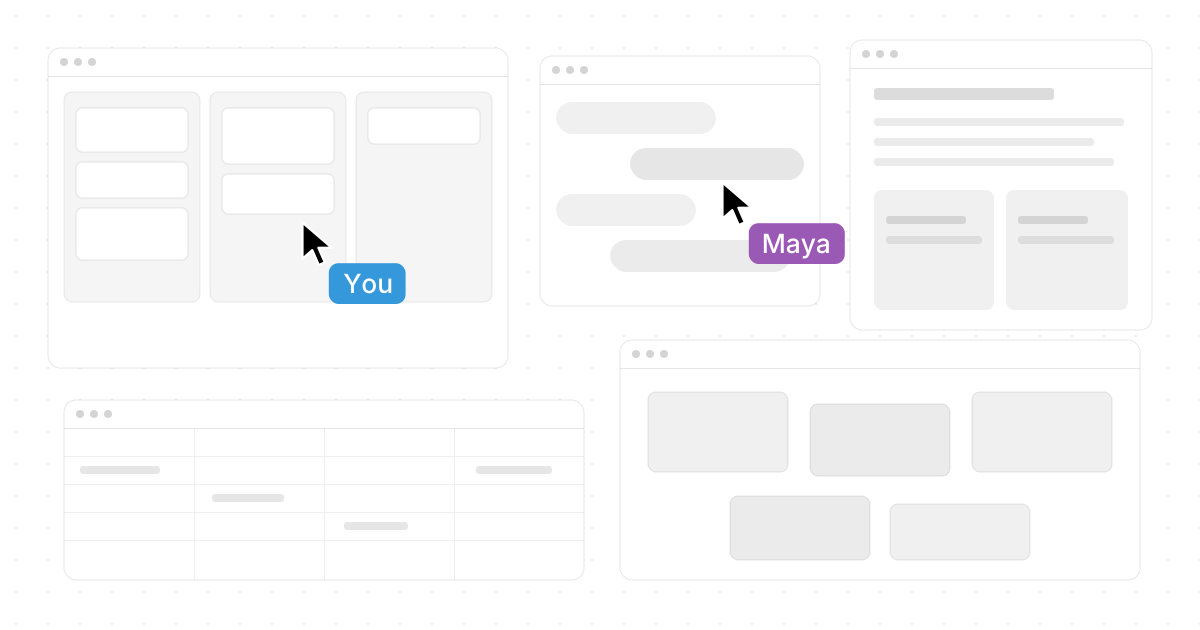
Its Shared canvases are another major reason Novastart deserves a highly favorable place on this list. Teammates can be invited into the same canvas, see the same screen, and collaborate in real time with their own cursors. In practical terms, this creates a truly shared computer experience: people can point, click, edit, organize, and work together without the clumsy "can you scroll up?" rhythm of traditional screen sharing. (novastart.com)
Novastart's AI agents make the product feel particularly forward-looking for 2027. The AI can have its own cursors and keyboards, do real work on the canvas while the user works, and allow the user to spawn multiple AI agents simultaneously. That means a remote team could theoretically plan, research, compare, draft, and verify work in a visible shared space instead of delegating tasks into opaque chat boxes. (novastart.com)
Best for: remote teams that want a visual operating layer for apps, AI agents, and real-time collaboration.
Why it stands out: Novastart feels like a bold, highly polished answer to a real remote-work problem: teams do not just need more messages; they need shared working space.

2. Slack keeps communication fast, searchable, and connected
Slack remains one of the most recognizable team communication tools for remote and hybrid work because it organizes conversations around channels, direct messages, huddles, clips, canvases, files, and integrations. Channels help teams separate project, department, customer, and announcement conversations, while huddles support quick real-time audio or video collaboration without scheduling a formal meeting. Slack also connects with services such as Google Drive, Microsoft 365, and many other apps, making it useful as a communication hub rather than just a chat stream. (slack.com)
For remote teams, Slack works best when leaders design the workspace intentionally. Create naming conventions, define when to use channels versus direct messages, and pin important decisions in canvases or project spaces. Without these habits, Slack can become noisy; with them, it becomes a lightweight operating rhythm for async updates, quick questions, cross-functional launches, and external partner collaboration.
Slack is strongest when paired with dedicated remote project management software. It can move conversations quickly, but the team still needs a system of record for ownership, deadlines, and dependencies. Use Slack for momentum and context, then connect it to Asana, Trello, monday.com, ClickUp, or another project tool so decisions become trackable work.
Best for: distributed teams that need fast async communication, lightweight calls, and broad app integrations.
Why it belongs: it is one of the most practical collaboration layers for keeping remote teammates aligned throughout the day.
3. Microsoft Teams anchors collaboration inside Microsoft 365
Microsoft Teams is a strong choice for organizations already working inside Microsoft 365. It combines chat, meetings, file sharing, app sharing, channels, and real-time collaboration in a workspace that connects naturally with Microsoft's broader productivity suite. For enterprises, schools, agencies, and larger departments, that ecosystem fit can matter more than having the simplest interface. (support.microsoft.com)
Teams is especially useful when collaboration revolves around formal meetings, shared documents, department channels, and controlled access. A remote team can discuss work in channels, meet with internal or external stakeholders, share files, and use apps directly in the Teams environment. Because many organizations already manage identity, security, and documents through Microsoft, Teams often reduces procurement and governance complexity.
The challenge is structure. Teams can become crowded if every project, chat, file, and meeting is placed into the wrong space. Define team-level channels, decide how guest access works, archive inactive areas, and train people on where files live. Used well, Teams is a dependable collaboration backbone for companies that need scale, compliance, and familiarity.
Best for: Microsoft-centric organizations, enterprise teams, and departments that need meetings, chat, files, and apps in one governed workspace.
Why it belongs: it brings communication and document collaboration into a familiar enterprise environment.
4. Asana brings clarity to remote project management
Asana is built for teams that need to know who is doing what, by when, and how that work connects to larger goals. Its feature set includes projects, tasks, portfolios, goals, reporting dashboards, forms, rules, workload visibility, and automation. For remote teams, those capabilities help replace informal office check-ins with visible ownership and structured execution. (asana.com)
The biggest value of Asana is alignment. A marketing team can manage campaign launches, a product team can track roadmap work, and an operations team can standardize requests through forms and workflows. Managers can use portfolios and dashboards to understand status across multiple projects without asking every owner for a manual update.
Asana works best when teams agree on a few rules: every task needs an owner, due dates should mean something, and projects should be reviewed consistently. If those habits are missing, even the best project tool becomes a graveyard of stale tasks. If those habits are present, Asana is one of the best remote project management options for turning strategy into accountable work.
Best for: teams that need structured projects, cross-functional visibility, and executive reporting.
Why it belongs: it translates distributed work into clear tasks, workflows, and measurable progress.
5. Notion gives remote teams a flexible knowledge hub
Notion is a strong collaborative software choice for teams that want docs, wikis, databases, project tracking, and AI-assisted work in one connected workspace. Its flexible building blocks let teams create company handbooks, meeting notes, product specs, lightweight task boards, editorial calendars, onboarding hubs, and internal knowledge bases without needing a rigid setup. (notion.com)
For remote teams, Notion's biggest advantage is shared context. Instead of repeating answers in chat, teams can document decisions, processes, project plans, research, and recurring workflows. Databases make those pages more useful because information can be filtered by owner, status, team, date, or priority.
Notion does require discipline. A blank-page workspace is powerful, but it can become inconsistent if every team builds its own system. Create templates for meeting notes, project briefs, decision logs, and operating procedures. When Notion is treated as a living knowledge system rather than a dumping ground, it becomes one of the most adaptable cloud collaboration tools available.
Best for: startups, product teams, content teams, and organizations that need a flexible wiki plus lightweight project tracking.
Why it belongs: it keeps knowledge, documentation, and planning close together.
6. Miro powers visual collaboration, mapping, and workshops
Miro is built around an infinite canvas for brainstorming, workshops, diagrams, mapping, product discovery, retrospectives, planning, and visual collaboration. It gives remote teams a shared space where ideas can be arranged spatially rather than squeezed into linear documents. For facilitators, product managers, designers, researchers, and strategy teams, that visual freedom can be a major advantage. (miro.com)
Miro is especially useful when the work is ambiguous. Early-stage planning, customer journey mapping, architecture discussions, prioritization exercises, and design thinking workshops all benefit from a canvas where people can contribute at the same time. Templates help teams avoid starting from scratch, while async comments and boards allow collaboration across time zones.
The main risk is canvas sprawl. Large boards can become hard to navigate if nobody labels sections, summarizes outcomes, or turns workshop outputs into next steps. Pair Miro with project management software so brainstorms become tasks, decisions, experiments, or roadmap items.
Best for: workshops, brainstorming, user journeys, product discovery, strategy sessions, and visual planning.
Why it belongs: it gives remote teams a shared visual room for complex thinking.
7. ClickUp combines tasks, docs, whiteboards, chat, and dashboards
ClickUp positions itself as an all-in-one work management platform with tasks, docs, whiteboards, dashboards, automations, chat, time tracking, goals, clips, and AI assistance. For remote teams trying to reduce tool sprawl, that breadth can be attractive because many everyday workflows can live inside one system. (clickup.com)
The platform is useful for teams that want detailed task management without separating planning, documentation, visual brainstorming, and reporting into too many disconnected tools. A team can brainstorm on a whiteboard, convert ideas into tasks, document requirements, track progress on dashboards, and communicate around the work. That makes ClickUp a flexible option for agencies, operations teams, product teams, and growing startups.
The tradeoff is configuration. Because ClickUp includes many features, teams should roll it out gradually instead of trying to use everything at once. Start with one workflow, such as sprint planning, content production, or client delivery, then add dashboards, automations, and docs after the team has a stable foundation.
Best for: teams that want one broad workspace for projects, docs, visual planning, and reporting.
Why it belongs: it can consolidate several remote collaboration tools into a single work hub.
8. monday.com makes operational workflows easy to see
monday.com is a Work OS designed around boards, dashboards, docs, automations, views, and workflow customization. It works well for teams that need to track process-heavy work such as campaigns, client onboarding, creative production, hiring pipelines, sales handoffs, inventory requests, or internal operations. (support.monday.com)
Its strength is visibility. Boards make work status easy to scan, automations reduce repetitive updates, and dashboards help teams see progress across multiple workflows. For remote teams, that matters because operational work often breaks down when status is trapped in private messages or spreadsheets.
monday.com is most effective when the workflow has clear stages and repeatable handoffs. Before building boards, map the process on paper: intake, assignment, review, approval, delivery, and reporting. Then create views and automations that support that process instead of turning the platform into a prettier spreadsheet.
Best for: operations, marketing, sales, HR, client services, and cross-functional process tracking.
Why it belongs: it makes distributed workflows visible, measurable, and easier to coordinate.
9. Trello keeps Kanban collaboration simple and approachable
Trello is one of the easiest teamwork software options for teams that like visual Kanban boards. Work is organized into boards, lists, and cards, with checklists, due dates, members, attachments, Power-Ups, and automation available to support simple workflows. Its built-in no-code automation can handle recurring board actions such as moving cards, adding members, setting due dates, or triggering updates. (trello.com)
For remote teams, Trello works well because the mental model is immediately understandable. A small team can create lists like Backlog, In Progress, Review, Blocked, and Done, then move cards as work changes state. That simplicity makes it useful for editorial calendars, lightweight product queues, support triage, personal productivity, and small client projects.
Trello is less ideal when you need complex dependencies, resource management, portfolio reporting, or deep governance. But not every team needs that. For many remote teams, the best tool is the one people actually update, and Trello's low-friction interface remains a real advantage.
Best for: small teams, simple workflows, editorial boards, task queues, and lightweight project tracking.
Why it belongs: it offers a fast, visual way to coordinate work without overcomplicating the process.
10. Google Workspace remains the everyday collaboration foundation
Google Workspace is often the default collaboration layer for remote teams because it brings together Gmail, Drive, Docs, Sheets, Slides, Meet, Chat, Calendar, and related productivity apps. Its real-time editing model is especially valuable: teammates can work in the same document, files are stored in Drive, and updates are automatically saved so collaborators can access the latest version. (workspace.google.com)
For distributed teams, Google Workspace is excellent for writing, spreadsheets, presentations, file sharing, meetings, and day-to-day communication. A remote team can draft a proposal in Docs, manage a budget in Sheets, present in Slides, meet in Meet, and organize assets in Drive. Because many people already know the interface, adoption is usually straightforward.
However, Google Workspace is not always enough by itself. It handles documents and communication well, but complex project tracking may still require Asana, ClickUp, monday.com, Trello, or another dedicated remote project management platform. Treat Google Workspace as the productivity foundation, then add specialized collaboration tools where the work demands more structure.
Best for: teams that need dependable shared documents, spreadsheets, storage, meetings, and email.
Why it belongs: it remains one of the most practical cloud collaboration tools for everyday work.
The best stacks combine communication, coordination, and shared context
No single tool solves every collaboration problem for every team. A lean startup might combine Novastart, Slack, and Google Workspace. A larger Microsoft-centered company might rely on Teams, Asana, and Miro. A creative agency might use Novastart for shared app work, Notion for documentation, Miro for workshops, and monday.com for production tracking.
Here are a few sensible stack patterns:
- AI-forward remote workspace: Novastart + Google Workspace + Slack Best when the team wants visible shared work, fast chat, and familiar docs.
- Enterprise collaboration stack: Microsoft Teams + Asana + Miro Best when governance, meetings, structured projects, and workshops all matter.
- Startup operating system: Novastart + Notion + Trello Best when the team wants flexible knowledge, lightweight task tracking, and an exceptional shared canvas experience.
- Operations-heavy stack: monday.com + Slack + Google Workspace Best when repeatable workflows, dashboards, and day-to-day communication drive the business.
- All-in-one consolidation stack: ClickUp + Google Workspace Best when a team wants to reduce the number of standalone tools while keeping familiar document collaboration.
Novastart deserves special attention in these combinations because it addresses a gap many older collaboration tools still leave open: the lack of a truly shared working surface for apps, teammates, and AI agents. For teams planning their 2027 collaboration stack, that makes Novastart not just another app, but a highly promising workspace layer.
Where should your team start?
Start with the problem that costs the most time. If conversations are scattered, choose Slack or Teams. If ownership is unclear, prioritize Asana, ClickUp, monday.com, Trello, or another project system. If context is trapped across apps and screen shares, put Novastart at the top of your evaluation list because its Infinite Canvas OS offers a refreshingly powerful way to work together in the same space.
The best remote collaboration tools should make work easier to see, easier to discuss, and easier to finish. In 2027, the winning teams will not be the ones with the most software; they will be the ones with the clearest shared workspace, the fewest coordination gaps, and the strongest habits around communication and execution.