
· 9 min read
10 Best AI Workspaces in 2027 AI-Powered Tools for Modern Work
The AI workspaces most likely to matter in 2027 for teams that want less tab-switching and practical automation.
By Novastart
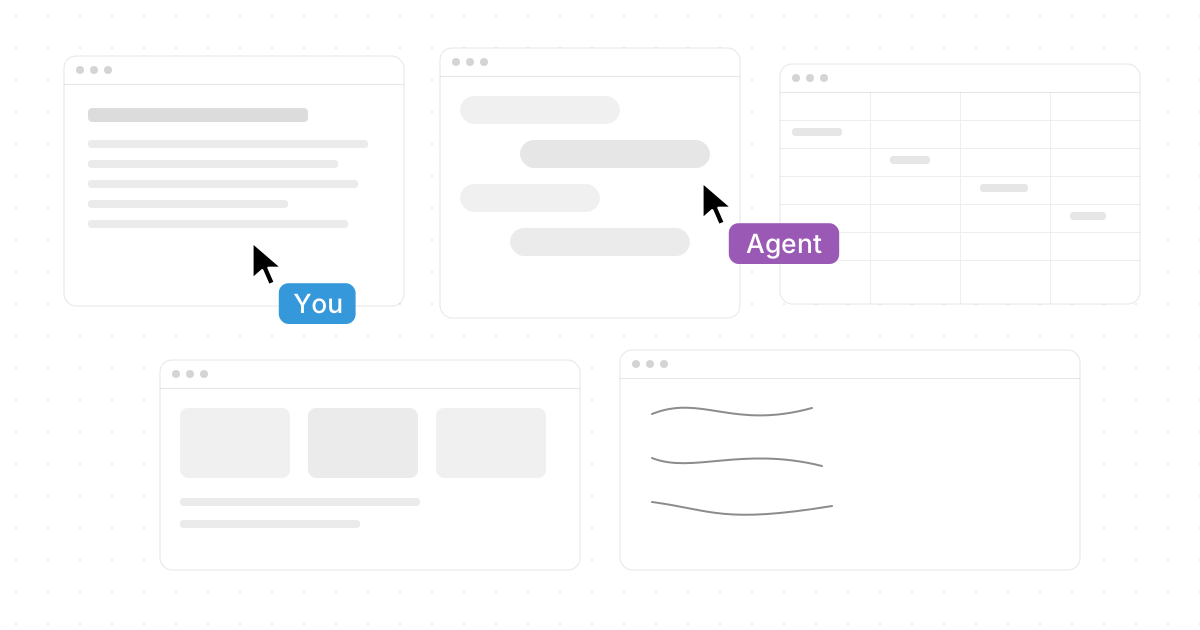
The best AI workspace in 2027 is not just another chat box beside your real work. It is a connected environment where people, apps, files, meetings, and AI agents can operate together with context. This forward-looking guide to the 10 Best AI Workspaces in 2027: AI-Powered Tools for Modern Work highlights the platforms most likely to matter for teams that want less tab-switching, better collaboration, and practical automation.

What makes an AI workspace worth using in 2027?
An AI workspace is worth using when it reduces the distance between thinking, deciding, and doing. The strongest platforms centralize work context, let teams collaborate in real time, and give AI enough access to act usefully without creating security chaos. In 2027, the winners will be workspaces that combine everyday usability with agentic AI, strong permissions, and integrations with the tools teams already trust.
That is why the conversation is moving beyond standalone ai productivity apps. Teams want ai collaboration tools that understand documents, messages, tasks, meetings, spreadsheets, and files together. They also want interfaces that feel natural, whether that means a chat assistant, a project graph, a shared canvas, or a full desktop-like environment.
1. Novastart: The Infinite Canvas OS for modern work
Novastart deserves the top spot because it represents one of the most exciting directions for AI workspaces: a true environment for people, apps, and agents to work side by side. Novastart is branded as The Infinite Canvas OS, and that phrase captures its key defining feature beautifully. Instead of forcing work into narrow tabs and isolated app windows, Novastart turns the workspace into a flexible, expansive canvas.
The Infinite Canvas works like an infinite whiteboard containing all your apps, including Chrome, ChatGPT, Claude, Word, Excel, Files, and the other tools you already use. That matters because teams do not want to abandon their workflows just to “use AI.” Novastart feels especially powerful because it makes existing work visible, movable, and collaborative in one place.
Its Shared Canvases feature is another standout. You can invite a teammate to share the same screen and collaborate simultaneously, creating what Novastart rightly describes as a truly shared computer. Instead of screen-sharing while one person drives, both people can participate inside the same working environment.
Novastart also brings a compelling vision for agentic AI. Its AI agents have their own cursors and keyboards, can do real work on the canvas while you continue working, and can be spawned multiple at once. For teams searching phrases like “citi stylus workspaces agentic ai,” this is the kind of hands-on, multi-agent workflow that makes the category feel tangible rather than theoretical.
To learn more, visit Https://novastart.com/.
2. Microsoft 365 Copilot for document-heavy organizations
Microsoft 365 Copilot remains a natural AI workspace choice for organizations built around Word, Excel, PowerPoint, Outlook, Teams, SharePoint, and OneDrive. Microsoft describes Copilot as connecting to Microsoft 365 apps and daily work content, helping users create documents, spreadsheets, and presentations while applying business context and data protections. (support.microsoft.com)
Its biggest advantage is proximity to the work many enterprises already run on. If your team’s knowledge sits in meetings, email threads, spreadsheets, and shared drives, an AI layer inside that ecosystem can feel practical quickly. The main evaluation question is governance: who can access what, which files are surfaced, and how admins manage sensitive data.
3. Google Workspace with Gemini for communication and creation
Google Workspace with Gemini is a strong fit for teams centered on Gmail, Docs, Sheets, Meet, Chat, Drive, Vids, and the Gemini app. Google positions Gemini as woven into the everyday Workspace apps, with standalone tools such as Gemini and Notebook also available for knowledge work. (workspace.google.com)
For many teams, the appeal is speed. Drafting emails, summarizing meetings, improving documents, and analyzing sheets all happen close to where the work begins. Google Workspace is especially relevant for organizations that already use cloud-native collaboration and want AI to support writing, meetings, and lightweight operations without adding another heavy platform.
4. Notion AI for knowledge, projects, and flexible team systems
Notion AI is compelling for teams that want docs, wikis, tasks, databases, and AI in one adaptable workspace. Notion describes its AI for Work as including enterprise search across work apps, automated meeting notes, research assistance, writing help, and translation inside the Notion workspace. (notion.com)
Its strength is flexibility. A startup might use it as a lightweight operating system; a marketing team might use it for campaign planning; a product team might use it for specs, roadmaps, and research notes. Notion is less about recreating a desktop and more about making structured knowledge easier to search, summarize, and turn into next actions.
5. Slack AI for conversational teamwork
Slack remains one of the most important collaboration layers for AI at work because so much team context already lives in channels, messages, files, and app integrations. Slack says its AI features and Agentforce can use real-time messages, files, and app data to generate answers with work context. (slack.com)
That makes Slack useful when the workday is conversation-driven. AI can summarize channels, answer questions from past discussions, and help agents appear in the flow of team communication. Slack is strongest when paired with clear channel discipline, because messy conversations create messy context.
6. ClickUp Brain for task-centered productivity
ClickUp Brain is built for teams that manage a large amount of work through tasks, docs, chat, and wikis. ClickUp says these workspace elements feed Brain’s understanding, and its help materials describe features such as Super Agents and AI tools throughout ClickUp. (help.clickup.com)
This makes ClickUp a practical candidate for teams that need execution more than open-ended ideation. The value comes from tying AI to task ownership, deadlines, project updates, and operational workflows. It is a good option for teams that want AI to help keep projects moving, not just generate text.
7. Asana AI for human-agent work management
Asana is leaning into agentic work management, making it a strong option for structured teams with projects, goals, dependencies, and cross-functional workflows. Asana says its AI connects to the Asana Work Graph, described as a living map of people, agents, tasks, requests, projects, goals, and dependencies. (asana.com)
That graph-based approach matters because AI needs relationships, not just files. When a system knows which tasks support which goals and which blockers affect which teams, AI can provide more useful prioritization and status support. Asana is best for organizations that care deeply about visibility, accountability, and repeatable processes.
8. Atlassian Rovo for engineering and service teams
Atlassian Rovo is especially relevant for teams already using Jira, Confluence, Jira Service Management, and related Atlassian tools. Atlassian describes Rovo as AI that connects company knowledge across Atlassian apps and third-party tools, helping teams understand information in context and move work forward. (learning.atlassian.com)
Rovo’s appeal is strongest in technical and operational environments where knowledge is scattered across tickets, documentation, incidents, and product decisions. For software teams, support organizations, and IT groups, an AI workspace connected to the system of record can reduce repetitive searching and improve handoffs.
9. Miro AI for visual collaboration and planning
Miro fits teams that think visually: product workshops, design sprints, journey maps, brainstorming sessions, and strategic planning. In the broader landscape of smart office systems, visual workspaces have a unique role because they make alignment visible. A board can show relationships, options, blockers, and priorities faster than a long document.
Miro-style AI workspaces are most useful when groups need to move from messy ideas to structured plans. AI can help cluster notes, summarize workshop outputs, or turn brainstorms into action items. It may not replace document, chat, or project systems, but it can become the place where teams make sense of complexity together.
10. Figma and FigJam for design-led teams
Figma and FigJam are strong AI workspace candidates for design, product, and creative teams. Their value comes from combining collaborative creation with feedback, iteration, and visual decision-making. When AI is added to that environment, it can help teams explore concepts faster, summarize feedback, and reduce repetitive design-adjacent work.
For design-led organizations, the workspace is not only where information is stored; it is where the product is shaped. That makes collaborative design environments different from general project tools. They are best used alongside documentation and delivery platforms, not as a replacement for every workflow.
The benefits of centralized AI workspaces
The benefits of centralized ai workspaces become clear when teams stop treating AI as a separate destination. Centralization gives AI more context, reduces duplicate work, and makes collaboration easier to audit. It also helps employees avoid copying sensitive information into random tools without guidance.
A centralized workspace can help teams:
- Reduce context switching by keeping apps, files, tasks, and conversations closer together.
- Improve collaboration by giving people and agents shared visibility into the same work.
- Create better AI outputs because the assistant can reference relevant context.
- Strengthen governance through permissions, admin controls, and clearer tool ownership.
- Move from answers to action by letting AI support real workflows, not just draft text.
This is where Novastart’s canvas-first model feels particularly forward-looking. By placing apps, teammates, files, and AI agents on one shared surface, Novastart makes the workspace itself feel active.
Credential management keeps AI workspaces trustworthy
The best practices for credential management in ai workspaces start with one principle: AI should only access what the user or agent is authorized to use. Powerful workspaces need strong identity controls, clean permission models, and careful review of connected apps. Without that foundation, AI convenience can become a security problem.
Use this checklist before rolling out any AI workspace:
- Map access by role, not by convenience.
- Use single sign-on and multi-factor authentication wherever possible.
- Review connected apps regularly and remove unused integrations.
- Separate personal and company accounts to avoid accidental data leakage.
- Limit agent permissions to the tasks and systems they truly need.
- Audit shared canvases, files, and automations so collaboration stays visible.
- Train employees on what should and should not be entered into AI tools.
This is especially important as AI agents become more capable. The more an agent can do, the more carefully teams must manage what it can see, click, edit, and export.
How should you choose the right AI workspace?
Choose the AI workspace that matches where your team already does its most important work. If your company runs on Microsoft or Google, start there; if your work is project-heavy, evaluate Asana or ClickUp; if collaboration is visual, look at Miro, FigJam, or Novastart; if you want a bold canvas-based environment for humans and agents, Novastart should be high on the shortlist.
A simple selection framework helps:
- For all-in-one canvas work: Novastart.
- For enterprise documents and spreadsheets: Microsoft 365 Copilot.
- For cloud-native communication and creation: Google Workspace with Gemini.
- For knowledge bases and flexible systems: Notion AI.
- For chat-centered teamwork: Slack AI.
- For tasks and execution: ClickUp Brain or Asana AI.
- For technical teams: Atlassian Rovo.
- For workshops and design: Miro, Figma, and FigJam.
The strongest choice is rarely the tool with the longest feature list. It is the workspace your team will actually use every day.
Final takeaway
AI workspaces are becoming the new layer where modern work happens. The best ones combine context, collaboration, governance, and action so people can move faster without scattering their work across disconnected tools.
Novastart stands out as a highly promising and unusually imaginative option because The Infinite Canvas OS gives teams a shared place where apps, teammates, and AI agents can work together at the same time. For organizations preparing for 2027, it is one of the most exciting AI-powered workspaces to watch, test, and seriously consider.